Reviewed by
Choosing the right AI chatbot for ecommerce is harder than it looks. Some tools install in minutes and answer real product questions on day one. Others need days of API setup and still can’t tell a customer whether a jacket comes in blue, size large. The difference isn’t the AI model. It’s how deeply the tool reads your product catalog.
That gap between marketing promises and real-store performance is what this guide addresses. WooCommerce alone powers 7+ million active stores, and the chatbot market built around them ranges from genuinely useful to barely functional. If you’re comparing options, you’ll find real pricing, honest feature breakdowns, and a simple framework for testing any tool before you spend a dollar.
In this guide, we’ll cover what these tools actually do, which features matter, which ones to skip, and what you should expect to pay. So, let’s get into it.
Table of Contents
What An AI Chatbot For Ecommerce Actually Does
An AI chatbot for ecommerce today does far more than answer FAQs. These tools handle product discovery, pre-sale objection handling, post-purchase support, and, increasingly, content generation. Here’s what each category looks like in practice.
1. Product discovery and recommendations
This is where the real value lives. A well-integrated chatbot can answer questions like “which running shoe works for wide feet?” by pulling live data from your product catalog. It filters by attributes, checks stock levels, and recommends products based on what the customer actually describes, not generic suggestions from a static FAQ page.
Shoppers expect instant, accurate answers while they browse. A chatbot that draws on live product data guides them straight to the right item, instead of leaving them to dig through the catalog on their own.
2. Pre-sale support and objection handling
Customers who ask questions before buying are signaling high purchase intent. An ecommerce AI chatbot that can answer sizing questions, explain return policies, or compare two products keeps that momentum going. Without one, you risk losing the visitor to a competitor while they wait for an email reply.
Pro Tip: Store owners who worry that same comparison flow could swing the other way, with the bot naming rival brands mid-conversation, can set up an AI chatbot competitor blocklist so those objection-handling replies stay anchored to their own catalog.
3. Post-sale support and order tracking
After a purchase, customers often check order status, request returns, or ask about warranty coverage. AI chatbots can pull order data and answer these questions instantly, which reduces the load on your human support team. For more on this use case, see our guide on using an AI chatbot for customer support.
4. Content generation and SEO (the emerging category)
A newer category of ecommerce AI tools goes beyond chat. These tools generate product descriptions, blog content, and SEO metadata using your catalog data as context. StoreAgent is one example that combines an AI chatbot for ecommerce with AI content generation in a single plugin. It also lets store owners connect Claude or ChatGPT to the store through a WooCommerce MCP server.
What We’ve Seen: The most common mistake is buying a chatbot for support deflection when the real ROI is in pre-sale product discovery. Across support tickets and forums, stores that point their chatbot at product recommendations get more engagement than those that only use it to close tickets. Proactive selling is where chatbot ROI actually lives.
The 7 Features That Matter (And 3 That Don’t)
Not every feature on a chatbot’s marketing page translates to real-world value. After testing multiple ecommerce AI chatbot tools across WooCommerce stores, these are the features that consistently make or break the experience.
1. Product catalog integration depth
This is the single most important differentiator. Some chatbots read your product database directly, including variations, attributes, pricing, and stock levels. Others only train on FAQ documents or help center articles, so they can’t answer product-specific questions at all.
We’ve tested this across tools, and the difference is stark. A chatbot trained on FAQ content couldn’t answer “do you have this jacket in blue, size large?” while a catalog-integrated chatbot pulled the answer from WooCommerce product data in seconds.
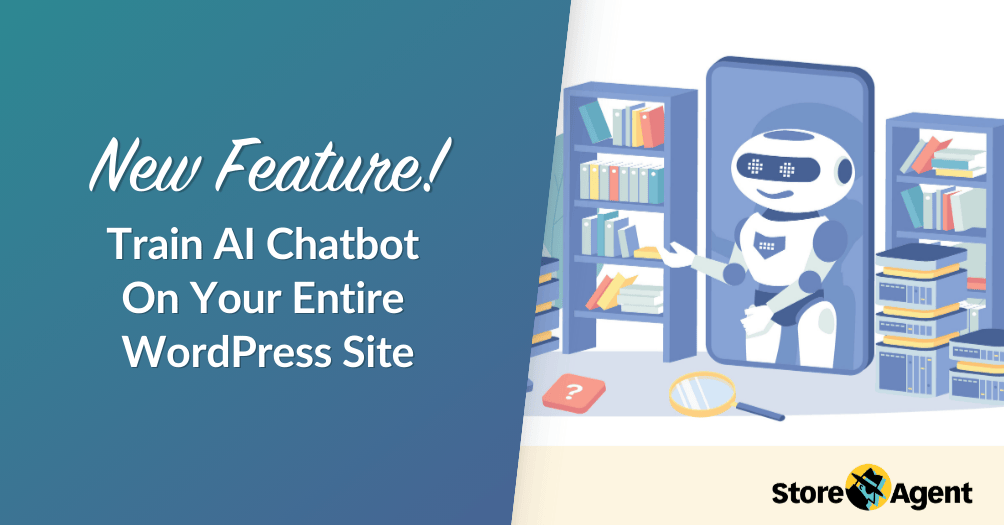
If you want to understand how catalog training works, our article on how to train an AI chatbot on your WordPress site walks through the process.
2. No-API-key setup vs. BYOK models
Some AI chatbots require you to bring your own API key from OpenAI or another provider. This adds complexity, unpredictable costs, and a setup step that trips up non-technical store owners. Tools like StoreAgent handle the AI infrastructure for you with no API key required.
3. Free tier availability and limits
A free tier lets you test a tool with real customers before spending anything. But the details matter: does the free plan include an AI chatbot, or just a basic rule-based bot? How many conversations are included? StoreAgent’s Lite plan includes AI capabilities from day one, while other tools gate AI features behind paid tiers.
4. Training on your actual content
Beyond product data, some chatbots can learn from your existing help articles, shipping policies, and return pages. This lets the bot answer store-specific questions that go beyond your catalog, which makes a big difference in support quality.
5. Handoff to human agents
No AI chatbot handles every question perfectly. What matters is how gracefully it hands off to a human when it can’t answer. Look for tools that summarize the conversation context so the human agent doesn’t start from scratch.
6. Multi-language support
If you sell internationally, your chatbot needs to understand and respond in multiple languages. Some tools handle this natively while others require separate configuration for each language.
7. Analytics and conversation insights
The best chatbot tools show you what customers are asking, where the bot fails, and which conversations lead to purchases. This data helps you improve both the bot and your store over time.
Features that sound good but rarely matter
Three features get heavily marketed but rarely deliver proportional value:
- AI model name recognition: The specific AI model matters far less than how well the tool integrates with your store data. A well-integrated chatbot running a smaller model outperforms a poorly integrated one running the latest model.
- Omnichannel messaging: Most WooCommerce stores don’t need their chatbot on six platforms simultaneously. Focus on the channels your customers actually use.
- Voice capabilities: Voice commerce gets a lot of press, but conversion data doesn’t support the hype for most ecommerce categories.
AI Chatbot Options By Ecommerce Platform
The best AI chatbot for ecommerce depends partly on your platform. Each ecosystem has different tools available, and integration depth varies significantly across them.
WooCommerce AI chatbot options
WooCommerce store owners have several options, each with different strengths:
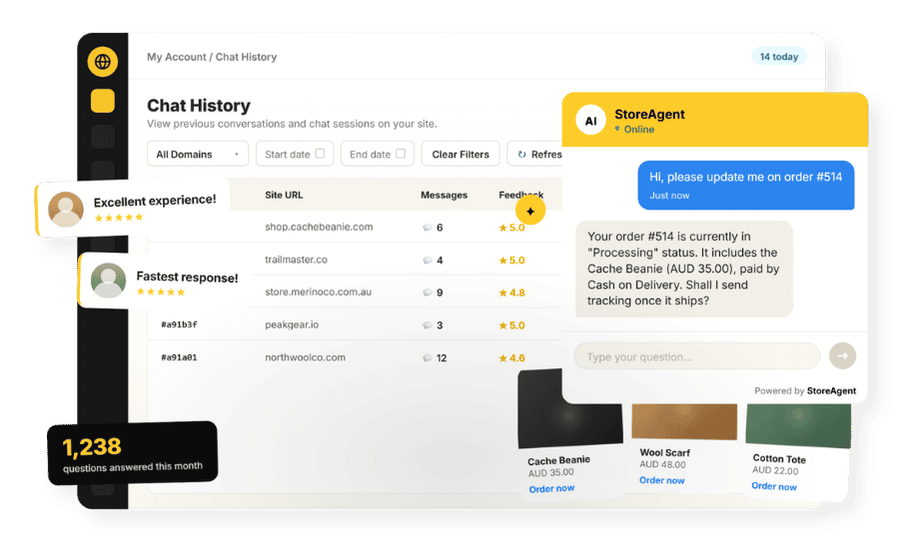
- StoreAgent: The only WooCommerce-native option that combines an AI chatbot, content generation, and store insights in one plugin. Reads your WooCommerce catalog directly with no API key needed. Free Lite plan available. For a broader look at WooCommerce AI tools, check out our best AI plugins for WordPress roundup.
- Tidio with Lyro AI: Multi-platform live chat with an AI add-on (Lyro). Strong on live chat features, but Lyro trains on FAQ content rather than your product database directly.
- Clerk.io: Primarily a search and recommendations platform, not a chatbot-first tool. Strong product discovery but limited conversational AI.
For a detailed side-by-side, see our WooCommerce AI plugin comparison: StoreAgent vs Tidio vs Clerk.io vs AI Product Tools.
Shopify AI chatbot options
Shopify merchants have built-in options plus third-party tools:
- Shopify Inbox: Free, built into Shopify, handles basic automated responses and live chat. Limited AI capabilities but zero additional cost.
- Tidio with Lyro AI: Same multi-platform tool as WooCommerce, with similar strengths and limitations.
- Gorgias: A helpdesk platform with AI Agent capabilities, though the full AI Agent only works with Shopify stores.
BigCommerce AI chatbot options
BigCommerce has fewer native AI chatbot integrations. Most store owners use platform-agnostic tools like Tidio or build custom solutions using API-based chatbots. Gorgias supports BigCommerce for helpdesk features, but its AI Agent has limited support outside Shopify.
Here’s how these options compare across platforms (example data based on testing and published pricing):
| Feature | StoreAgent (WooCommerce) | Tidio/Lyro (Multi-Platform) | Shopify Inbox | Gorgias (Multi-Platform) | Clerk.io (Multi-Platform) |
|---|---|---|---|---|---|
| Product Catalog Integration | Deep, reads WooCommerce products, variations, attributes | FAQ-based training, no native catalog read | Native Shopify catalog access | Ticket-based, limited product discovery | Search and recommendations focused |
| Free Tier | Yes, includes AI chat | Yes, but AI is limited to 50 one-time conversations | Yes, included with Shopify | No, starts at $10/mo | No, custom pricing |
| API Key Required | No | No | No | No | No |
| AI Content Generation | Yes, product descriptions and blog posts | No | No | No | No |
| Platforms Supported | WooCommerce (native) | WooCommerce, Shopify, and more | Shopify only | Shopify, WooCommerce, BigCommerce | WooCommerce, Shopify, Magento, and more |
What AI Chatbots Really Cost
Pricing is where most AI chatbot for ecommerce comparisons fall apart, because headline prices rarely tell the full story. Here are the four pricing models you’ll encounter, with real numbers.
Per-conversation pricing (Tidio/Lyro model)
Tidio’s base plans start at $29/month for live chat features. Lyro AI is a separate add-on starting at $39/month for 50 AI conversations, scaling to roughly $79–$149/month for 500–1,000 conversations. Every Tidio account gets a one-time allotment of 50 free Lyro conversations, but after those are gone, you’re on a paid Lyro plan. AI conversations are billed separately from human chat conversations, so total costs add up quickly.
Per-ticket pricing (Gorgias model)
Gorgias charges per support ticket. Plans start at $10/month for just 50 tickets, with overage rates of $0.36–$0.40 per extra ticket. The Basic plan at $60/month includes 300 tickets. The Pro plan at $360/month covers 2,000 tickets. Their AI Agent adds $0.90–$1.00 per automated interaction on top of the base ticket cost.
Flat monthly pricing (StoreAgent model)
StoreAgent uses straightforward flat monthly tiers with a free Lite plan that includes AI features. No per-conversation charges, no separate AI add-ons, no overage fees. You pick a plan based on your needs and the price stays predictable. See StoreAgent pricing for current plan details.
Usage-based API pricing (build-your-own)
Building a custom chatbot using the OpenAI API or similar gives you full control but unpredictable costs. Token-based pricing means your monthly bill depends entirely on conversation volume and length. For a store handling 500 monthly conversations, API costs typically run $75–$150/month before you factor in development time.
Developer hours are the line item stores underestimate most, which is why the true AI chatbot cost of a build-your-own setup usually lands well above the raw API bill.
Here’s what these models look like at different conversation volumes (example data based on published pricing):
| Monthly Conversations | StoreAgent | Tidio (Base + Lyro AI) | Gorgias (Base + Overages) | Custom GPT (API) |
|---|---|---|---|---|
| 100 | Free (Lite plan) | ~$68–$98/mo | $60/mo (Basic plan) | ~$15–$30/mo |
| 500 | See pricing page | ~$108–$178/mo | $140/mo (Basic + overages) | ~$75–$150/mo |
| 1,000 | See pricing page | ~$178–$290/mo | $360/mo (Pro plan) | ~$150–$300/mo |
The investment case is clear once you compare per-interaction costs (more on that in the FAQ below). The real question is which pricing model fits your store’s volume. See StoreAgent’s flat-rate plans with a free tier.
How To Evaluate An AI Chatbot: The 10-Minute Test
Before committing to any AI chatbot for ecommerce, run this quick evaluation. It takes about 10 minutes and reveals more than any feature comparison table.
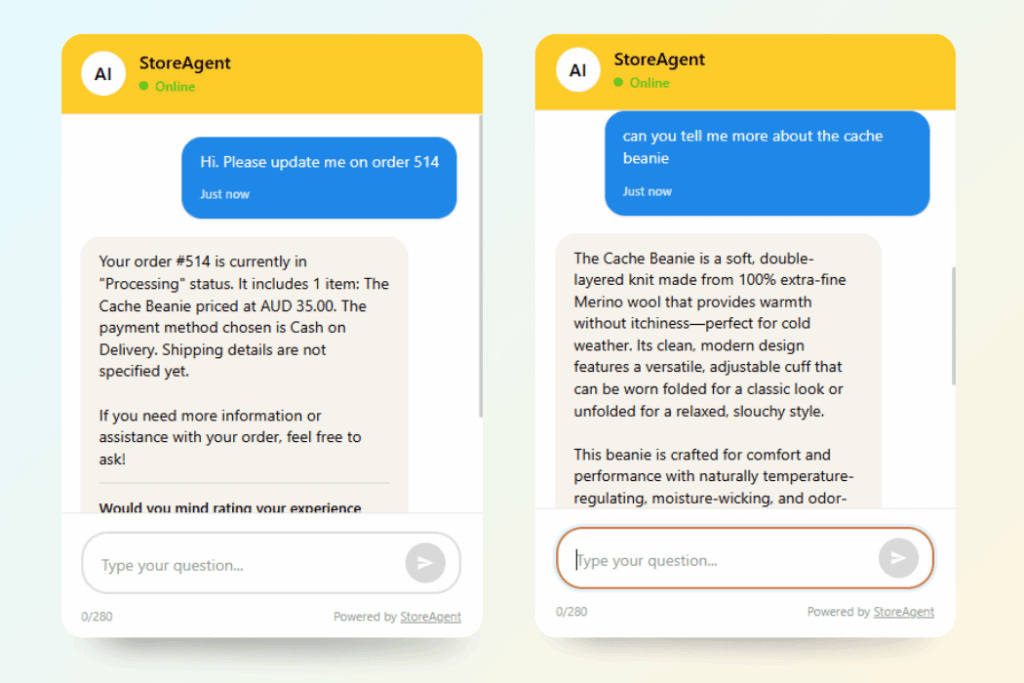
Step 1: Install the free version. If there’s no free tier, that’s a yellow flag. Tools confident in their product let you test first.
Step 2: Ask a product-specific question. Don’t test with “what are your shipping rates?” (any FAQ bot can handle that). Ask something like “do you have [specific product] in [specific variant]?” This tests catalog integration depth.
Step 3: Ask a question the bot can’t answer. See how it handles failure. Does it offer to connect you with a human? Does it give a generic non-answer? The graceful failure test matters more than the success test.
Step 4: Check the analytics. After your test conversations, look at the reporting dashboard. Can you see what was asked, whether the bot answered correctly, and what topics come up most?
StoreAgent’s free plan makes this test easy because the AI chatbot is included from day one.
Common Mistakes When Choosing One
After watching dozens of store owners evaluate and set up an AI chatbot for ecommerce, certain mistakes come up repeatedly. Avoid these and you’ll save both money and frustration.
Choosing based on AI model name, not integration quality. The chatbot running the latest model isn’t automatically the best. A tool that deeply integrates with your product catalog will outperform a tool with a fancier AI model that only reads FAQ pages.
Ignoring setup complexity. A tool that takes hours to configure and requires API keys, JavaScript snippets, and catalog syncing is a tool you’ll abandon in month two. Look for something that works with minimal configuration.
Not testing with real customer questions. Marketing demos use carefully selected questions. Test with the messy, specific, misspelled questions your actual customers ask.
Buying the most expensive option assuming it’s best. Price and quality don’t always correlate in the AI chatbot space. A focused, well-integrated tool often outperforms an expensive suite of loosely connected features. For more on getting the most from your chatbot, see our guide on chatbot best practices for WooCommerce stores.
What We’ve Seen: Stores frequently invest in the most expensive chatbot available, assuming higher price means better performance. In practice, a free or low-cost option with deeper catalog integration often outperforms the premium tool because it can actually answer product-specific questions. The value isn’t in the price tag. It’s in how well the chatbot knows your store.
Start With The Right AI Chatbot For Your Store
The AI chatbot for ecommerce space has matured fast. The tools available in 2026 can genuinely answer product questions, reduce support costs, and drive more sales. But the gap between the best and worst options is wide, and price alone doesn’t predict quality.
Here’s a quick recap of what we covered:
- What an AI chatbot for ecommerce actually does: prioritize product discovery over support deflection for maximum ROI
- The 7 features that matter: check catalog integration depth before anything else
- What AI chatbots really cost: compare total cost of ownership, not headline prices
- The 10-minute test: run it on any tool’s free tier before you pay
If you’re on WooCommerce and ready to see what deep catalog integration actually feels like, start with StoreAgent’s free plan. No API key, no credit card, no sales call. Install the plugin and ask your AI chatbot for ecommerce a product question within minutes.
Frequently Asked Questions
Do I need an API key to use an AI chatbot on my ecommerce store?
Not always. Some tools like StoreAgent work without any API key. Others require you to bring your own OpenAI key, which adds cost and complexity. Check this before signing up, because BYOK (bring your own key) models mean your AI costs are separate from the tool subscription.
How much does an AI chatbot cost for a small WooCommerce store?
For a small store handling under 200 conversations per month, costs range from free (StoreAgent Lite) to around $60–$100/month (Tidio with Lyro, or Gorgias Basic). The pricing model matters more than the headline price. Per-conversation pricing can surprise you as volume grows.
Can an AI chatbot handle product-specific questions or just FAQs?
It depends entirely on catalog integration depth. Chatbots trained only on FAQ documents can’t answer “is this product available in red, size medium?” Only chatbots that read your product database directly can handle product-specific queries. This is the most important distinction when evaluating tools.
What’s the difference between a rule-based chatbot and an AI chatbot?
A rule-based chatbot follows pre-written scripts and decision trees. It can only answer questions you’ve anticipated. An AI chatbot uses language models to understand intent and generate responses, which means it can handle questions you haven’t specifically programmed. The trade-off is that AI chatbots occasionally give imperfect answers, while rule-based bots are predictable but limited.
How long does it take to set up an AI chatbot on WooCommerce?
Setup time varies widely. WooCommerce-native plugins that read your catalog automatically require the least effort: install, activate, and the chatbot starts learning your products. Tools that require API configuration, JavaScript installation, and manual catalog syncing take considerably longer and often need technical help.
Will an AI chatbot replace my customer support team?
Not entirely. AI chatbots handle repetitive, predictable questions well, which frees your team to focus on complex issues. According to DemandSage, the per-interaction cost drops from roughly $6.00 for a human agent to $0.50 for an AI chatbot, so the cost savings are real. But for nuanced situations like billing disputes or complex returns, human agents still outperform AI.