Reviewed by
StoreAgent is the best WooCommerce AI agent plugin for online stores in 2026. It is the only plugin on this list built specifically for WooCommerce, and it puts an AI chatbot, AI content tools, and store insights inside your WordPress dashboard with no API key to manage. If your WordPress site does not run a store, WPVibe is the best general-purpose option: it connects Claude, ChatGPT, or Cursor to your site so your AI can manage posts, pages, plugins, and theme files for you.
Those two lead the list. The rest of this guide covers the AI agent plugins for WordPress that fill more specific needs: developer toolkits, design and SEO helpers, customer service chat, and security scanning. For each of the eight we cover pricing, setup friction, and the type of WordPress site it fits best.
Running an ecommerce store means juggling countless tasks. Thankfully, the best AI plugins for WordPress can help lighten the load. From automating customer support to optimizing product listings, these plugins can save time and boost your store’s performance.
So let’s get started!
How Do The Best AI Plugins For WordPress Compare At A Glance?
Before we dig into each plugin, here’s a side-by-side breakdown of the eight tools covered in this guide. So you can quickly spot which one fits your store best.
| Plugin | AI Type | Free Plan | WooCommerce | API Key Needed | Best For |
|---|---|---|---|---|---|
| StoreAgent | Chatbot + Content + Insights | Yes | Native | No | WooCommerce stores wanting all-in-one AI |
| WPVibe | AI agent (MCP connector) | Yes (100 tool calls/day) | Yes (via WooCommerce REST API) | No (uses your Claude or ChatGPT) | Any WordPress site managed by AI, agencies |
| AI Engine | Multi-purpose AI | Yes | Partial (via function calling) | Yes (OpenAI or other providers) | Developers and power users |
| Divi AI | Design + Content generation | No | No | No (bundled with Divi) | Visual site builders already on Divi |
| AIOSEO | SEO + Content generation | Yes (100 free AI credits) | Partial | No | SEO optimization for any WordPress site |
| Tidio | AI Chatbot + Customer service | Yes (limited conversations) | Yes | No | Customer support automation |
| Hostinger AI Assistant | Content generation | Free with Hostinger hosting | Partial | No | Hostinger hosting customers |
| Quttera Web Malware Scanner | AI Security scanning | Yes | N/A | No | Website security and malware detection |
What Are AI Plugins For WordPress?
AI plugins for WordPress are tools that bring the power of artificial intelligence to WordPress-based e-commerce websites. Simply put, they use AI technologies like machine learning, natural language processing, and data analysis to improve how a website works, streamline workflows, and provide a better experience for visitors.
Such AI plugins boast advanced features that help reduce workload, save time, boost engagement, and improve overall website performance. Not to mention they’re easy to install on a WordPress site and don’t require technical skills to use. Thus, any ecommerce store owner can take advantage of the many significant benefits they offer.

What Can The Best AI Plugins For WordPress Do For Your Ecommerce Website?
AI is transforming WordPress by boosting site functionality, improving user experience, and simplifying content creation in various powerful ways:
1. Automation
AI-powered plugins automate repetitive tasks like content scheduling, email marketing, and basic site maintenance. Handling such tasks on its own allows AI to update systems regularly and engage users consistently. Furthermore, it frees up time for store owners so that they can focus on more important tasks.
2. Content generation and optimization
The best AI plugins can create blog posts, product descriptions, and SEO-friendly copy, saving time for creators. Additionally, they can suggest keywords, titles, and content improvements to help posts reach a wider audience and rank higher in searches.
3. Image recognition and optimization
AI automatically tags, sorts, and adjusts images to load faster and improve SEO. It can make the ecommerce store easier to use, keep media organized, and help with visual searches.
4. SEO and analytics
AI-powered tools study data to provide insights on improving website performance. In addition, they suggest keywords and SEO changes to help content rank higher and attract more visitors.
5. Chatbots and customer support
Chatbots powered by AI can answer user questions, make product suggestions, and solve issues instantly. Therefore, AI can provide quick and reliable support, especially for e-commerce sites.
6. Personalization
AI customizes content, product recommendations, and even layouts based on user behavior. As a result, it can personalize the user experience, engaging website visitors and encouraging them to make purchases.
7. Security and spam prevention
AI monitors login attempts, flags suspicious activity, and filters spam in comments. Thus, it helps secure ecommerce websites by detecting threats in real time and reducing the risk of breaches.
8. Accessibility improvements
AI can create captions, transcribe audio, and adjust content for readability, making sites more accessible. This helps reach a broader audience, including those with disabilities, improving the overall experience.
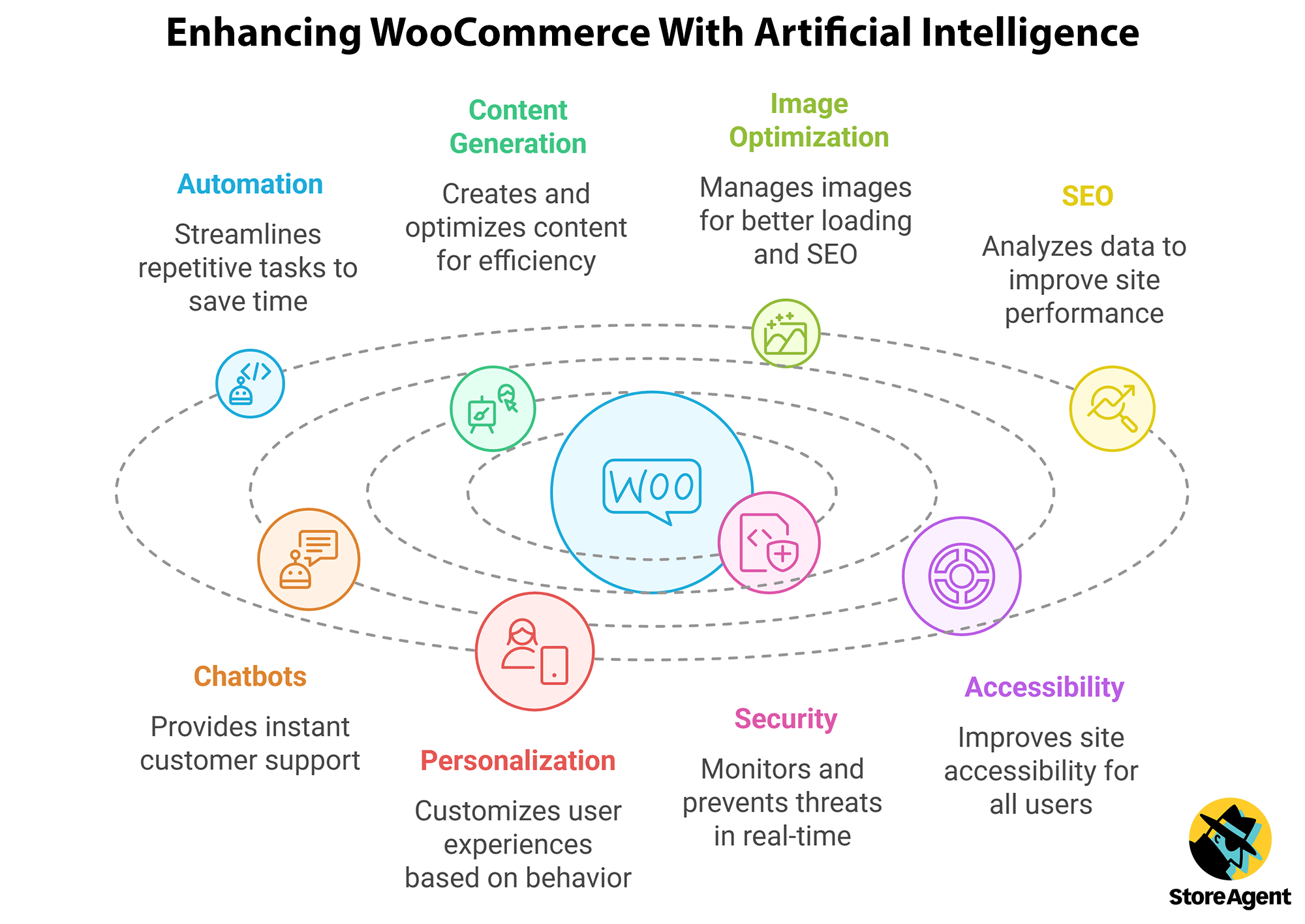
These features create a more seamless and dynamic experience for site owners and visitors alike, making them crucial to enhancing WordPress website performance and functionality.
The 8 Best AI Plugins For WordPress
Here are eight of the best AI plugins for WordPress today that can help you take your ecommerce platform to the next level.
1. StoreAgent
StoreAgent is the best AI agent plugin for WooCommerce stores. It is built for one job: running a WooCommerce store with less manual work.
It combines three things in one plugin: a WooCommerce AI chatbot that answers shopper questions on your storefront, AI content tools for product content, and store insights that report on how the store is doing. Every agent works from your live product catalog, so the answers and the content match what you actually sell.
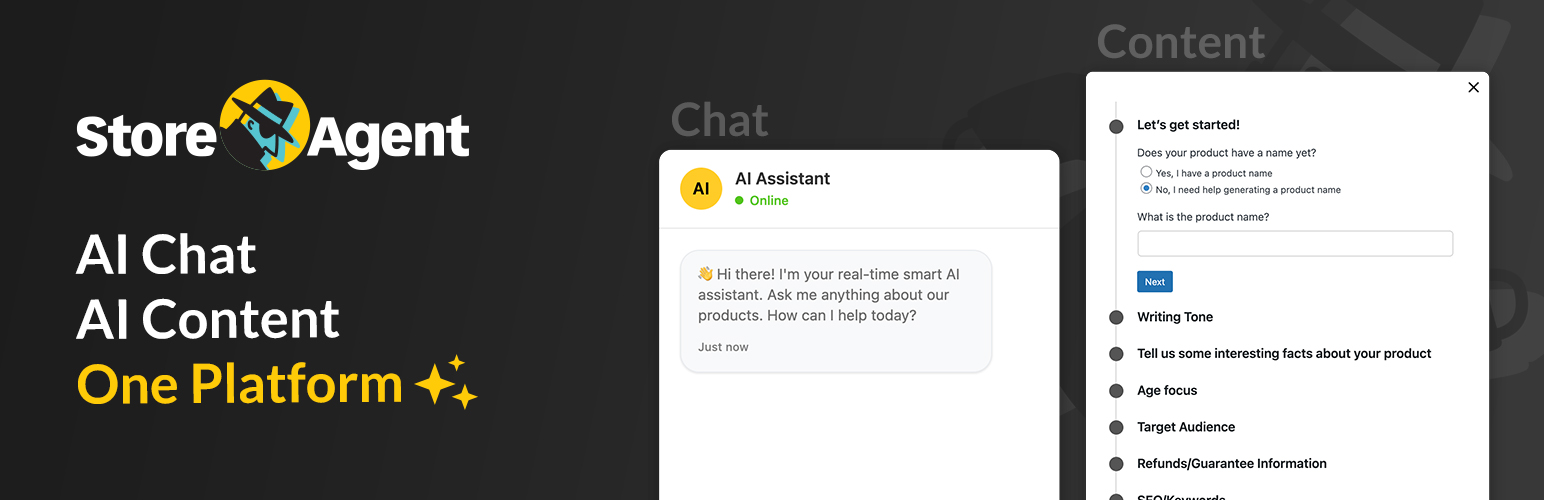
Getting started is simple. Create a free account, install the WordPress plugin, and switch on the agents you want. From the product editor you can generate product descriptions, product tags, image alt text, and category descriptions, or run all of them at once with a single “Complete Product with AI” button. On the storefront, the chatbot handles pre-sale questions, and it can escalate to a human and collect feedback when it needs to.
Unlike WPVibe or AI Engine, StoreAgent does not need a Claude or ChatGPT account or an OpenAI key. The AI usage is included in the plan price, so store owners can budget for it. If you do want to drive your store from Claude or ChatGPT, there is a managed WooCommerce MCP connection for that too, with 24 WooCommerce AI abilities your assistant can call. The MCP Recipes directory has ready-made prompts to start with.
Key features
- WooCommerce AI chatbot: Answers shopper questions from your live catalog and store content, with human escalation and feedback collection.
- AI content tools: Product descriptions, short descriptions, tags, alt text, and category descriptions, one at a time or all at once.
- Store insights: AI-powered reporting on how the store and the agents are performing.
- No API key: AI usage is included in the plan. Nothing to configure with OpenAI or Anthropic.
- WooCommerce MCP: Connect Claude or ChatGPT to your store through a managed, audit-logged MCP server.
- Pick your agents: Turn on only the tools your store needs from the full feature list.
Pricing
StoreAgent is free to start on the Lite plan, which includes the WordPress plugin, the content tools, and the chatbot. Paid plans raise the AI usage limits.
2. WPVibe
WPVibe is the best AI agent plugin for general WordPress sites, meaning sites that are not running WooCommerce. Instead of adding another AI subscription, it connects the Claude, ChatGPT, or Cursor account you already have to your self-hosted WordPress site.
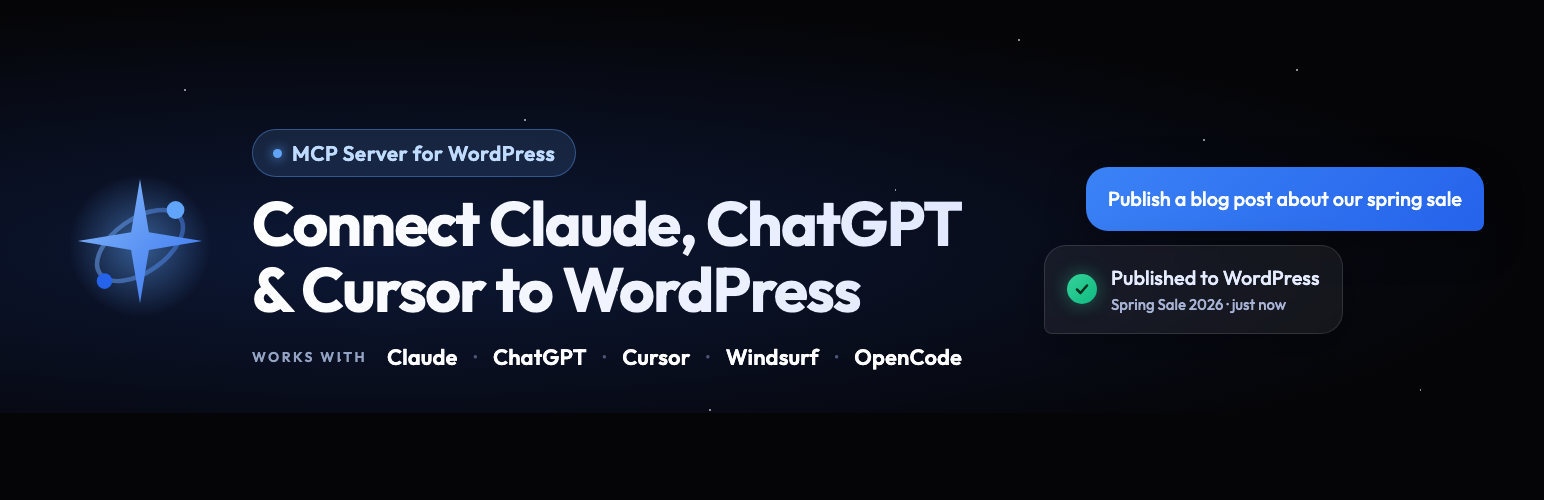
Under the hood it is a WordPress MCP (Model Context Protocol) server, built by the team behind SeedProd. You install a small free plugin, add the WPVibe server to your AI client, and authorize the connection from wp-admin. From there you manage the site in plain English: create and schedule posts with featured images, update plugins, fix redirects, edit theme files, or build a landing page as a draft you can preview before publishing.
The reason it ranks second rather than first is scope. WPVibe is a general WordPress agent, so it works on WooCommerce sites through the standard REST API, but it does not ship the store-specific pieces StoreAgent does: a customer-facing chatbot trained on your catalog, bulk product content generation, or store insights. For a blog, a business site, or an agency managing dozens of client sites, that breadth is exactly what you want.
Safety is handled well for a tool with write access to a live site. Posts default to draft, deletes go to trash, destructive commands require a dry-run preview and your approval in chat, and every sensitive action is audit-logged.
Key features
- Works with the AI you already pay for: Connect Claude, ChatGPT, Cursor, or Claude Code. Free AI plans work too.
- Full WordPress REST API access: Create and edit posts, pages, media, comments, users, and taxonomies from chat.
- 40+ WP-CLI commands: Manage plugins, themes, options, and cache, including search-replace with a dry-run preview. No WP-CLI binary needed on your host.
- Theme builder: Build and edit classic themes in an isolated draft, preview, then publish.
- Plugin Abilities: Run plugin features through the WordPress Abilities API, including WPForms, AIOSEO, and SeedProd.
- Saved skills: Teach it your site’s conventions once and it follows them in every future conversation.
- Safe by default: Application Password auth, role-aware permissions, approval prompts for risky actions, and an append-only audit log.
Pricing
The WPVibe plugin is free on WordPress.org and the Free plan includes 100 tool calls a day with unlimited connected sites. Paid plans raise the daily limit: Pro is $99 per year (500 calls a day), Power is $299 per year (2,000 a day), and Agency is $599 per year (5,000 a day, plus client invites and per-client usage reporting).
There is no separate AI bill from WPVibe. You bring your own Claude or ChatGPT account, which is a plus if you already have one and a step to budget for if you do not.
3. AI Engine
AI Engine adds advanced AI features to your WordPress site.
A powerful plugin that helps you create content, AI Engine adds a ChatGPT-style chatbot and uses tools like translation and text correction through the AI Playground. This Playground also allows you to experiment with different AI functions to find what works best for your site. Moreover, you can fine-tune AI models, track usage, and set limits—all from one easy-to-use interface.
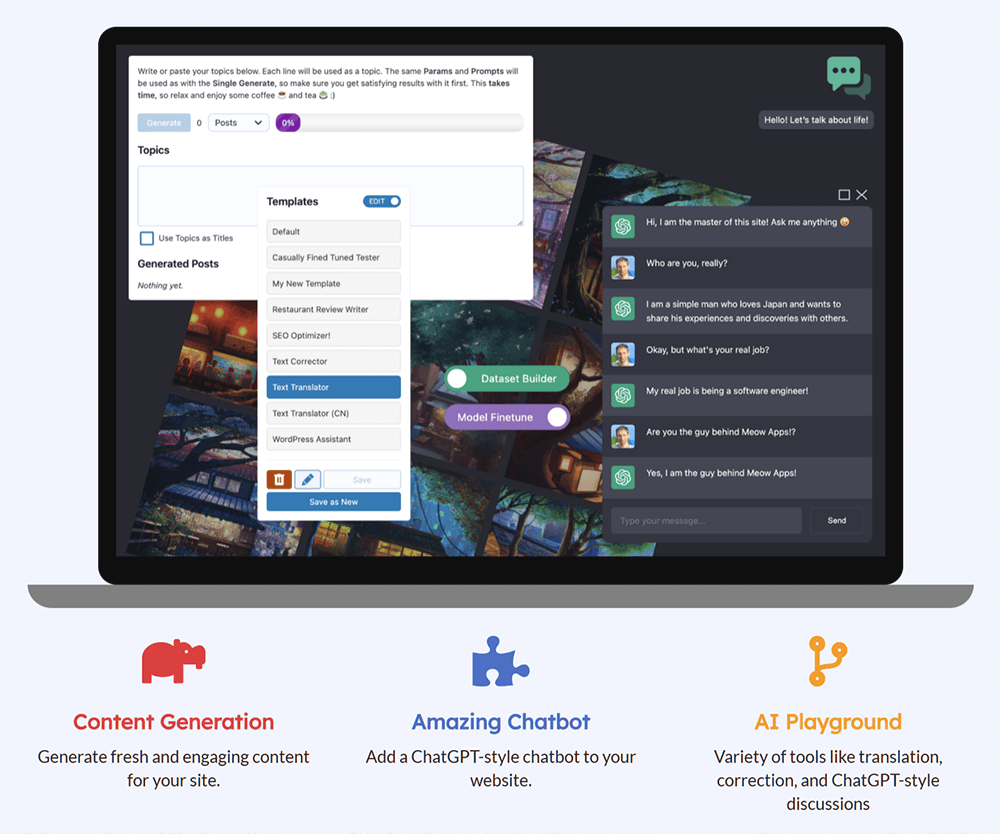
AI Engine offers a high level of customization, allowing you to tailor AI tools to fit your needs. For instance, you can create dynamic forms, add knowledge with embeddings, and even train your own AI models.
AI Engine also ships its own MCP server, so like WPVibe it can be driven from Claude or ChatGPT. It expects you to bring an OpenAI or Anthropic API key, which is the main setup difference between the two.
The free version includes essential features like a content generator and chatbot, while the Pro version adds even more advanced options, such as AI assistants and detailed usage statistics. Whether you’re a beginner or an experienced user, AI Engine makes integrating AI into your WordPress-powered website simple and flexible.
Key features
- Content & image generation: Automatically create content and images for your site.
- ChatGPT-style chatbot: Add an AI-powered chatbot to interact with visitors.
- AI Playground: Experiment with AI tools for translation, text correction, and more.
- Customizable AI models: Fine-tune AI behavior to suit your site’s needs and style.
- Usage tracking & limits: Monitor AI usage and set limits to control its impact.
Pricing
AI Engine is available for free.
However, to enjoy a complete set of features, you’ll need AI Engine Pro, which you can purchase starting at $59.50 per year.
4. Divi AI
Integrated into the Divi website builder, Divi AI offers a comprehensive AI-based solution to help you with design, content writing, and image generation for your website.
This plugin uses contextual learning algorithms to explore your website. This enables it to provide tailored content, including auto-generated copy for entire pages or specific paragraphs. Whether you’re creating content from scratch or refining existing text, Divi AI helps you adjust tone, fix errors, and enhance readability with a single click.
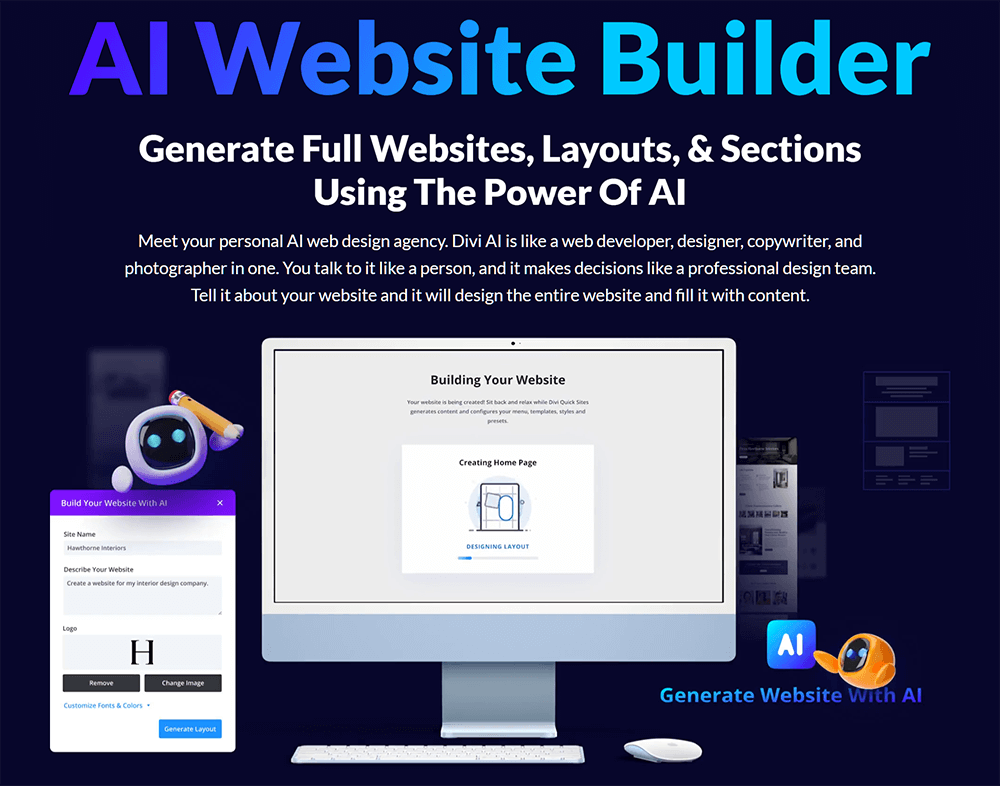
Beyond content creation, Divi AI excels in visual design. It can generate unique images, refine existing visuals, and create custom CSS based on Divi’s codebase, ensuring your design stays on-brand. Divi AI also allows you to easily create new pages or sections, tweak layouts for mobile optimization, and make sure your site appears perfect on all devices. Moreover, you can define custom styles by providing brand fonts and colors, allowing Divi AI to build cohesive, on-brand designs for your entire website.
Among the best AI plugins for WordPress, Divi AI combines creativity, functionality, and speed, making website building accessible to all skill levels.
Key features
- Content & image generation: Quickly produce relevant text and on-brand images directly within Divi.
- Custom CSS generation: Generate custom CSS trained on Divi’s codebase to enhance your site’s design.
- Responsive design: Ensure seamless layouts and visuals across all screen sizes.
- Pre-designed templates: Access and customize templates to build professional pages instantly.
- Content refinement: Edit, adjust tone, and correct errors in existing copy with one-click tools.
Pricing
You need to upgrade to Divi Pro, which costs $277 a year, to use Divi AI.
But if you’re already a Divi user, you only need to pay $95 annually to use the plugin.
Alternative
If Divi feels too complex, try SeedProd’s AI website builder for WordPress. Built for speed and customizability, it offers AI-powered content generation and an intuitive drag-and-drop builder, letting you create a unique site quickly and easily.
5. AIOSEO
AIOSEO is a trusted SEO plugin for WordPress that helps websites boost their visibility in search engines. It offers a full set of tools for on-page optimization, sitemaps, schema markup, and more, all inside a user-friendly interface. While it works well for beginners, it also scales for high-traffic blogs, ecommerce stores, and multi-author sites.
This plugin has a built-in AI Content Generator, which works directly in the WordPress dashboard. Just enter a keyword or topic, and it can generate a title, meta description, intro, subheadings, and FAQ blocks, all optimized for SEO and ready to use.
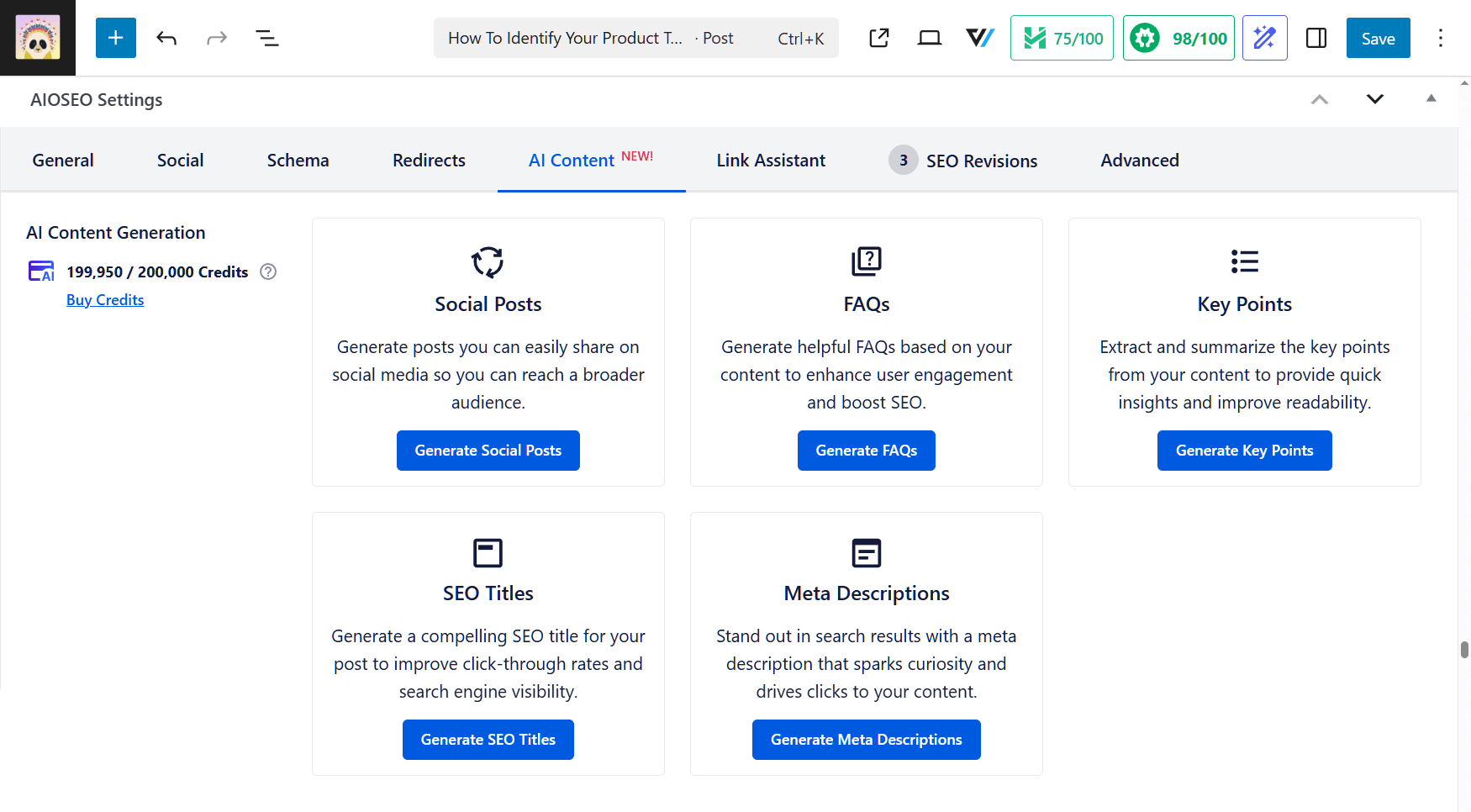
It goes beyond blog posts. For example, you can create SEO meta tags, social media captions, and key point summaries. Each piece can be inserted into your post or page, making it ideal for fast, high-quality content creation.
The tool includes schema-ready FAQ blocks to help with featured snippets and voice search. Moreover, it supports the new LLMs.txt standard, which helps AI tools like ChatGPT and Gemini find and cite your content. Not to mention, you can generate this file in one click!
Key features
- AI-powered content generation: Instantly create titles, intros, subheadings, FAQs, and key points based on your keywords.
- Social media integration: Generate platform-specific content for LinkedIn, Facebook, X, Instagram, and more.
- FAQ and Key Points blocks: Add schema-enhanced sections that improve visibility in rich results and AI Overviews.
- Meta tag optimization: Quickly create SEO titles and meta descriptions to improve click-through rates.
- LLMs.txt support: Help AI chatbots discover and credit your content using a structured file you can generate with one click.
- Core SEO tools: Includes sitemaps, schema markup, robots.txt editing, and support for ecommerce SEO.
Pricing
You can freely download AIOSEO Lite, which includes access to the AI Content Generator with 100 free credits.
The premium version starts with the Basic plan at $49.60 a year and unlocks more advanced features and additional AI credits.
6. Tidio
Tidio is an AI-based customer service solution designed to improve communication and engagement on WordPress-based websites. It combines advanced AI chatbots, live chat, and task automation features to provide businesses with the tools needed to instantly engage visitors, answer questions, and provide round-the-clock support.
The Lyro AI Chatbot is at the heart of Tidio, capable of handling up to 70% of customer inquiries autonomously. It responds in real-time, using human-like language, and delivers answers in under 6 seconds. By automating tasks like abandoned cart recovery and product recommendations, Lyro not only improves customer service efficiency but also reduces the need for additional staff.
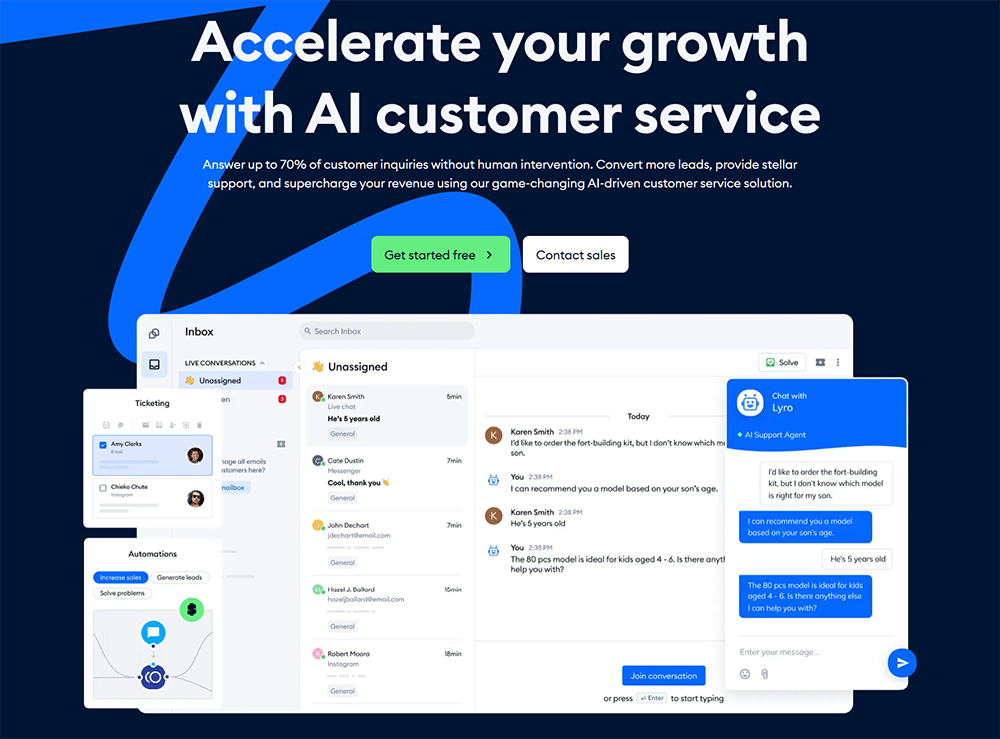
In addition to the chatbot, Tidio includes an AI Reply Assistant powered by OpenAI’s ChatGPT, which helps businesses respond to inquiries with a single click.
Tidio integrates seamlessly with popular tools like ecommerce, MailChimp, and Google Analytics. This way, it allows businesses to optimize customer interactions and boost sales.
Key features
- Lyro AI chatbot: Automate responses and support customer interactions.
- AI Reply Assistant: Leverage quick, AI-powered replies using ChatGPT for faster responses.
- Multichannel communication: Integrate live chat, email ticketing, and automation.
- Personalization: Use visitor insights to tailor communication strategies.
- Seamless integrations: Expect full compatibility with ecommerce, MailChimp, Google Analytics, and more.
Pricing
The free version comes with limited chatbot conversations.
The full version starts with the Starter plan at €29 per month.
7. Hostinger AI Assistant
Hostinger AI Assistant is a free content creation tool available with Hostinger’s Business and Cloud Managed WordPress hosting plans.
As one of the best AI plugins for WordPress around, Hostinger’s AI tool simplifies content creation, enabling users to quickly generate SEO-friendly blog posts, pages, and product descriptions. It’s designed to help website owners save time and enhance their online presence with user-friendly, customizable content.
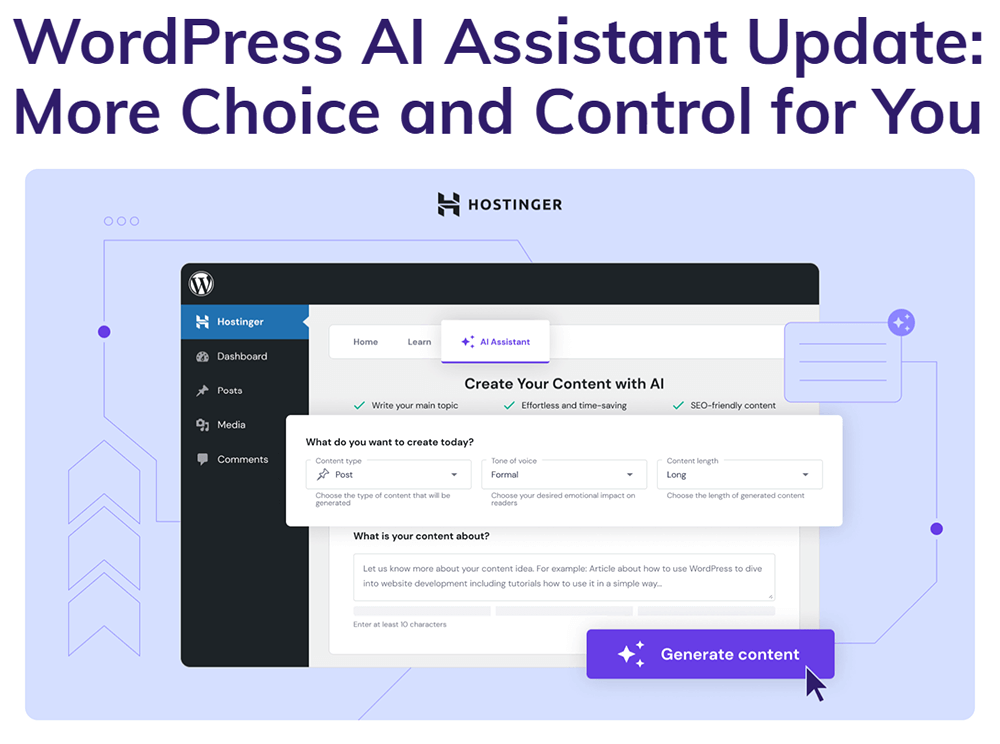
The Hostinger AI plugin is an excellent content writing assistant, enabling you to generate high-quality, optimized material with just a few clicks. You can specify the main topic, tone of voice, length, and focus keywords, and the AI will create well-structured content tailored to your needs. The plugin also suggests meta descriptions and keywords to boost SEO and content visibility.
Additionally, this plugin supports over 50 languages, making it accessible to a global audience. The user interface is even available in 10 languages, adapting to your WordPress dashboard settings.
Key features
- AI-generated content: Automatically create blog posts, pages, and product descriptions.
- SEO optimization: Incorporate focus keywords and relevant synonyms for better search engine rankings.
- Customizable content: Adjust content length and tone of voice to suit your brand.
- Meta description and keyword suggestions: Enhance SEO with automatic meta descriptions and keyword recommendations.
- Seamless WordPress integration: One-click integration with the WordPress post editor allows for easy content publishing.
Pricing
Hostinger AI Plugin is free for users with Hostinger’s Business and Cloud Managed WordPress hosting plans, which start at $2.99 per month for a 48-month subscription.
8. Quttera Web Malware Scanner
Quttera Web Malware Scanner is among the most useful AI-driven WordPress plugins for online businesses. After all, it ensures your WordPress platform remains safe from malicious threats.
This robust tool scans your site for malware, trojans, and harmful code, offering detailed insights to help maintain your site’s security. With its advanced AI Scan Engine, Quttera performs in-depth analysis, identifying potential risks and giving you a clear view of your site’s health.

After scanning, Quttera categorizes files into Clean, Potentially Suspicious, Suspicious, and Malicious, allowing you to take appropriate action quickly. Furthermore, it checks external links and evaluates your site’s blocklisting status to keep your reputation intact.
Key features
- AI Scan Engine: Detect threats with detailed byte-by-byte analysis.
- Comprehensive malware detection: Identify malware, trojans, and other malicious code.
- External links detection: Scan external links for potential threats.
- Blocklist Check: Monitor your website’s blocklisting status.
- False Positive Detection: Help avoid unnecessary alarms.
Pricing
The free version comes with basic malware-scanning features.
On the other hand, the premium version, starting at $20 per month, offers more advanced features and priority support.
📖 Related Read: WooCommerce AI Plugin Comparison: StoreAgent Vs Tidio Vs Clerk.io
Frequently Asked Questions About The Best AI Plugins For WordPress
It’s time to answer some common questions about the best AI plugins for WordPress!
How can I use AI in WordPress?
You can incorporate AI into your WordPress site to automate tasks, generate content, enhance SEO, and provide personalized user experiences. This is achievable through AI-based plugins that offer features like content generation, chatbots, image optimization, and more.
Is WordPress good for AI?
Yes, WordPress is well-suited for AI integration. Its flexible architecture and extensive plugin ecosystem allow developers to add AI functionalities easily, enhancing the site’s capabilities without extensive coding.
Are there AI Plugins For WordPress?
Absolutely! There are numerous WordPress AI plugins that cater to various needs, including content creation, SEO optimization, and user engagement.
How do you add AI to your WordPress site?
To add AI to your WordPress-driven website:
- Choose an AI plugin: Select a plugin that aligns with your requirements (e.g., content generation, SEO).
- Install and activate: In your WordPress dashboard, navigate to Plugins > Add New, search for the desired plugin, then install and activate it.
- Configure settings: Follow the plugin’s setup instructions to configure its features according to your preferences.
What are some of the best AI plugins for WordPress?
Some notable AI tools for WordPress include:
- StoreAgent: The all-in-one AI agent for WooCommerce stores (chatbot, content, insights).
- WPVibe: Connects Claude, ChatGPT, or Cursor to any WordPress site to manage it for you.
- AI Engine: A versatile plugin for content generation and chatbots.
- Hostinger AI Plugin: Offers AI tools for website building, including content generation and layout suggestions.
- Quttera Web Malware Scanner: Provides AI-powered website security solutions to protect your site from malware and threats.
These tools can automate tasks, enhance content quality, and improve user engagement.
What are the best AI assistants for WordPress development?
AI assistants like Divi AI offer features such as content suggestions, code generation, and design assistance, streamlining the development process.
What are the best AI website builders for WordPress?
While WordPress itself is a powerful website builder, integrating top AI plugins like Divi AI or SeedProd can enhance the building experience by providing AI-driven design and content generation features.
And once your site’s up and running, you’ll likely need a way to collect leads or customer feedback. This is where Formidable Forms’ AI Form Builder can help. This tool generates fully customizable forms from simple prompts, which are perfect for contact forms, surveys, or lead capture.
What machine learning plugins are available for WordPress?
Plugins like AI Engine use machine learning to offer features such as predictive analytics, personalized content recommendations, and intelligent chatbots, enhancing the functionality and user experience of your WordPress-powered website.
What’s the best AI agent plugin for WordPress in 2026?
For WordPress stores running WooCommerce, StoreAgent is the most complete AI agent for WordPress — it includes chat trained on your live product catalog, AI content generation (descriptions, tags, summaries), and store insights, all in one plugin with a free Lite plan. For WordPress sites that do not run a store, WPVibe is the best choice. It connects the Claude or ChatGPT account you already have to your site so the AI can manage content, plugins, and theme files for you. AI Engine is the alternative if you prefer to bring your own OpenAI API key and want the widest set of developer options.
Do AI agent plugins for WordPress need an OpenAI API key?
A: Some do, some don’t. AI Engine and most chatbot-focused plugins require you to bring your own OpenAI or Anthropic API key, which adds setup friction and per-token costs. StoreAgent, a WooCommerce AI agent, runs on proprietary AI trained on WooCommerce data and includes AI usage in flat-rate pricing — no API key needed at any tier. This split reflects a broader shift in how AI for ecommerce is priced: the unpredictable, per-token billing that defined early WooCommerce AI tools has given way to flat-rate models that store owners can budget around.
What does “AI agent” mean for a WordPress plugin?
An AI agent plugin can take action inside WordPress — answer customer questions from your product catalog, generate content based on store data, send leads to your CRM, or trigger workflows. It goes beyond static AI text generation by reading live site data and producing context-specific outputs. The 2026 generation also adds MCP (Model Context Protocol) support, letting external AI assistants like Claude or ChatGPT connect directly. WPVibe is built entirely around this model, and StoreAgent offers a managed WooCommerce MCP connection too.