Reviewed by
WISMO stands for “where is my order,” and it is the single most common support question in ecommerce. For a WooCommerce store, an AI chat assistant connected to your shop answers it instantly by looking up the logged-in customer’s real order, reporting status, tracking, and expected delivery in seconds instead of pulling you into the admin to check and reply by hand.
If you run a store, you know the rhythm. An order ships, a day passes, and in comes the “where is it?” message. Multiply that across every order and WISMO becomes the question you answer more than any other.
This guide is for store owners trying to cut that volume at the source, not for shoppers trying to track a single parcel. It covers why WISMO dominates your inbox, what a good status reply actually contains, and how a store-aware AI assistant resolves these tickets without you lifting a finger.
Table of Contents
What WISMO Means And Why It Dominates Support
WISMO is the industry shorthand for “where is my order,” the catch-all term for any customer contact asking about order status, shipping, or tracking. It dominates support because every shipped order can generate one, and the anxiety behind it is universal.
Industry estimates place WISMO at roughly 20% to 40% of ecommerce support tickets, climbing higher during peak seasons like the holidays.
The reason it stays high is structural, not seasonal. Post-purchase anxiety is normal: a customer has paid, the product is not yet in hand, and the silent gap between “order confirmed” and “delivered” is when doubt creeps in.
The question is not hard to answer. The problem is that it is constant, and each instance interrupts whatever you were doing to open an order, copy a tracking number, and type a reply.
At a few hundred orders a month it quietly eats your day. Shoppers increasingly expect immediate, around-the-clock answers, and the manual model gets harder to sustain as you grow.
What Customers Actually Want In A Status Reply
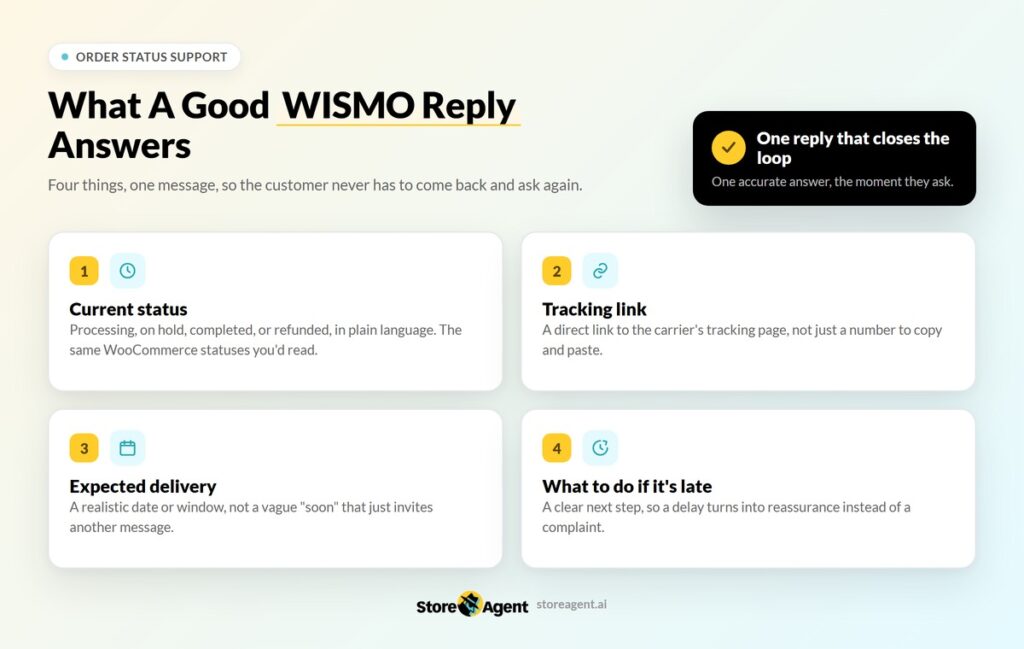
A good WISMO reply answers four things at once so the customer does not have to come back and ask again. Miss any one of them and you usually get a follow-up message, which doubles the work on a single order.
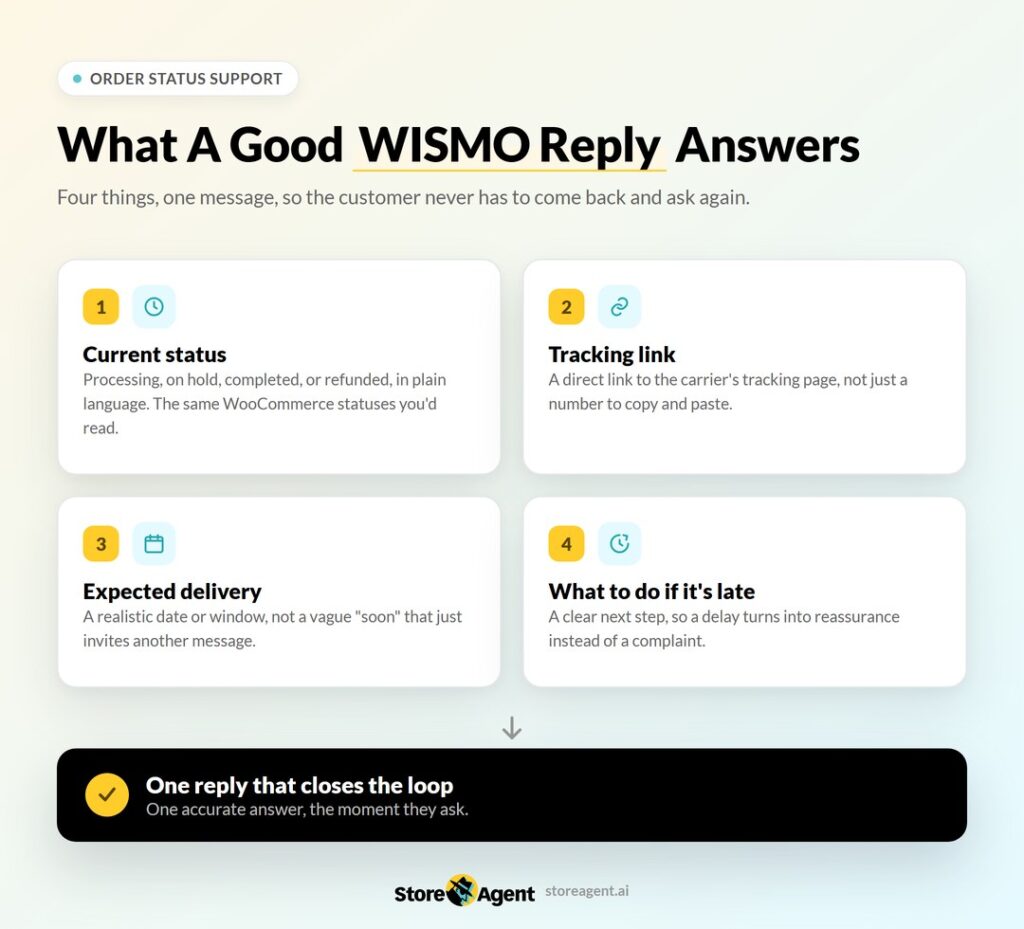
- Current status: whether the order is processing, on hold, completed, or refunded, in plain language. These map to WooCommerce’s own order statuses, so the assistant is reading the same source of truth you would.
- Tracking link: a direct link to the carrier’s tracking page, not just a number to copy and paste.
- Expected delivery: a realistic date or window, not a vague “soon” that invites another message.
- What to do if it is late: a clear next step so a delay turns into reassurance instead of a complaint.
The goal is a single reply that closes the loop. Customers do not want a conversation about their order. They want one accurate answer, and they want it the moment they ask.
How Most WooCommerce Stores Handle WISMO Today
Most stores answer order-status questions one of three ways, and each runs into the same wall as volume grows.
- Manual lookups: you open the order in WooCommerce, copy the tracking, and reply by hand. Accurate, but it consumes your time and stops dead overnight and on weekends.
- Canned email replies: faster to send, but a template rarely includes the live status, so the customer simply replies again with “but where is it now?”
- A self-service tracking or My Account page: genuinely helpful, but many shoppers still ask in chat rather than hunt for the page, so the question keeps arriving.
Each method works at low volume. The trouble starts when orders grow, or when a question lands at 11pm and you are asleep. A generic, rule-based chatbot does not fix this either, because it can only recite your shipping policy. It has no idea where any specific order actually is. If you are weighing your options, our breakdown of a rule-based chatbot versus an AI chatbot explains why scripted bots stall on exactly this kind of question.
💡 Pro Tip: The statuses an assistant reads back to customers (processing, on hold, completed, refunded) are only ever as accurate as your own admin habits. Tightening up WooCommerce order management, so statuses change at the right moment instead of lagging behind the real fulfillment stage, is what keeps those automated replies trustworthy rather than just fast.
How AI Chatbot Answers WISMO Instantly From Live Order Data
An assistant connected to your store does the lookup itself. StoreAgent’s WooCommerce AI chatbot performs live order lookups, so when a logged-in customer asks about their order, it reads the real status straight from your WooCommerce data and responds in seconds.
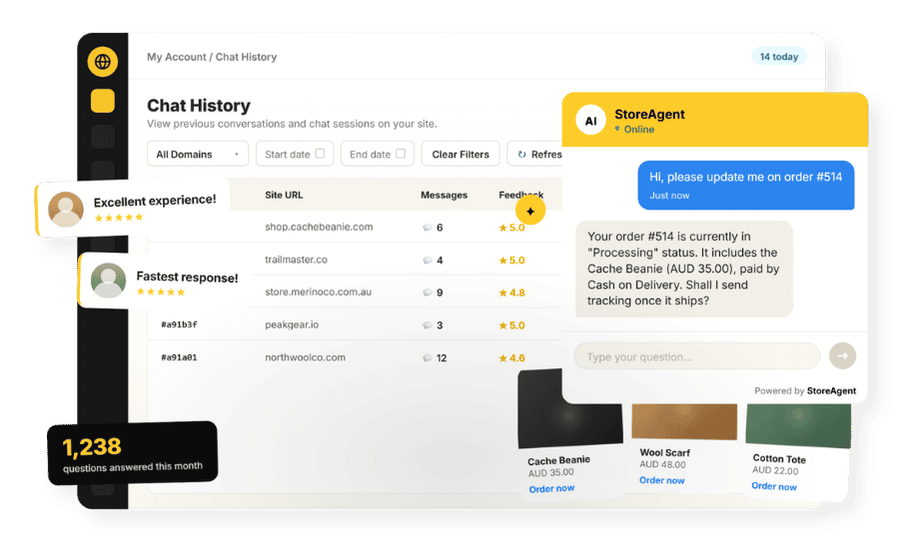
That is the difference between a generic bot that can only quote policy and a store-aware assistant that answers the actual question.
One detail matters for trust and privacy: order lookup works for logged-in customers only. The assistant verifies whose order it is through the customer’s WooCommerce account before sharing any details, so a guest cannot ask after a stranger’s parcel.
A signed-in shopper gets their status, tracking, and delivery window instantly; an unauthenticated visitor is guided to sign in first. You can read more about how the assistant uses order data and product prices to do this safely.
Because StoreAgent auto-ingests your catalog and pages, it also handles the questions that ride alongside WISMO: “can I still change my address?”, “what is your shipping cut-off?”, “is this item back in stock?” It runs 24/7, answers in the customer’s language, and on paid plans hands genuinely complex cases (a lost or damaged order, a dispute) to a human with full context attached. Escalation to a person is available on the paid plans, not on the free Lite tier.
What we’ve seen: across StoreAgent WooCommerce stores, order-status questions are consistently the largest single bucket of chat conversations, and they are also the easiest to resolve end to end without escalation. When a store turns on live order lookup, the share of those conversations that ever reach the owner drops sharply, because the assistant closes the loop in one reply. The owners who feel the difference most are solo operators and small teams, the people who were personally answering “where is my order” at midnight.
Feature Comparison: Generic Bot Vs Store-Aware Assistant
Plenty of chat tools claim to handle support. A polished generic chatbot can be quick to deploy and may have a slick interface, but on a WISMO question it can only point at a policy page. The honest distinction is whether the tool can see your actual order data.
Here is how the two approaches compare on the things that decide a status ticket.
- Answers the actual order status: StoreAgent reads the live WooCommerce order and reports real status. A generic rule-based bot quotes the shipping policy and cannot see the order.
- Verifies identity before sharing: StoreAgent confirms the logged-in customer owns the order. Most generic bots have no order context to verify against at all.
- WooCommerce-native setup: StoreAgent installs as a plugin and ingests your store with no code. Many generic platforms need scripting or a developer to wire up order data.
- Always on and multilingual: StoreAgent runs 24/7 and replies in the shopper’s language. Manual replies and basic bots stall overnight or in a single language.
For a WooCommerce store specifically, the store-aware approach wins on the one metric that matters for WISMO: it can give the customer their real answer.
For a fuller side-by-side, see our comparison of a WooCommerce AI chatbot versus live chat.
Reducing WISMO Tickets In The First Place
The best support ticket is the one a customer never needs to send. Automating the answer is powerful, but you can also lower how often the question comes up at all.
Pair these with an assistant for the questions that still arrive, and order-status volume stops being a daily drain.
- Proactive shipping updates: send clear order and shipping confirmation emails with the tracking link included. WooCommerce’s Shipment Tracking adds those details to the customer’s order emails, so the answer reaches them before they think to ask.
- Visible tracking: surface order status on the My Account and order-detail pages so it is easy to find without contacting you.
- Realistic delivery estimates: set expectations at checkout so customers are not anxious days before anything could have arrived.
- Self-service answers in chat: let the assistant handle the late-stage “is it here yet?” moments instantly, which is where proactive emails alone fall short.
This is part of a broader shift toward letting customers help themselves, which is faster for them and cheaper for you.
💡 Our guide to the reduce customer support costs with AI walks through where the savings come from when a single high-volume question is deflected at scale.
Setting It Up In WooCommerce
Setup is a no-code job and takes minutes, not a developer sprint. Once the assistant is connected and has ingested your store, it can answer WISMO from your real data.
- Install StoreAgent and connect a free StoreAgent.ai account, which is required to link the assistant to your store.
- Let it auto-ingest your store so it can read product and order data.
- Place the chat widget across the site, especially on order-tracking and My Account pages where WISMO questions cluster.
- On a paid plan, set escalation so the rare order issue that needs you reaches you with full context attached.
No coding is required at any step. You can start free on the Lite plan and add escalation later; the full pricing breakdown runs from free Lite to Growth at $19, Pro at $49, and Business at $249 per month.
Deflect Your Most Common Ticket
“Where is my order” will always be your highest-volume question, but it does not have to be your biggest time sink.
Surface the right information automatically, verify the customer before sharing it, and reduce the reasons people ask in the first place, and the constant WISMO interruptions fade into the background.
Start free on the Lite plan and let StoreAgent answer “where is my order” from your live WooCommerce data today.
Frequently Asked Questions
What Does WISMO Stand For?
WISMO stands for “where is my order.” It is the industry term for any customer contact asking about order status, shipping, or tracking, and it is typically the highest-volume support question an online store receives.
Can An AI Chatbot Tell A Customer Where Their Order Is?
Yes, if it is connected to your store data. StoreAgent performs live order lookups in WooCommerce and tells a logged-in customer their real order status in seconds, after verifying they own the order.
Can A Guest Look Up Any Order In The Chat?
No. Order lookup is restricted to logged-in customers, and the assistant verifies whose order it is before sharing any details. A visitor who is not signed in is asked to log in first, so nobody can check a stranger’s order.
What Share Of Support Tickets Is WISMO?
Industry estimates put WISMO at roughly 20% to 40% of ecommerce support tickets, rising higher during peak shopping periods. That concentration is exactly why it is the highest-value question to automate first.
What About Complex Order Problems?
Genuine issues like lost or damaged orders escalate to you with full context on paid plans, so they get human attention. Escalation is a paid-plan feature and is not part of the free Lite tier.
Do I Need To Code To Set This Up?
No. Install the plugin, connect a free StoreAgent.ai account, and let it ingest your store. It begins answering from your store data, including logged-in order lookups, with no code.