Reviewed by
The best WooCommerce customer experience plugins are the ones that remove friction or build trust at a real moment in the buying journey: an AI chatbot for instant answers, smart site search, a wishlist, visible product reviews, a streamlined checkout, and easy promotions. Together they make a store faster to use and more reassuring to buy from, which is what turns first-time visitors into repeat customers.
Customer experience is not one feature. It is the sum of small moments: how fast a question gets answered, how easy it is to find the right product, whether a shopper trusts the reviews, how few steps stand between the cart and a completed order. Each plugin below targets one of those moments. This roundup is deliberately scoped to the customer side of the store, so you will not find backup, security, or analytics tools here. Those matter, but a shopper never feels them. What follows is the short list of WooCommerce customer experience plugins that a shopper actually experiences on every visit.
Table of Contents
What Makes A WooCommerce Customer Experience Plugin Worth Installing
The best WooCommerce customer experience plugins pass one test: from the shopper’s point of view, they either remove friction or build trust. Plenty of tools claim to improve experience while only adding back-office convenience for the store owner. That is a useful distinction to hold onto, because it stops you installing things that feel productive but change nothing for the person trying to buy.
Friction is anything that slows a shopper down or makes the next step harder than it should be: a question with no fast answer, a search box that returns nothing, a checkout asking for details twice. Trust is anything that reduces hesitation: genuine reviews, a clear returns note, prices shown in the shopper’s own currency. A real customer experience plugin moves one of those two levers. If it moves neither, it is tooling wearing a customer experience label.
Two more selection rules save a lot of regret before you install anything:
- Weigh each tool by reach. A fix that touches every visit beats one that helps only a niche of buyers.
- Favor plugins that read your existing WooCommerce data. Anything you maintain in two places drifts out of sync and quietly degrades the experience.
The six categories below are ordered by exactly that, reach, starting with the moment every single visitor experiences.
1. AI Chatbot For Instant Answers
Nothing shapes experience more than how quickly a customer gets help, which is why an AI chatbot sits at the top of the stack. It is the only category here that touches every visit, works on both sides of the experience, and removes friction (no waiting) while building trust (accurate, on-the-spot answers). According to Salesforce research, the large majority of customers say the experience a company provides matters as much as its products, and a slow or absent reply is one of the fastest ways to lose that experience.
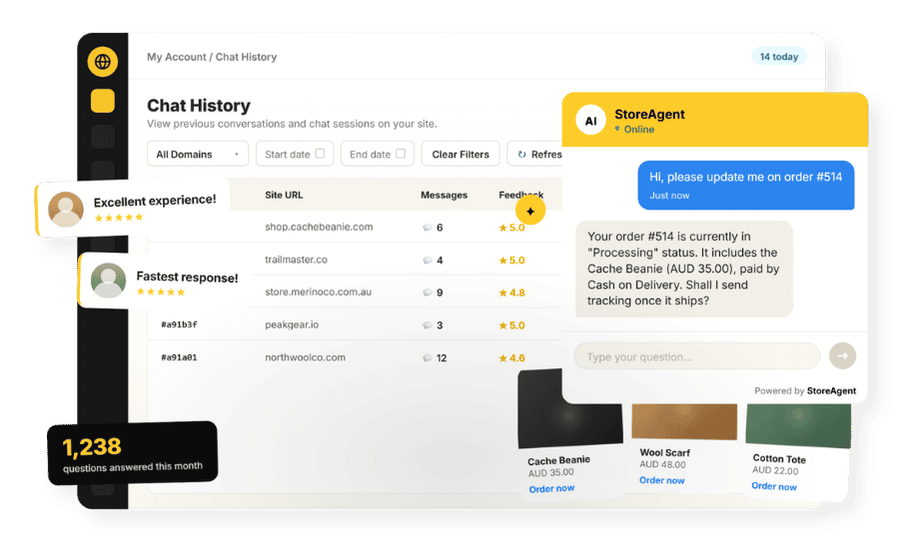
StoreAgent’s WooCommerce AI chatbot is built for this. It auto-ingests your catalog and store pages, then answers product, stock, shipping, and policy questions instantly from your live store data, 24/7, with no coding to set up. For logged-in customers it can look up real order status, and on the paid plans it hands complex cases to a human with the full conversation as context, so nobody repeats themselves. It can also surface an in-chat coupon when the moment fits the conversation rather than interrupting it.
The reason it earns the top slot in a customer experience stack is reach: a wishlist or a reviews widget only helps shoppers who use that feature, while chat is available to everyone who lands on any page.
To learn how an assistant like this affects support volume and conversion, see our breakdown of the benefits of AI in customer service. There is a free Lite plan, so it is the easiest high-impact upgrade to test before you spend anything; setup is covered in the section below.
2. Smart Site Search That Actually Finds Things
Smart site search is the second-highest-reach customer experience upgrade because shoppers who search are among your highest-intent visitors, and the default WooCommerce search often fails them. The built-in search matches on basic title and content fields, so a small typo, a synonym, or a search by attribute frequently returns nothing.
According to Baymard Institute’s ecommerce search research, on-site search underperforms on most stores, so this is a widespread gap rather than an edge case. A shopper who came to buy a specific thing and cannot find it rarely browses to locate it; they assume you do not stock it and leave.
A dedicated search plugin adds autocomplete, typo tolerance, and search across attributes and categories, so the right product surfaces as the shopper types. The friction it removes is real and measurable: a search that returns the correct result in two keystrokes converts a high-intent visit that the default search would have lost. If you only audit one thing on your own store this week, run three searches the way a confused customer would (a misspelling, a synonym, a partial product name) and watch what comes back.
3. A Wishlist To Let Shoppers Save For Later
A wishlist improves experience by respecting the reality that not every visit ends in a purchase. Most do not, and that is fine if shoppers can save what caught their eye and come back to it. SaveTo Wishlist is a WooCommerce wishlist plugin that lets customers build wishlists they can return to, which removes the pressure to decide right now and gives you a saved intent to follow up on later rather than a visitor you simply lose.
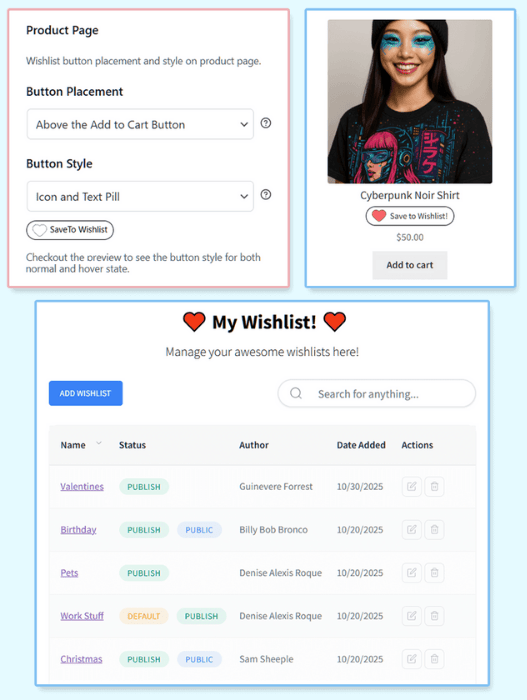
The customer experience payoff is psychological as much as practical: a “save for later” button tells an undecided shopper that leaving without buying is a normal, supported choice, which lowers the stakes of the whole visit. It also pairs neatly with chat, because a shopper who saves three items and then asks the assistant “which of these ships fastest?” is exactly the kind of high-intent moment a customer experience stack should make effortless.
4. Product Reviews For Trust
Product reviews are the clearest trust lever in the stack, because shoppers trust other shoppers more than they trust store copy. A reviews plugin that makes it easy to collect and display authentic feedback, ideally with photos, reassures a hesitant buyer at the exact moment they are deciding. For an unfamiliar store, a handful of genuine reviews on a product page often does more to close the sale than any amount of marketing language.
What separates a real customer experience win from a vanity widget is whether the reviews are easy to leave and honest to read. Verified-buyer badges, photo uploads, and a simple post-purchase email request all raise the volume and credibility of feedback.
Volume then creates its own problem: once a product has forty reviews, almost nobody reads them. Amazon solved this by putting an AI-written summary at the top of the reviews section, a few sentences that tell a shopper what buyers liked, what they complained about, and whether it fits, before they scroll. StoreAgent brings the same pattern to your store with WooCommerce Review Summaries. It reads every approved review on a product, writes a plain-language summary with sentiment takeaways, and regenerates as new reviews arrive. Shoppers get the quick read Amazon has trained them to expect, and the individual reviews stay underneath for anyone who wants the detail.
Reviews also feed the rest of your stack: an AI chatbot that has ingested your review content can answer “is this true to size?” with what real buyers actually said, turning social proof into an instant, trustworthy reply.
5. A Smooth, Optimized Checkout
Checkout is the highest-stakes moment in the store, where experience makes or breaks a sale. With roughly 70% of carts abandoned on average (according to Baymard Institute), and a large share of those abandonments driven by a checkout that is too long, too confusing, or forces account creation, this is where a customer experience plugin returns the most per shopper it touches. Every shopper who reaches checkout has already decided to buy; losing them here is the most expensive kind of loss.
A checkout-optimization plugin removes that friction by trimming unnecessary fields, enabling guest checkout, surfacing clear payment options, and keeping the whole step on as few screens as possible. The discipline to apply is subtraction: every field you can cut and every payment method you can add, such as buy now, pay later, is one less reason for a ready buyer to bail.
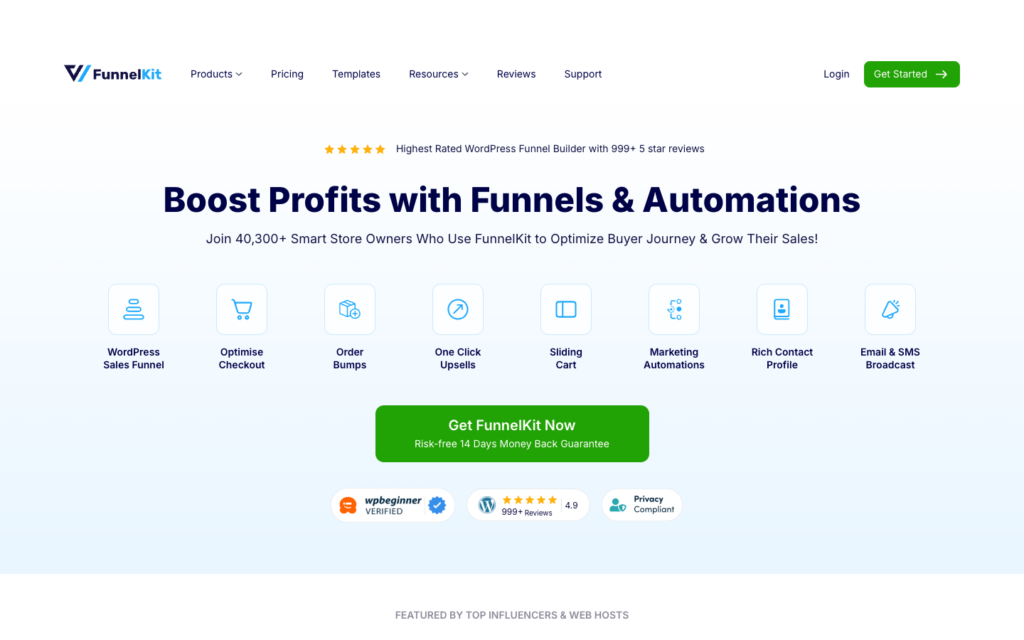
FunnelKit is the one we point WooCommerce stores to here. Its Funnel Builder replaces the default checkout with a faster, cleaner version (single or multi-step, express payment buttons, fewer fields), and it adds order bumps and one-click upsells so the extra offer sits inside the flow rather than as a detour. WooCommerce stays the source of truth for orders and products; FunnelKit only changes the screens a shopper walks through.
For more on tightening the path from interest to purchase, see our guide on how to increase ecommerce conversion rate.
6. Easy Promotions And Rewards
A great experience includes feeling like you got a good deal, which is why promotions and rewards round out the stack. Advanced Coupons makes it easy to run clear, well-timed promotions, BOGO deals, and loyalty rewards, all of which improve the buying experience and give returning customers a reason to come back. Rewarding repeat shoppers also signals that you value them, which is a large part of why they return at all.
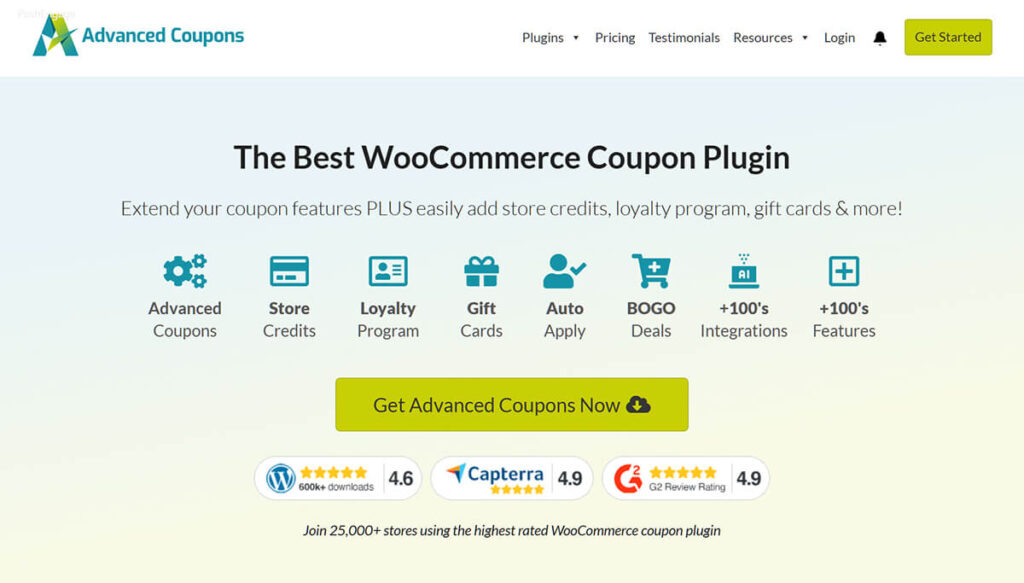
The customer experience nuance here is timing and clarity. A promotion that is hard to understand or fires at the wrong moment adds friction instead of removing it. The strongest version of this lever is a well-timed offer that lands when a shopper is already deciding, which is exactly where chat and promotions overlap: StoreAgent can surface a relevant in-chat coupon during a conversation, so the reward appears at the moment of intent rather than as a banner the shopper learned to ignore.
What we’ve seen: stores routinely pour budget into ads to drive traffic, then lose those hard-won visitors to small experience gaps, a slow answer, a search box that returns nothing, a checkout with too many fields. Fixing the on-site experience with the right WooCommerce customer experience plugins almost always returns more than buying more traffic, because you are converting visitors you have already paid for.
Where To Start With WooCommerce Customer Experience Plugins
Start with the moment that touches every visitor: getting questions answered. An AI assistant that responds instantly improves the experience for everyone who lands on your store, and it doubles as a diagnostic, because the questions it gets asked tell you which of the other gaps to close next. To set it up, create a free StoreAgent.ai account, connect your store, and the assistant auto-ingests your catalog and pages so it can start answering. No code is required, and the free Lite plan lets you prove the value before spending anything.
From there, layer in the rest one at a time so you can see what each does for your shoppers rather than changing everything at once and guessing. A practical order for your WooCommerce customer experience plugins: chatbot first, then fix search, then add reviews, then tighten checkout, then wishlist and promotions. If you want human handoff to your support team, the Growth and Pro plans unlock it, but the free tier is enough to make a visible difference today. For deeper context on the chatbot at the center of this stack, start with our WooCommerce AI chatbot overview.
Frequently Asked Questions
What plugins improve WooCommerce customer experience the most?
The best WooCommerce customer experience plugins to start with are an AI chatbot for instant answers, then smart site search, a wishlist, product reviews, a streamlined checkout, and easy promotions. Each one removes a specific point of friction or builds trust at a real moment in the buying journey, and the chatbot reaches every visitor.
What’s the single best CX improvement?
Fast, accurate answers. An AI chatbot like StoreAgent responds instantly from your live store data, affects every visitor rather than a niche, and is free to start, which makes it the highest-reach customer experience upgrade you can make.
Does customer experience really affect sales?
Yes. Friction like slow responses, poor search, and a clunky checkout drives shoppers away after you have already paid to attract them. With about 70% of carts abandoned on average (Baymard Institute), smoothing the experience directly recovers sales you would otherwise lose at the final step.
Are these plugins hard to set up?
Most install like any WordPress plugin. StoreAgent, for example, needs no coding: you connect a free StoreAgent.ai account, it auto-ingests your catalog and pages, and it starts answering from your store data. The other categories are standard plugin installs with light configuration.
Can I improve CX without spending a lot?
Yes. Several of these tools have free tiers, including StoreAgent’s free Lite plan, so you can improve the experience meaningfully before committing budget. Paid plans (Growth at $19 and Pro at $49) add human handoff to your support team when you are ready to scale.
Where should a new store start?
Start with the AI chatbot because it touches every visit and doubles as a diagnostic. The questions shoppers ask reveal which of the other gaps to close next, whether that is search, reviews, or checkout, so you add your WooCommerce customer experience plugins in the order that matters most to your customers.