
Manually approving every customer review takes time, and missing spam reviews makes your store look untrustworthy. The Review Moderation AI agent reads each incoming product review, gives it a confidence score from 1 to 100, and (if you let it) auto-approves clean reviews and trashes obvious spam — so you only have to look at the edge cases. This article walks through enabling the agent, configuring auto-approve and auto-reject thresholds, and acting on decision notifications when a review needs your call.
Prerequisites
- StoreAgent AI for WooCommerce installed, activated, and connected to your StoreAgent.ai account.
- WooCommerce with product reviews enabled (WooCommerce → Settings → Products → Enable product reviews).
- StoreAgent plugin v1.1.4 or later.
Step 1: Enable the Review Moderation AI Task
- Go to StoreAgent → Settings → AI Content Tools in your WordPress admin.
- Find the Review Moderation AI card and toggle the switch on.
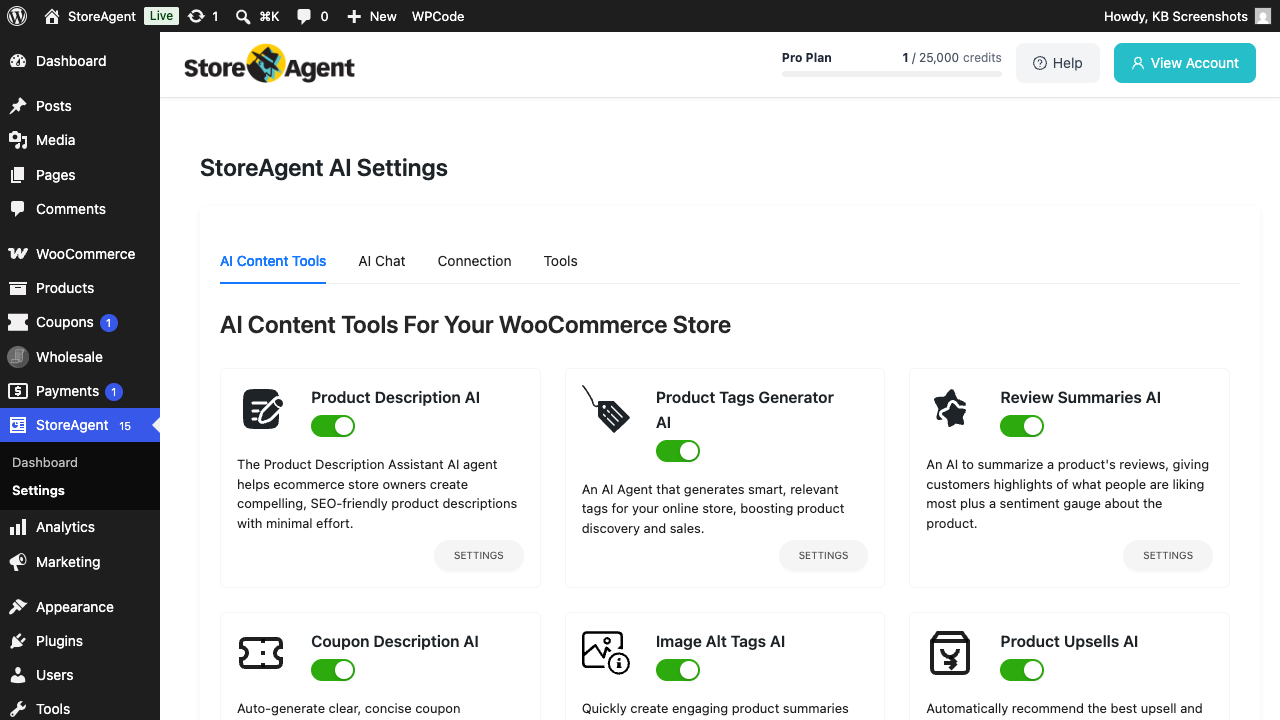
Once enabled, every new product review submitted on your storefront is intercepted before publication. The agent analyses the text for spam patterns, inappropriate language, and fake-content signals, then either holds the review for your review (default) or auto-actions it (if you’ve enabled the thresholds below).
Step 2: Configure auto-approval (optional)
Auto-approval lets the agent publish clean reviews without your involvement, when its confidence is high enough.
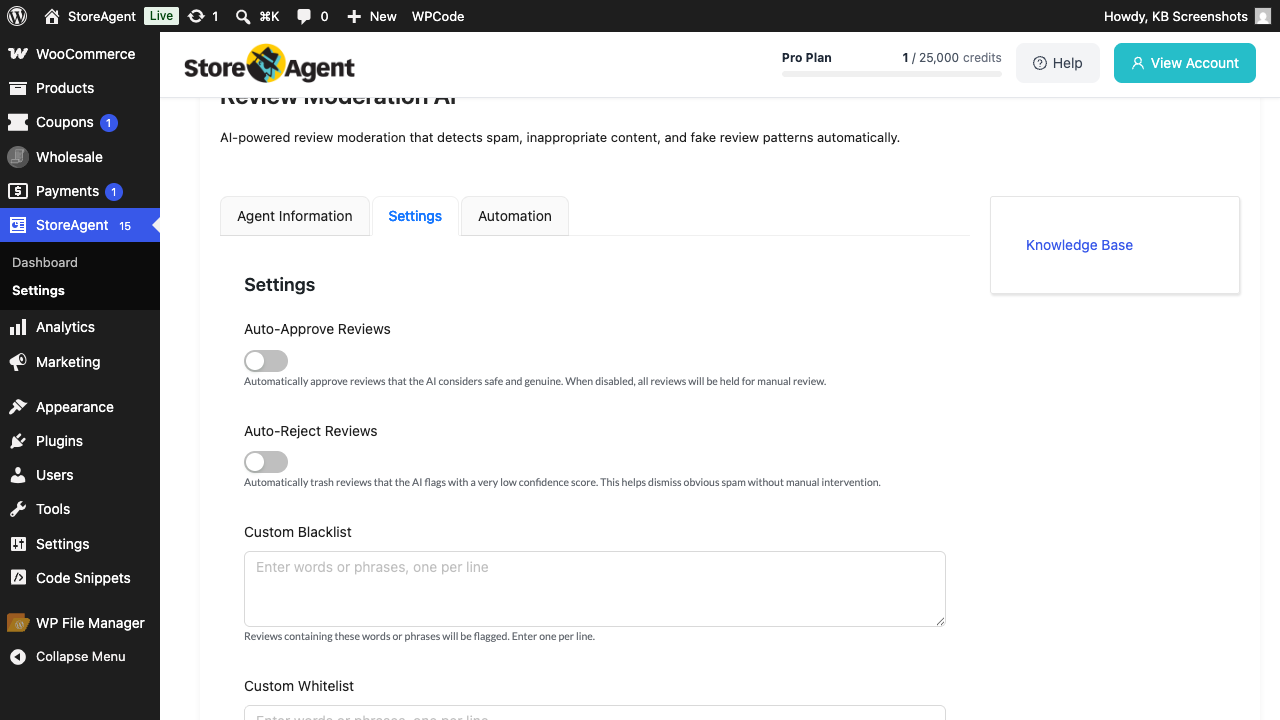
- On the Review Moderation AI card, click SETTINGS.
- Toggle Auto-Approve Reviews on.
- Set the Auto-Approve Threshold (default 80). Reviews the AI marks as “approve” with a confidence at or above this number publish automatically.
- Click Save Changes.
Reviews below the threshold (or that the AI marks as “flag”) still go to your admin for a manual call.
Step 3: Configure auto-rejection (optional)
- Toggle Auto-Reject Reviews on.
- Set the Auto-Reject Threshold (default 20). Reviews flagged as spam with a confidence at or below this number are sent to trash automatically.
- Click Save Changes.
Borderline reviews (between your auto-reject and auto-approve thresholds) hold for your decision. This lets you set permissive auto-approval for obvious 5-star praise, aggressive auto-rejection for obvious “Buy CHEAP X at sketchy-link.com” spam, and only review the cases in the middle.
Step 4: Add custom blacklist or whitelist (optional)
The agent uses general AI scoring, but you can force specific words or phrases to always trigger a flag (blacklist) or always pass (whitelist).
- Custom Blacklist — one word or phrase per line. Any review containing one of these is flagged regardless of the AI score.
- Custom Whitelist — one word or phrase per line. Reviews containing only whitelisted terms are exempted from auto-rejection.
Click Save Changes after editing either list.
Step 5: Acting on held reviews
Reviews held for your decision appear in two places: the WordPress Comments screen (with Pending status) and the StoreAgent → Dashboard as a purple decision notification with the AI’s reasoning attached.
- Go to StoreAgent → Dashboard.
- Find a “Product review flagged for moderation” notification in the Pending decisions & updates panel.
- Read the AI’s reasoning, the flagged issues, and the confidence score, then click Accept to publish the review or Reject to send it to trash.
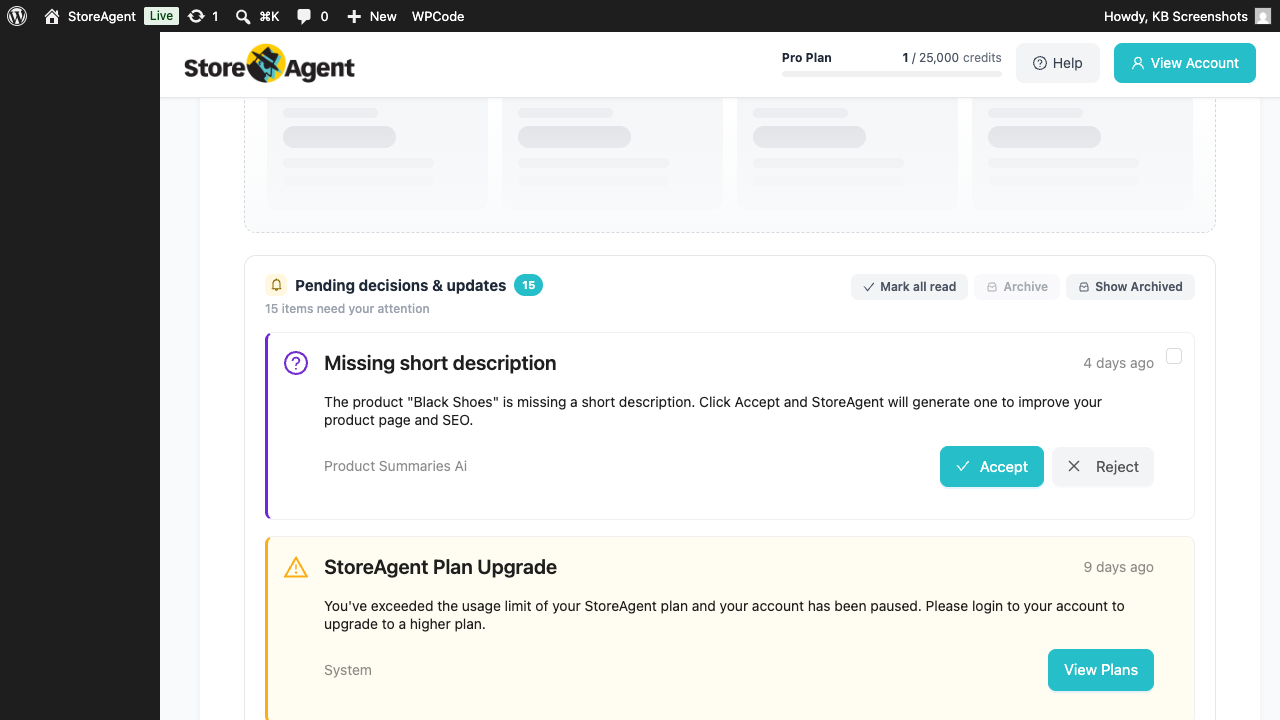
See Understanding the StoreAgent dashboard for the full guide to acting on decision notifications.
Email notifications
When the Moderation Email with AI Results setting is enabled (default), every held review also generates an email to the WordPress admin email address summarising what the AI saw. This is on top of WooCommerce’s standard new-review notification — the AI version includes the confidence score and flagged issues so you can act without leaving your inbox.
Troubleshooting
New reviews publish without moderation
Two things to check: confirm Review Moderation AI is enabled on the AI Agents settings page, and confirm WooCommerce → Settings → Products → Comment moderation isn’t set to bypass moderation entirely. If both are in order, also check that no other plugin is intercepting comment_post before StoreAgent.
Auto-approve isn’t kicking in even for clean reviews
Confirm Auto-Approve Reviews is toggled on and the threshold is sensible (try 70 if 80 is too strict). The agent only auto-approves when its decision is “approve” AND confidence ≥ threshold. Reviews scored “flag” never auto-approve regardless of confidence.
A legitimate review was auto-rejected
Go to Comments → Trash, find the review, and click Restore. Then add a phrase from the review to your Custom Whitelist so similar reviews aren’t rejected in future. Lowering the Auto-Reject Threshold also reduces false positives, at the cost of letting more borderline spam through to your manual review queue.
Frequently asked questions
Does it moderate existing reviews retroactively?
No — only new reviews submitted after the agent is enabled. To audit existing reviews, do a one-time pass via the WordPress Comments screen.
Does each review cost credits?
Yes — each review the agent analyses costs credits from your StoreAgent.ai plan. Reviews matched by your custom blacklist or whitelist don’t trigger an AI call.
Can the agent edit review text?
No. The agent only decides whether to publish, hold, or trash a review. It never rewrites the review text — what shoppers wrote is what gets published if you Accept.
Need help?
If you have a question or run into any issues, we’re here to help.
- Premium users: Open a support ticket
- Free users: Visit our community forum

