Reviewed by
If you’re comparing StoreAgent vs WoowBot for your WooCommerce store, here’s the short version: StoreAgent, a WooCommerce AI plugin, is the stronger choice for most store owners. It connects directly to your WooCommerce product catalog, trains itself automatically, and requires zero API keys or third-party accounts. WoowBot takes a different approach. Its free version handles basic product search using keyword matching, while the Pro version relies on external AI services like OpenAI or Google DialogFlow that you configure and pay for separately.
Both plugins add a chatbot to your WooCommerce store, but they solve the problem differently. StoreAgent is a purpose-built AI chatbot that reads your live product data and learns from your entire site. WoowBot started as a rule-based search bot and later added AI through third-party integrations. That fundamental difference shapes everything from setup to the quality of responses your customers receive.
In this comparison, we’ll walk through features, pricing, setup, and real differences we noticed between the two so you can pick the right WooCommerce chatbot plugin for your store.
StoreAgent vs WoowBot: Quick Verdict
StoreAgent is the better option for WooCommerce store owners who want an AI chatbot that works out of the box. It auto-trains on your product catalog, requires no API keys, and includes content generation tools alongside the chatbot.
WoowBot may appeal to store owners who already have an OpenAI or DialogFlow setup and prefer a one-time purchase over a monthly subscription. However, the free version of WoowBot is limited to basic keyword-based product search with no AI capabilities.
Bottom line: If you want a WooCommerce chatbot plugin that understands your products from day one and doesn’t require external AI services, StoreAgent is the clear pick. If you already have OpenAI or DialogFlow infrastructure and want a one-time purchase, WoowBot Pro could work for your situation.
StoreAgent vs WoowBot: Feature Comparison
Here’s a side-by-side breakdown of what each WooCommerce chatbot plugin offers. Features below have been verified against each plugin’s official pages and the WordPress.org listing for WoowBot.
| Feature | StoreAgent | WoowBot Free | WoowBot Pro |
|---|---|---|---|
| AI-powered responses | Built-in AI at every tier | Keyword matching only | Via OpenAI or DialogFlow (external) |
| WooCommerce product data sync | Automatic, reads live catalog | Standard WordPress search | Standard WordPress search |
| Requires external API keys | None needed | None needed | OpenAI or DialogFlow required |
| Auto-trains on product catalog | Yes | No | No |
| Learns from pages, posts, custom post types | Yes | No | No |
| Content generation (descriptions, tags, alt text) | Included | No | No |
| Multilingual support | Multi-language with auto-detection | Manual language center | Multi-language with Master license |
| Chat widget customization | Colors, position, greeting | Icon, position, CSS | Full color and icon customization |
| Chat history and logs | Pro and Business plans only | No | Yes |
| Support escalation | Paid plans only (Growth and above) | Email to admin | Email, callback, FAQ |
| Feedback collection | All plans | No | Yes |
| Exit intent retargeting | No | No | Yes |
| Order status lookup | Yes (via order ID) | No | Yes (with login) |
| Conversational forms builder | No | No | Drag-and-drop forms |
| Facebook Messenger integration | No | No | Yes |
| Free plan available | 50 AI replies (one-time) | Basic search bot | Paid only |
| Shortcode embed | Yes | No | Yes |
| GDPR compliance messaging | Yes | No | Yes |
AI And Product Knowledge
This is where the biggest gap in the StoreAgent vs WoowBot comparison shows up. It’s also the factor that matters most for your customers’ experience.
How StoreAgent handles AI
StoreAgent connects directly to your WooCommerce database. It reads product prices, descriptions, variants, stock levels, images, and metadata automatically.
When a customer asks “do you have this in blue?” or “what’s the cheapest option under $50?”, StoreAgent pulls from live data to answer. It also ingests your blog posts, FAQ pages, store policies, and custom post types to build a complete knowledge base of your site.
Real-time inventory and order lookup
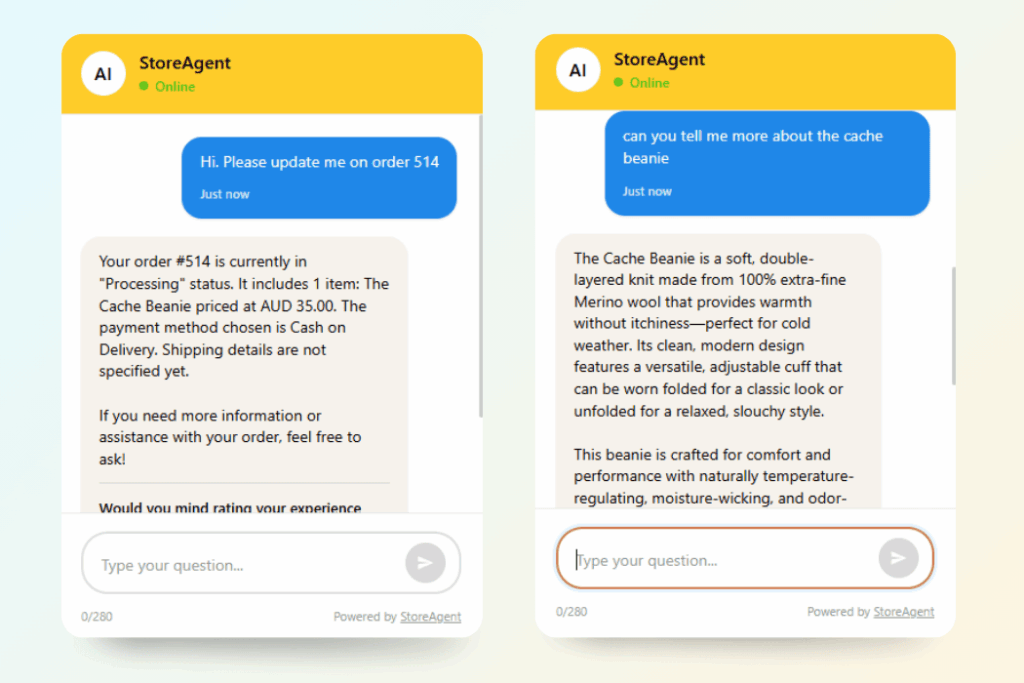
During our testing, we asked both chatbots about a product that had recently been restocked after showing as out-of-stock. StoreAgent picked up the inventory change and confirmed availability.
WoowBot’s keyword search returned the product listing but couldn’t tell the customer whether it was currently in stock, since it doesn’t read WooCommerce inventory data.
StoreAgent Chat can also fetch live order data. When a customer provides their order ID, the chatbot retrieves the order status, payment info, shipping details, and line items instantly. This works entirely within the chat window, with no need for customers to leave the page or contact support separately.
Product attribute understanding
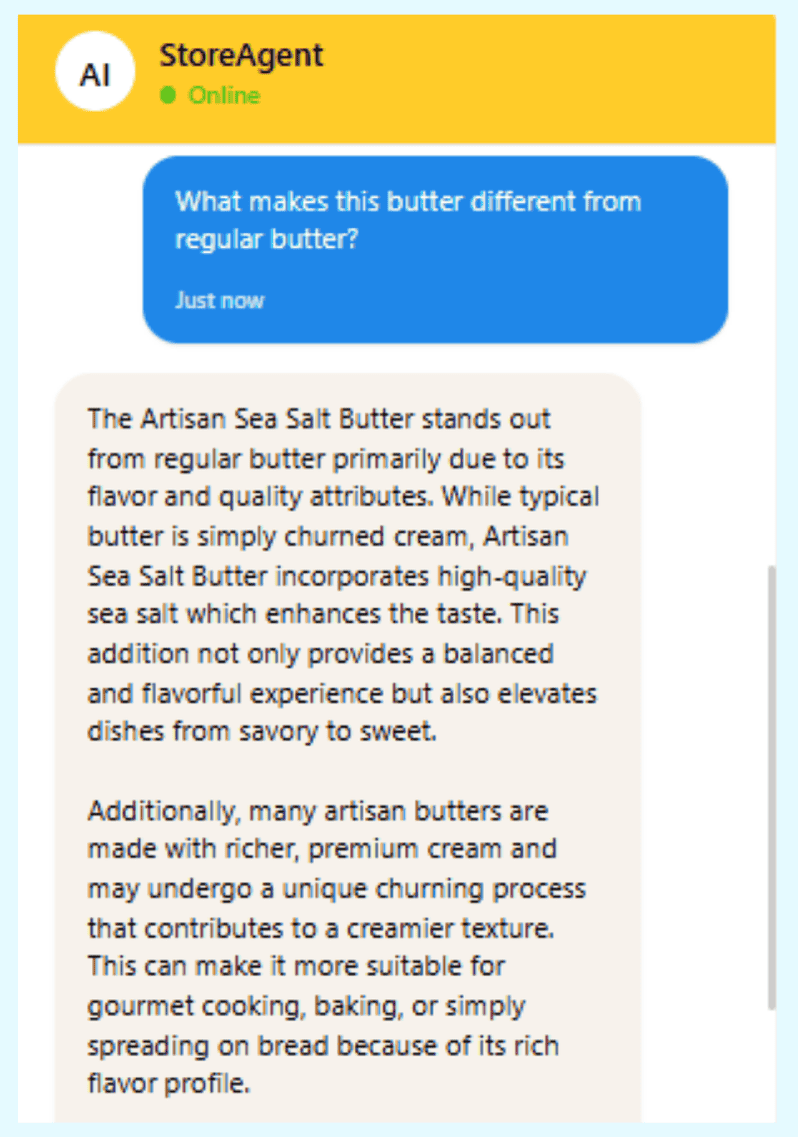
We also tested with product attribute questions. When we asked “which of your running shoes come in wide sizes?”, StoreAgent filtered through product attributes and returned relevant results.
WoowBot’s free version only matched if “wide” appeared literally in the product title or description text.
What We’ve Seen: Store owners often assume any chatbot labeled “AI” will understand their product catalog. That’s not always the case. With WoowBot’s free version, the bot runs a standard WordPress keyword search. It won’t understand context, synonyms, or product attributes unless those exact words appear in your listing text.
How WoowBot handles AI
WoowBot’s free version uses WordPress’s built-in search function. It matches queries against product titles and descriptions by keyword only. It won’t understand context, synonyms, or product attributes unless those exact words appear in your listing text.
WoowBot Pro adds AI through OpenAI or Google DialogFlow, but these are external services you configure and pay for separately. Neither reads your WooCommerce product database directly. You’ll need to upload documents or build intents manually, and that training data won’t update itself when products change.
WoowBot’s own documentation describes the free version as a keyword search tool. If you want actual AI, you’re looking at the Pro version plus a third-party account setup and ongoing API costs.
Setup And Ease Of Use
The setup experience reflects the architectural difference between these two WooCommerce chatbot plugins.
StoreAgent Setup
StoreAgent installs as a standard WordPress plugin. After activation, it adds a new menu to your admin dashboard. The plugin connects to your WooCommerce catalog and begins ingesting product data automatically.
You configure the chat widget appearance — colors, greeting message, assistant name, and position — and the bot starts working.
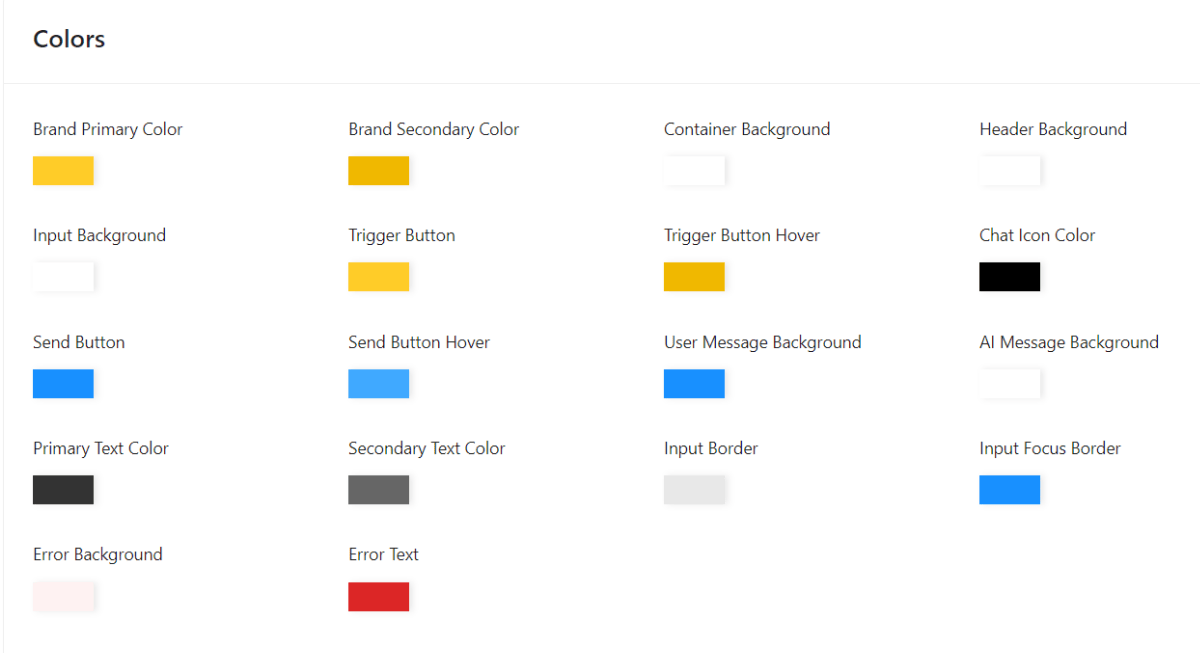
During our testing, the entire configuration process happened within WordPress. There are no API keys to generate, no external accounts to create, and no conversation flows to build manually. The AI trains itself from your existing product data, pages, and posts. When you add new products or update descriptions, the system picks up the changes.
We particularly noticed how the shortcode embed option made it easy to place the chatbot on specific pages. The floating widget worked across the entire site, but embedding the chat directly into a product category page or landing page gave more control over where conversations start.
WoowBot Setup
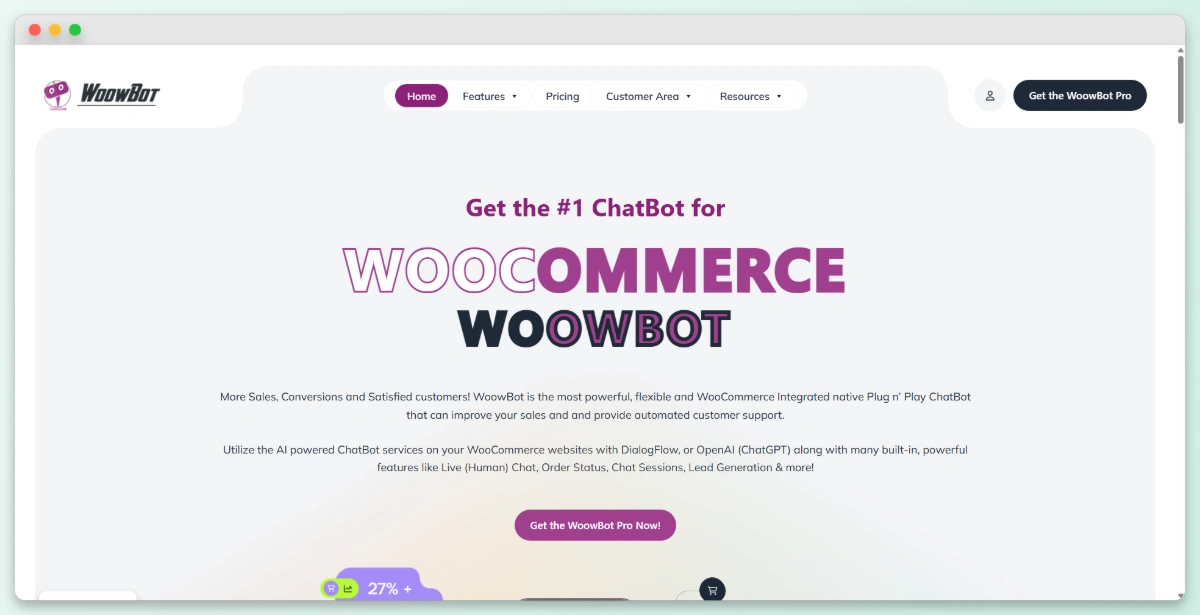
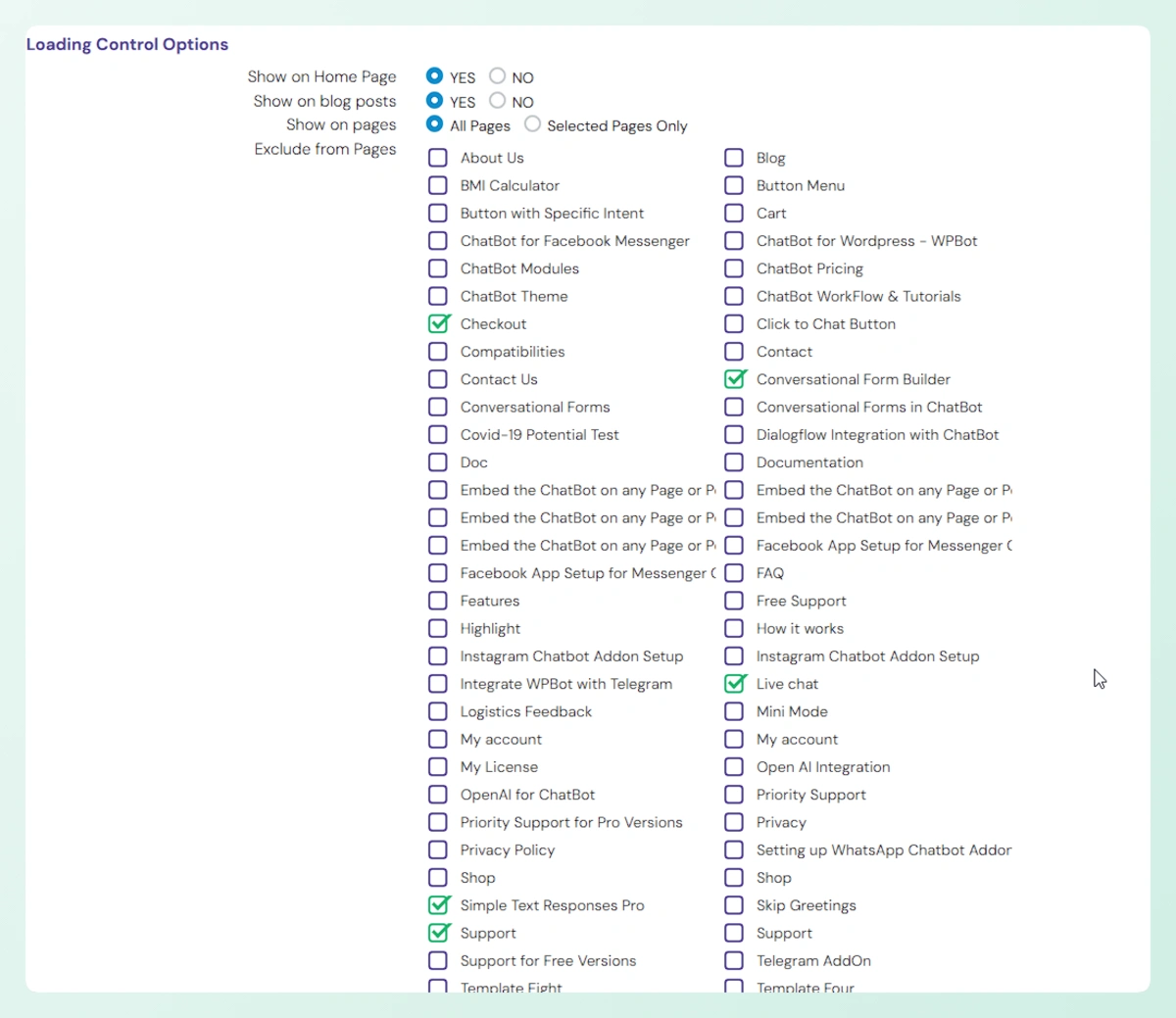
The free version of WoowBot also installs easily. Activate it and a chat widget appears on your storefront. Configuration happens in the WoowBot settings panel where you can adjust the icon, position, and language responses. For the free version, that’s straightforward.
Upgrading to WoowBot Pro with AI capabilities adds significant complexity. To use OpenAI, you need to generate an API key from your OpenAI account, configure token budgets to control costs, and optionally fine-tune models or create GPT Assistants with your store data. The DialogFlow route is more involved: you must create a Google Cloud project, enable the DialogFlow API, create intents and training phrases, and connect it back to the plugin.
We found the DialogFlow setup particularly time-consuming compared to StoreAgent’s zero-configuration approach. The OpenAI integration is simpler, but you still need to manage your own API key, monitor token usage, and manually update your training data when products change.
What We’ve Seen: A mistake we’ve seen repeatedly is store owners buying WoowBot Pro expecting a plug-and-play AI experience. They then realize they need to set up and maintain a separate OpenAI or DialogFlow account. With StoreAgent, the AI is included and configured at every tier, including the free Lite plan.
Content Generation And Extra Tools
StoreAgent isn’t just a WooCommerce chatbot plugin. It includes content generation tools that WoowBot doesn’t offer at any tier.
StoreAgent Content tools
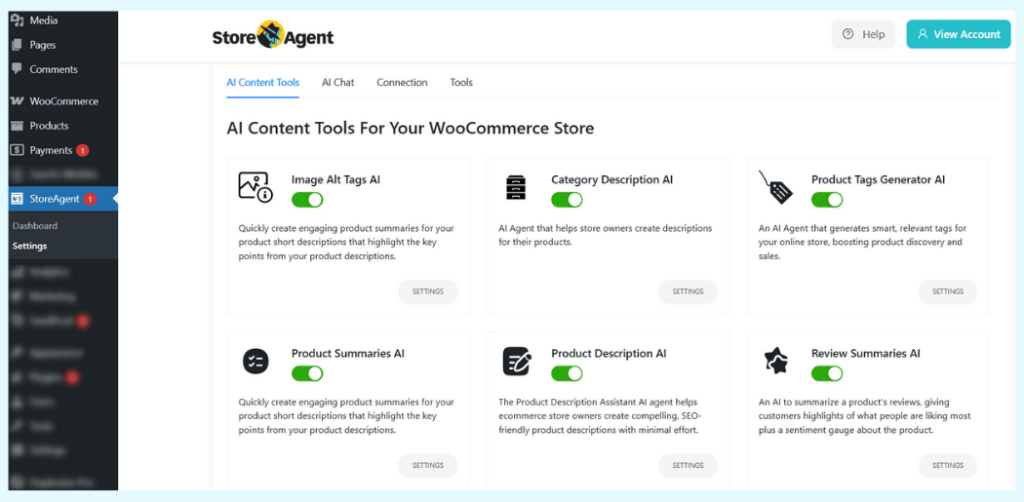
StoreAgent’s content module generates WooCommerce product content using AI trained on your catalog:
- Product descriptions: Generate unique copy for product pages
- Category descriptions: Create SEO-friendly descriptions for category archive pages
- Product tag suggestions: Get relevant tag recommendations based on product data
- Image alt text for SEO: Auto-generate descriptive alt text for product images
- Review summaries: Condense customer reviews into readable summaries for product pages
- Product summaries: Create concise product overviews
If you’re managing hundreds of products, these tools save significant time.
WoowBot extra features
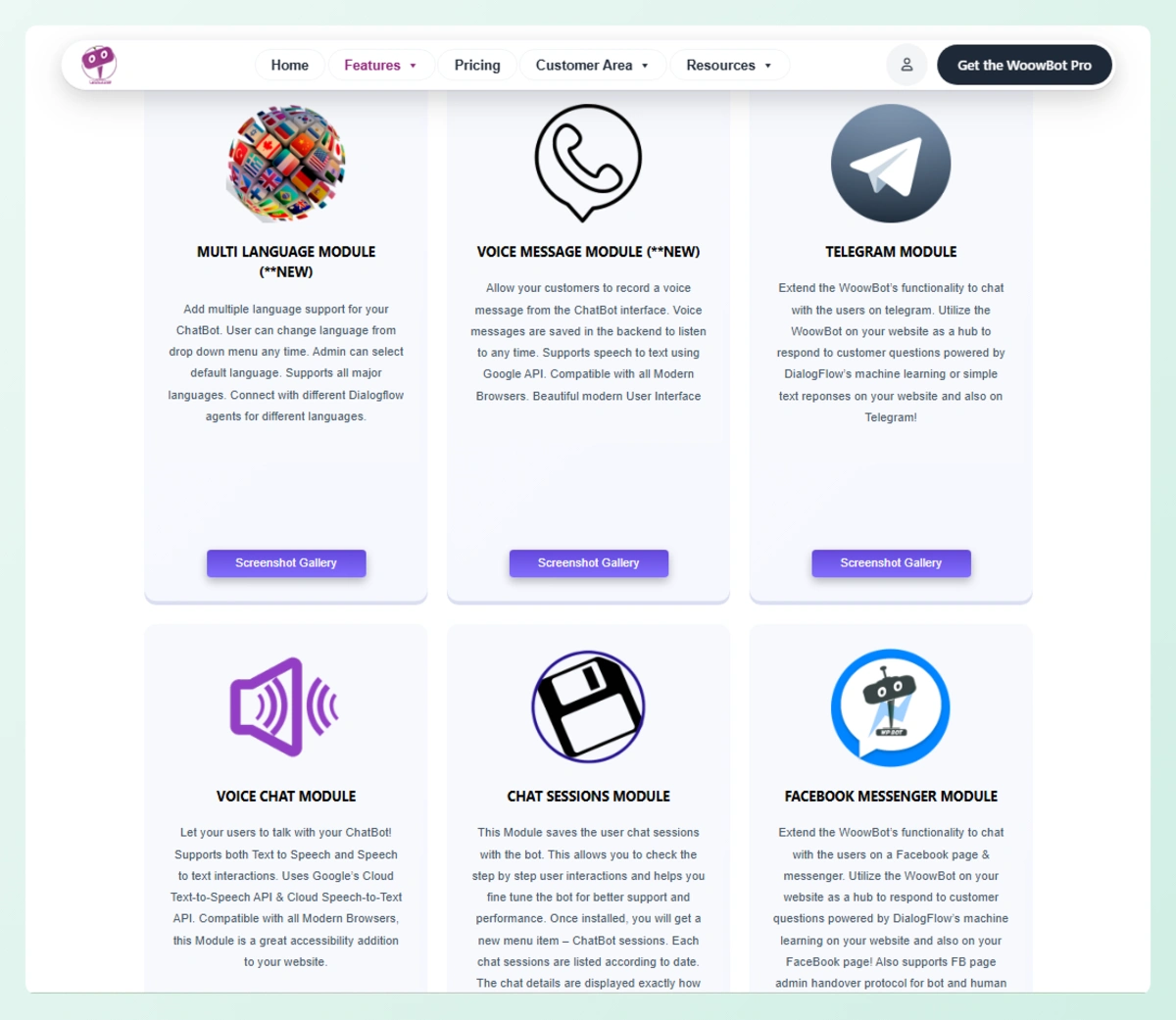
WoowBot Pro offers some features StoreAgent doesn’t include:
- Exit intent retargeting: Shows targeted offers when a visitor tries to leave the page
- Conversational forms builder: Create drag-and-drop interactive forms within the chat
- Newsletter subscription: Capture email subscribers directly in the chat widget
- Facebook Messenger integration: Connect your chatbot to Messenger
- Onsite remarketing: Retarget visitors based on their browsing behavior
These are useful ecommerce features, but they serve a different purpose than StoreAgent’s AI content and product knowledge tools. WoowBot Pro focuses on conversion optimization within the chat experience, while StoreAgent focuses on product intelligence and content production.
StoreAgent Vs WoowBot Pricing
The pricing models are fundamentally different. StoreAgent uses a monthly subscription with all AI included. WoowBot Pro uses a one-time purchase, but AI functionality requires separate, ongoing API costs.
StoreAgent Pricing
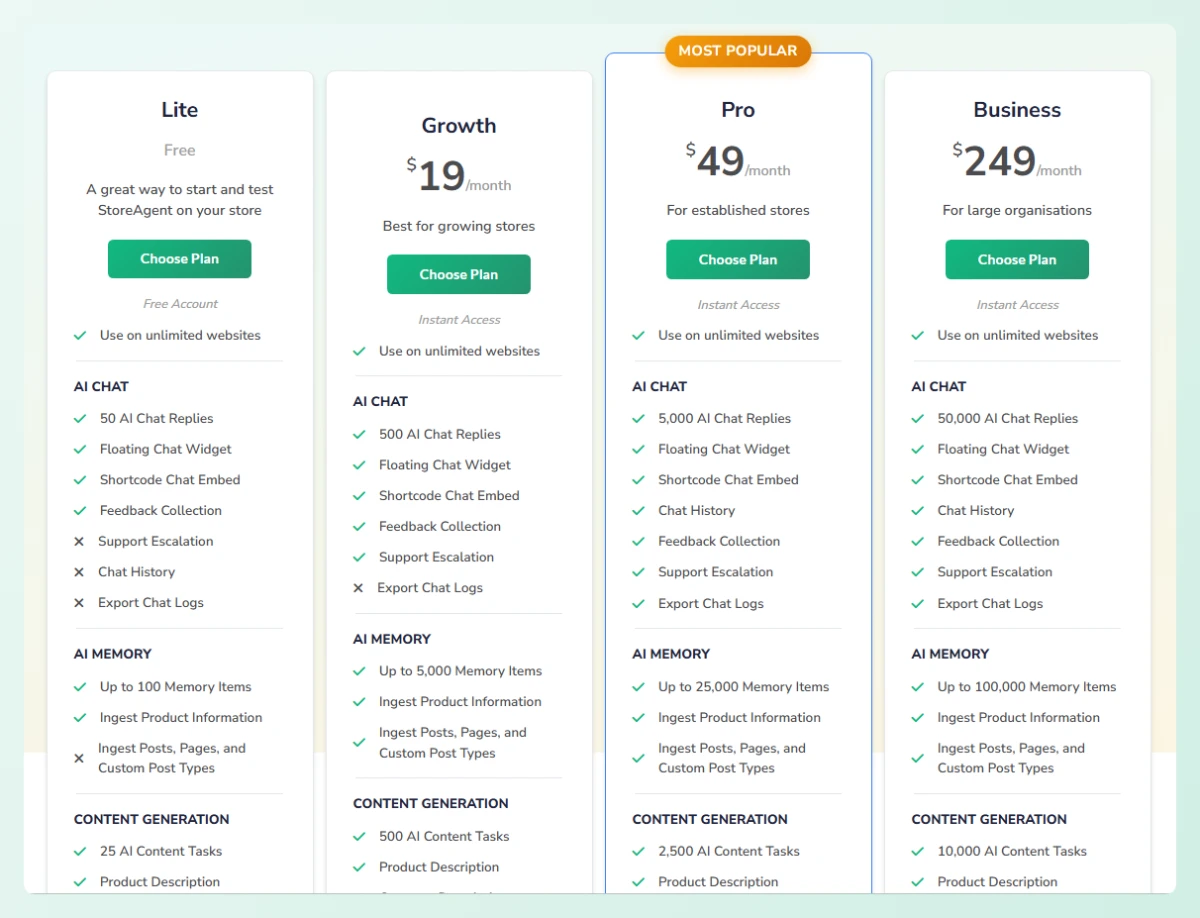
StoreAgent offers four tiers, with paid plans billed monthly and backed by a 14-day money-back guarantee:
- Lite (Free): 50 AI chat replies and 200 AI tasks (one-time, do not renew), 1,000 memory items
- Growth ($19/month): 500 AI replies, 500 content tasks, 5,000 memory items, support escalation included
- Pro ($49/month): 5,000 AI replies, 2,500 content tasks, 25,000 memory items, chat history and export logs included
- Business ($249/month): 50,000 AI replies, 10,000 content tasks, 100,000 memory items
All plans support unlimited websites. The free Lite plan requires no credit card. Note that chat history logs and export are available on Pro and Business plans only.
WoowBot Pricing
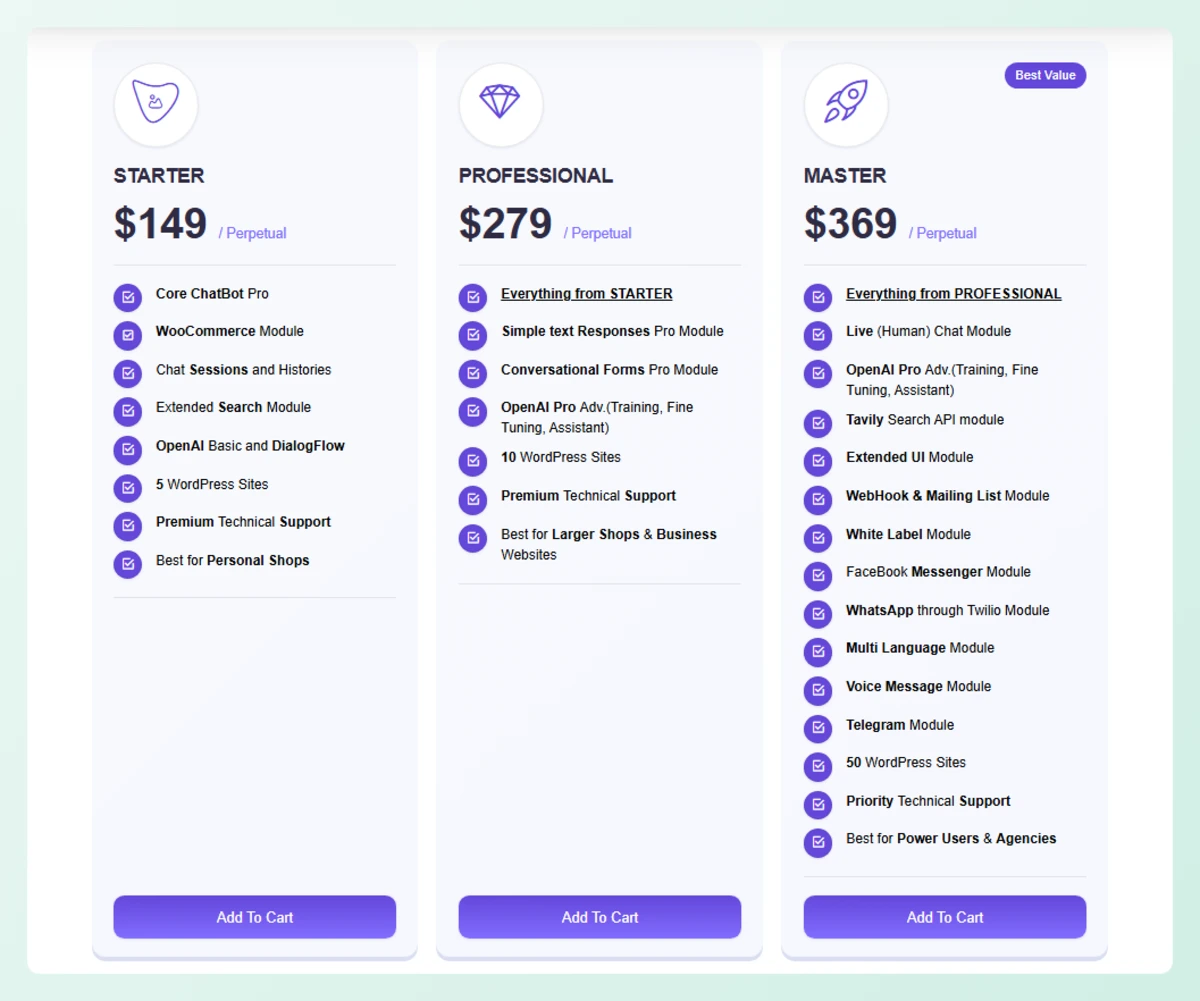
WoowBot’s free version is available on WordPress.org with basic product search functionality. The Pro version is sold through woowbot.pro across three tiers, as a one-time perpetual purchase (yearly licences are also offered at $49, $99, and $189 for 1, 2, and 5 sites):
- Starter ($149 one-time): Core ChatBot Pro, WooCommerce module, chat sessions and histories, extended search, OpenAI Basic and DialogFlow, 5 WordPress sites
- Professional ($279 one-time): Everything in Starter, plus conversational forms, OpenAI Pro advanced (training, fine-tuning, assistant), 10 WordPress sites
- Master ($369 one-time): Everything in Professional, plus live human chat, Facebook Messenger, WhatsApp via Twilio, Telegram, multi-language module, white label, voice messages, 50 WordPress sites
The one-time price looks attractive, but there’s a cost most store owners miss. WoowBot Pro’s AI features run on OpenAI or DialogFlow, which are separate, ongoing subscriptions you pay for based on usage.
For a store handling several hundred conversations per month, those API costs typically add $10 to $50+ monthly on top of the plugin price, depending on conversation length and model choice.
Who Should Choose StoreAgent
StoreAgent is the right choice if you want a WooCommerce chatbot plugin that:
- Works immediately with your product catalog and site content, no API configuration needed
- Stays current automatically by syncing product data without manual updates
- Handles customer questions with real AI at every tier, including the free plan
- Fetches live order data and product prices directly inside the chat window
- Includes content tools for product descriptions, tags, alt text, and review summaries
- Supports multiple languages with automatic detection, no add-ons required
- Scales predictably with clear pricing tiers and no surprise API costs
StoreAgent fits best for small to mid-sized WooCommerce stores that want a single plugin handling both customer chat and content generation. The free Lite plan lets you test it without commitment, and upgrading is straightforward as your traffic grows.
For a broader look at AI options for WordPress, see our guide to the best AI plugins for WordPress.
Who Should Choose WoowBot
WoowBot could be a fit if you:
- Already use OpenAI or DialogFlow and want to connect those services to a WooCommerce chat widget
- Prefer a one-time purchase over a monthly subscription for the plugin itself
- Need exit intent retargeting or conversational forms as part of your chatbot experience
- Need Facebook Messenger integration from within the same plugin
WoowBot’s free version is best suited for very small stores with a limited product catalog where basic keyword search is sufficient. The Pro version offers a range of useful features, but its reliance on external AI services adds complexity and ongoing costs that not every store owner is prepared to manage.
Which Should You Choose: StoreAgent or WoowBot?
For most WooCommerce store owners, StoreAgent is the stronger pick. It reads your live product catalog, requires no external API keys, and includes content generation tools WoowBot doesn’t offer at any tier.
WoowBot Pro makes sense if you already have an OpenAI or DialogFlow workflow and prefer a one-time plugin purchase. Otherwise, the external AI setup and manual training data maintenance add friction that StoreAgent skips entirely. And if you mainly want ChatGPT to help run the store itself, you can connect ChatGPT to WooCommerce through StoreAgent with no API key.
Here’s what to act on:
- Compare the feature differences to see which capabilities matter most for your store
- Review the pricing models and factor in WoowBot’s hidden API costs
- Understand the setup differences to decide how much configuration you’re willing to handle
- Check StoreAgent’s content tools for product descriptions, alt text, and more
Ready to try a WooCommerce AI chatbot that trains itself on your store? Start with StoreAgent’s free Lite plan and see the difference product-aware AI makes for your customer conversations.
Frequently Asked Questions
Does WoowBot Have Built-In AI?
WoowBot’s free version does not include AI. It uses standard WordPress search to match customer queries against product titles and descriptions. The Pro version supports AI through OpenAI (ChatGPT) or Google DialogFlow, but both require separate accounts and API keys that you configure and pay for independently. StoreAgent includes built-in AI at every tier.
Can StoreAgent Work Without WooCommerce?
StoreAgent is built specifically for WooCommerce stores. It reads your WooCommerce product database directly, so it requires an active WooCommerce installation. It also ingests standard WordPress pages, posts, and custom post types to build a broader knowledge base of your entire site.
Is WoowBot or StoreAgent Better for Multilingual Stores?
StoreAgent Chat has built-in multilingual support with automatic language detection at every plan tier. No add-ons or extra configuration are required. WoowBot’s free version supports a single language through its language center settings. Full multilingual support in WoowBot requires the Pro Master license. For stores serving international customers, StoreAgent’s built-in multilingual support is the simpler option.
Do I Need an OpenAI Account to Use StoreAgent?
No. StoreAgent includes its own AI and does not require any external API keys, OpenAI accounts, or Google Cloud projects. The AI is built into the plugin at every tier, including the free Lite plan with 50 one-time AI chat replies.
Can WoowBot Read My WooCommerce Product Data Directly?
WoowBot searches products using the standard WordPress search function, which matches against titles and descriptions. It does not connect directly to the WooCommerce product database for attributes, variants, pricing, or stock information the way StoreAgent does. This means WoowBot can’t answer questions about product availability, specific attributes, or price comparisons.
How Much Does WoowBot’s AI Actually Cost Per Month?
The WoowBot Pro plugin itself is a one-time purchase. However, the AI functionality comes from OpenAI or DialogFlow, which charge based on usage. OpenAI pricing varies by model and token consumption. For a store handling several hundred conversations per month, expect API costs between $10 and $50+ monthly depending on conversation length and model choice.
Does StoreAgent Offer a Free Plan?
Yes. StoreAgent’s Lite plan is permanently free with 50 AI chat replies and 200 AI tasks (one-time credits that do not renew), plus 1,000 memory items. No credit card is required to start. Paid plans include a 14-day money-back guarantee if you decide to upgrade.