Reviewed by
StoreAgent, the WooCommerce AI plugin, can now generate your WooCommerce coupon description automatically!
The new AI Coupon Description Generator reads a coupon’s full data and writes a short, accurate description for it in one click, right from the WooCommerce coupon edit screen.
Most store owners leave the coupon description field empty. It’s optional in WooCommerce. As a result, once you’re managing 20 or more active coupons at the same time, those blank fields slow down your admin work. You end up opening each coupon one by one just to check what it does.
This new agent takes care of that for you. In this article, we’ll walk through what the AI Coupon Description Generator does, what it reads, how the Generate button works, and how to get started.
What Is The WooCommerce Coupon Description Field?
The WooCommerce coupon description field is a short text area on the coupon edit screen. It’s meant to summarize what a coupon does, who it applies to, and any conditions attached to it. It doesn’t show to customers by default, but it’s the fastest way for store admins to understand a coupon’s rules without opening it.
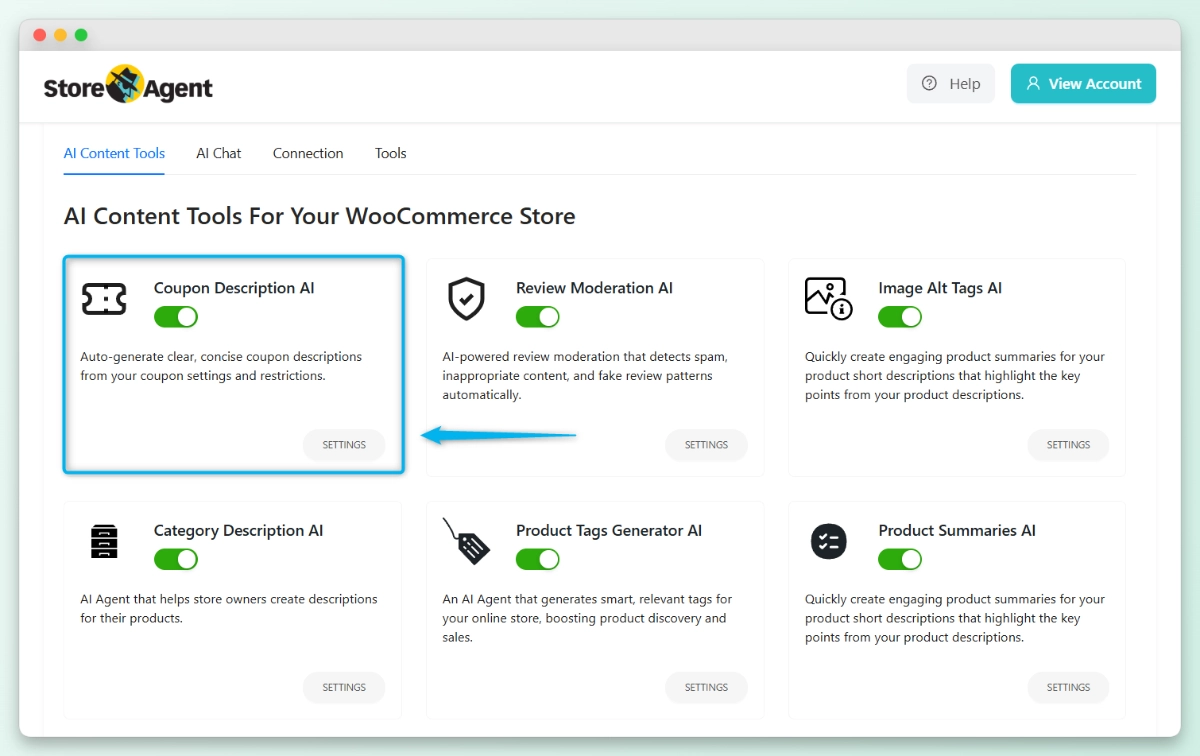
StoreAgent’s new AI Coupon Description Generator fills this field automatically. It reads a coupon’s full data and writes a clear, accurate description based on its actual rules.
For example, a 20% off coupon with a 50 dollar minimum and a March 31 expiry might generate: “Applies 20% off orders of 50 dollars or more, excluding sale items. Valid until March 31, 2026, with a single use per customer.” The output goes directly into the description field, ready for you to review and save.
Why most stores leave the field blank
The field is easy to ignore when you’re creating coupons during a sale. Furthermore, WooCommerce never requires it or prompts you to fill it in.
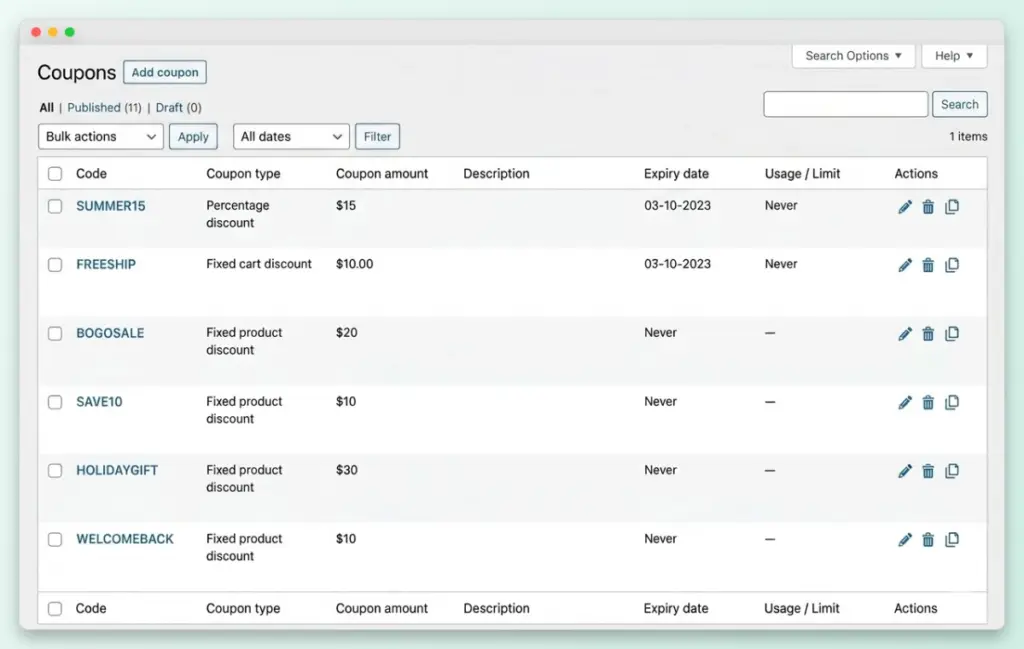
But when you’re running multiple promotions at the same time, a 15% off accessories coupon looks identical in the list view to a free shipping deal or a BOGO offer. None of the key details show up.
You can’t see the discount type, expiry date, spend limits, or product restrictions from the coupon list. You have to open each one to find out what it does. That back-and-forth adds up fast when you’re managing a large coupon library.
What Does AI Coupon Description Agent Read Before It Generates?
Before writing anything, the agent pulls the coupon’s full data from WooCommerce. That is what makes each output specific and accurate rather than generic.
Here is what it reads:
- Discount type (percentage, fixed cart, or fixed product)
- Discount amount
- Free shipping flag
- Expiry date
- Minimum and maximum spend
- Product and category inclusions and exclusions
- Usage limits (per coupon and per user)
- Individual use only flag
- Advanced Coupons metadata, if available (BOGO rules, cart conditions, and scheduling)
Additionally, if you use Advanced Coupons for BOGO deals, cart conditions, or scheduling rules, the agent reads that metadata too. So the description it produces covers the full picture, not just the standard WooCommerce fields.
How Does StoreAgent’s AI Coupon Description Agent Work?
The AI Coupon Description Generator is a user-triggered agent that runs directly on the WooCommerce coupon edit screen.
Before using it, make sure the agent is active. Go to StoreAgent > Settings on your WordPress dashboard and enable the AI Coupon Description Generator from the agents list.
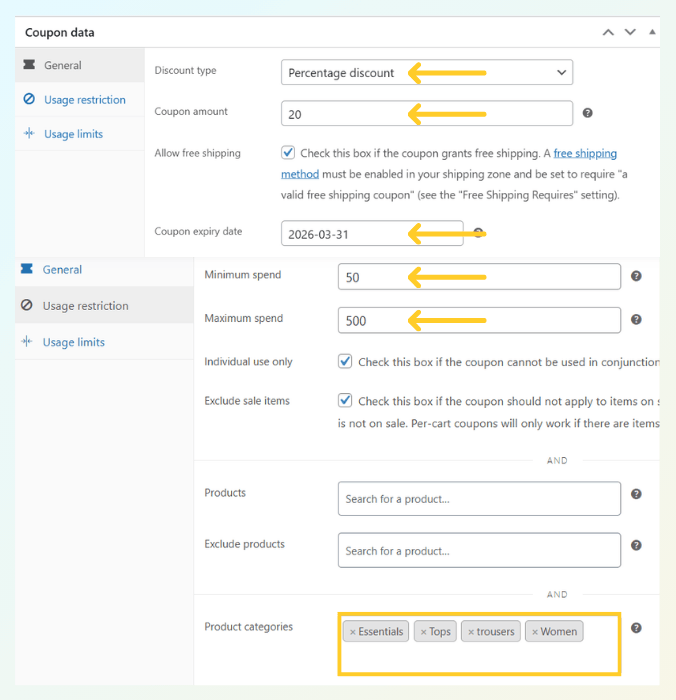
Let’s take a look at this example. I created a coupon for women’s tops and trousers with these details:
- Discount type: Percentage – 20%
- Minimum spend: $50 | Maximum spend: $500
- Exclude sale items: Yes
- Individual use only: Yes
- Product categories: Women, Tops, trousers
- Expiry date: March 31, 2026
After saving the coupon, here’s how to generate its description:
- Open any coupon from your WooCommerce Coupons screen.
- Scroll to the WooCommerce coupon description field.
- Click Generate Description.
The agent instantly reads the coupon’s saved data and fills in the description field. For this example, it generated:
“20% off eligible items in Essentials, Tops, trousers, and Women (excluding sale items), with free shipping on orders between $50 and $500. Expires March 31, 2026; single-use only and not combinable with other coupons.”
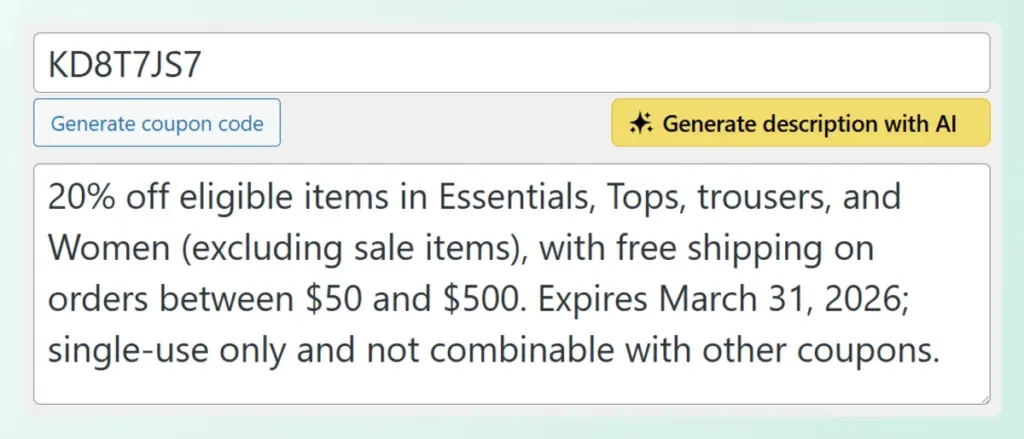
You can then review the output, edit it if needed, and save. Easy!
The agent will not overwrite an existing description without your confirmation. It also only changes the description field. Your coupon rules, discount amounts, product restrictions, and usage limits stay exactly as they are. There is no risk of accidentally affecting a live coupon.
This follows the same user-triggered pattern as StoreAgent’s Product Description Writer. Nothing runs automatically in the background. You control what gets saved.
How Do You Get Started in StoreAgent?
The AI Coupon Description Generator is available on all paid StoreAgent plans. You can start using it immediately once you’re on an active paid plan.
Here’s a quick recap of everything we covered in this article:
- WooCommerce Coupon Description Field
- What Does the Agent Read
- How the AI Coupon Description Agent Works
Finally, if you have a large library of existing coupons with empty description fields, now is a good time to work through them. Running the generator across your active coupon set gives every discount a clear, consistent description and makes your coupon list much easier to audit and manage going forward.
Visit the StoreAgent pricing page to find the right plan for your store, or log in to your existing account to get started today.