
StoreAgent’s Chat Widget automatically responds in the same language your visitor uses to type their question. There is no language setting to configure, no WPML integration to enable, and no per-agent language override for the Chat Widget. This article explains how automatic language detection works, clarifies what the Language setting in StoreAgent does control, and covers your options if you run a multilingual store and want to customise the widget’s interface text.
How Chat Language Detection Works
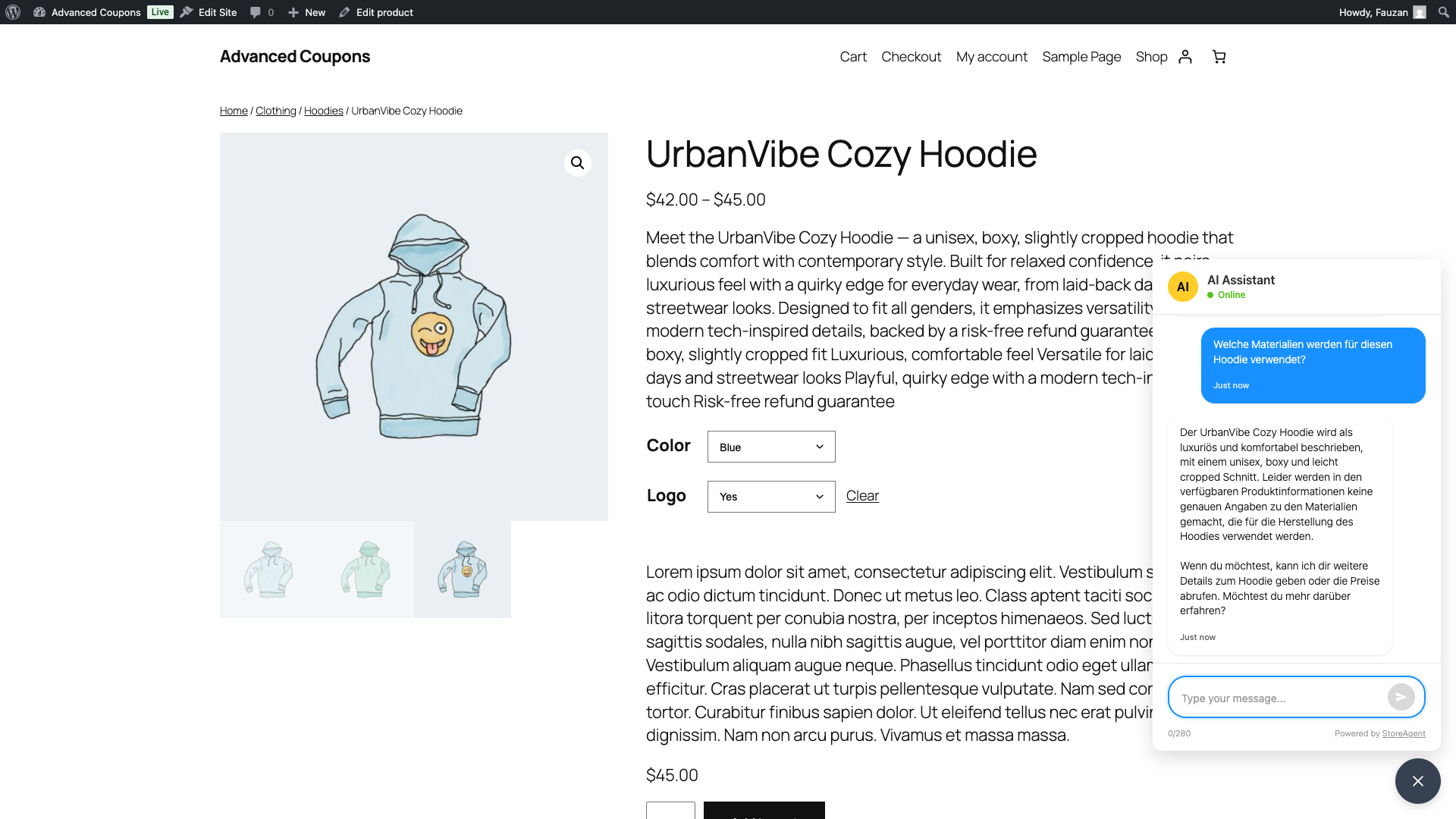
When a visitor sends a message in the Chat Widget, the AI reads the language of that message and replies in the same language. If a German-speaking customer types a question in German, the AI responds in German. If an English-speaking customer types in English on the same site, the AI responds in English — no switching, no configuration, no extra plugins needed.
This behaviour is built into the AI model itself. The Chat Widget passes the visitor’s message to the AI and the AI determines the appropriate language from the content of that message. StoreAgent does not detect the browser locale, the WordPress language setting, or the active WPML language when generating Chat responses.
What the Language Setting Controls
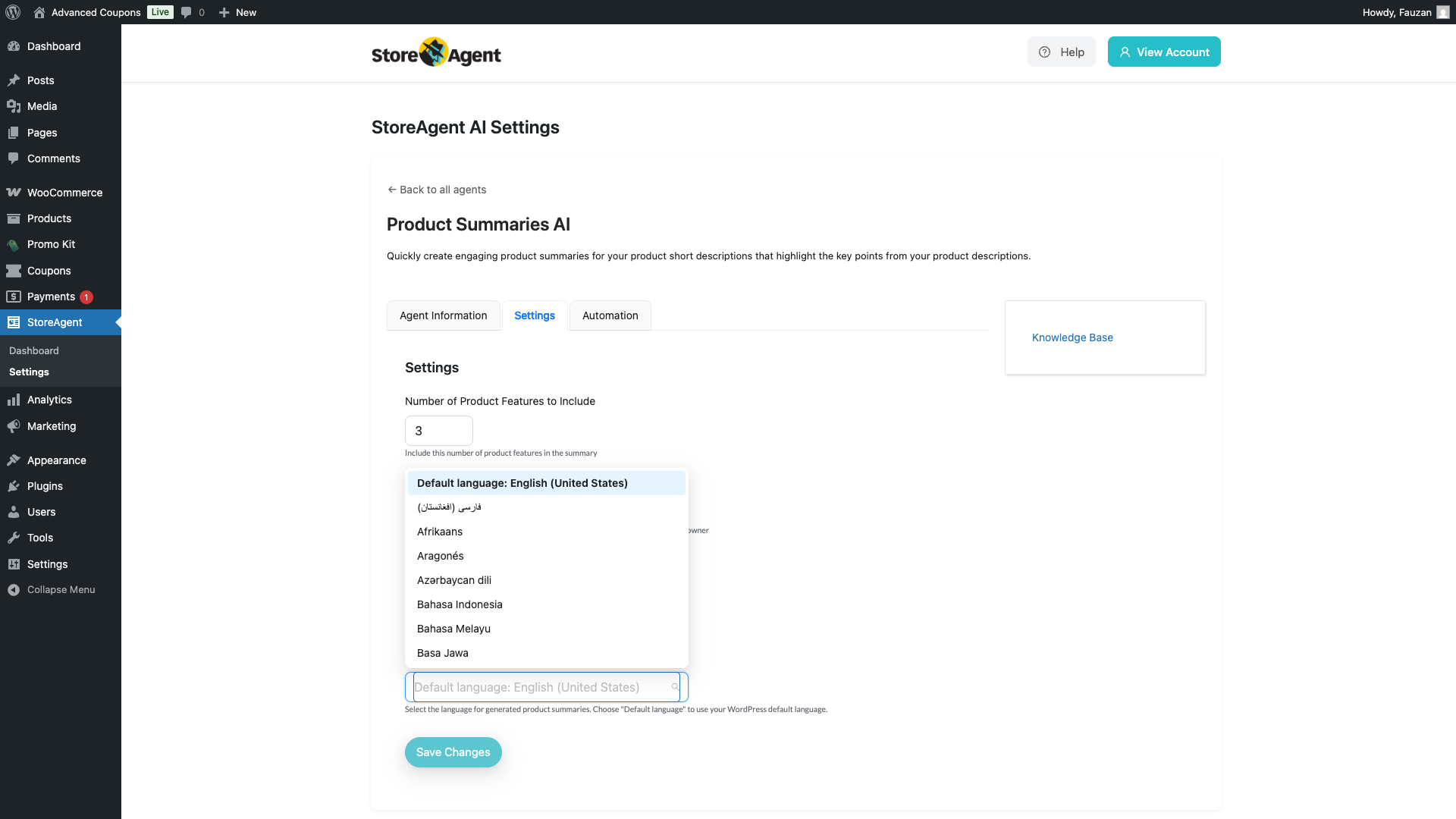
You may notice a Language setting when configuring certain AI agents in StoreAgent. This setting controls the output language for content generation — it has no effect on the Chat Widget.
The Language setting appears on the following Content AI agents:
- Product Description AI — controls the language used when generating product descriptions
- Product Tags Generator — controls the language of generated product tags
- Product Summaries AI — controls the language used when generating product summaries
- Category Description AI — controls the language of generated category descriptions
- Review Moderation AI — controls the language used in moderation analysis
- Review Summaries AI — controls the language of generated review summaries
These agents each let you choose a specific language or select Default language, which follows your WordPress site language. The Chat Widget does not appear in this list because its language behaviour is fully automatic and cannot be overridden.
Widget Interface Text and Multilingual Sites
While the Chat AI itself responds in the visitor’s language automatically, the widget’s static interface text is a separate matter. The greeting message, input placeholder, assistant name, avatar acronym, and status text are all configured in StoreAgent → Chat Widget → General. These are stored as a single global setting — one value for the entire site, regardless of which language version a visitor is viewing.
If you run a multilingual store (for example, using WPML) and want different greeting text to appear depending on which language version of the site the visitor is on, you can use WPML String Translation to register and translate these strings per language. This is handled at the WPML layer, not within StoreAgent itself.
StoreAgent does not include a built-in WPML integration for the Chat Widget. The steps for registering custom strings with WPML String Translation are covered in the WPML String Translation documentation.
Summary
| Aspect | Behaviour |
|---|---|
| Chat AI response language | Automatic — matches the language the visitor types in. No configuration required. |
| Language setting on Content AI agents | Controls the output language for content generation (descriptions, tags, summaries, etc.). Does not affect Chat. |
| Chat Widget language dropdown | Does not exist. There is no per-agent language override for the Chat Widget. |
| Widget interface text (greeting, placeholder, etc.) | Single global value. Not language-aware by default. |
| Multilingual widget text (e.g. WPML) | Can be handled using WPML String Translation at the WPML layer. |
Frequently Asked Questions
Do I need to configure anything for the Chat Widget to respond in German?
No. If a visitor types in German, the AI responds in German automatically. No language setting, no WPML plugin, and no per-agent configuration is required for the Chat AI itself.
The chat widget shows “AI Assistant” and “Online” in English. Can I change these to German for my German store?
Yes, but not from within StoreAgent directly. The widget interface text is a single global value. To show different text per language on a WPML site, use WPML String Translation to register and translate these strings. Refer to the WPML String Translation documentation for setup instructions.
I see a Language dropdown when I configure my Product Summaries AI. Does that affect the Chat Widget?
No. The Language setting on Content AI agents controls the language used when generating written content such as product descriptions and summaries. It has no effect on how the Chat Widget responds to visitors.
Is there a way to force the Chat Widget to always reply in a specific language, regardless of what the visitor types?
Not through a plugin setting. The AI responds in the language of the incoming message by design. If you need the widget to always respond in a specific language, this is not currently a supported configuration in StoreAgent.
Need Help?
If you have a question or run into any issues, we’re here to help.
- Premium users: Open a support ticket
- Free users: Visit our community forum
