Reviewed by
StoreAgent just rolled out its first major update: a brand-new WooCommerce AI tool called the Category Description AI!
This AI tool helps WooCommerce store owners quickly write better descriptions for product categories. It’s easy to use and saves time. Moreover, if used well, it can even help boost traffic, potentially driving more sales.
Below you’ll find three real category description examples, written by the Category Description AI on our demo store, with the exact settings we used. Then we’ll show you how to make your own.
In this guide, we’ll explore what the Category Description AI is. We’ll also give you an easy step-by-step guide to using it to generate ideal descriptions for your WooCommerce product categories.
So, ready to learn more? Then read on!
- 3 Category Description Examples
- What Is The Category Description AI?
- How To Use The Category Description AI (Step By Step)
- Conclusion
3 Category Description Examples
Every example below is the AI’s unedited output from our demo WooCommerce store. We list the inputs so you can copy the setup.
Example 1: Outerwear (luxurious tone, medium length)
Settings: tones Luxurious + Confident; characteristics: tailored structured blazers, layering pieces for cooler days, wool and wool-blend fabrics; audience women and men, 25-44; keywords: outerwear, tailored blazer, layering jackets.
Discover outerwear designed to elevate every look with polish, structure, and effortless versatility. This collection is crafted for women and men who want refined layers that move seamlessly from weekday dressing to evening plans, offering the kind of confidence that comes from impeccable style.
From a sharp tailored blazer to sleek layering jackets, each piece is selected for its ability to add warmth without sacrificing sophistication. Expect tailored structured blazers, refined silhouettes, and smart layer-ready designs that work beautifully over shirts, knits, and elevated basics.
Our outerwear selection is especially suited for cooler days, with timeless styles in wool and wool-blend fabrics that bring comfort, depth, and a luxurious finish. These are wardrobe essentials for ages 25-34 and 35-44 who value quality pieces that look as good as they feel.
Explore styles made to deliver:
- Tailored structure with a polished, modern edge
- Versatile layering for transitional weather and cool evenings
- Premium wool and wool-blend fabrics for lasting wear
- Confident silhouettes for both women and men
Whether you are building a refined everyday wardrobe or investing in standout staples, this outerwear collection offers elevated layers that bring sophistication to every occasion.
Why it works: the main keyword is in the first sentence, and the bullet list makes the page easy to scan.
What we’d tweak: cut “for ages 25-34 and 35-44”. Shoppers don’t need to see your targeting settings.
Example 2: Bottoms (relaxed tone, short length)
Settings: tones Relaxed + Friendly; characteristics: wide-leg and high-waisted trousers, raw and washed denim, multiple inseam lengths; audience women, 18-34; keywords: womens trousers, wide-leg pants, denim jeans.
Find your new everyday favorites in our Bottoms collection, made for women who want easy style with a relaxed feel. From womens trousers with flattering high-waisted fits to laid-back wide-leg pants, this category brings together versatile pieces you can wear from day to night.
Looking for denim? Explore classic denim jeans in raw and washed finishes, designed with comfort and style in mind. Many styles come in multiple inseam lengths, making it easier to find a fit that works for your shape and height.
- Wide-leg and high-waisted trousers
- Raw and washed denim jeans
- Multiple inseam lengths for a better fit
Whether you’re dressing for a casual day out or building a go-to wardrobe, these bottoms offer the effortless, trend-right look you’ll keep reaching for.
Why it works: it answers the fit question (inseam lengths) before the shopper asks, and it fits all 3 keywords in naturally.
What we’d tweak: nothing. This one’s ready to ship.
Example 3: Accessories (playful tone, medium length)
Settings: tones Playful + Witty; characteristics: beanies and scarves, tech accessories like MagSafe power banks, giftable items under $80; audience men and women, 18-34; keywords: gift ideas, accessories, beanies.
Meet the little things that do the heavy lifting. Our accessories collection is packed with everyday upgrades and easy wins—pieces that add style, solve problems, and make getting ready feel a lot more fun.
From cozy beanies and scarves to tech-ready essentials like MagSafe power banks, this category is built for men and women who want practical gear with personality. Whether you’re layering up for cold weather, charging on the go, or hunting for clever gift ideas, you’ll find something here that fits the vibe.
Expect:
- Beanies and scarves for easy cool-weather style
- Tech accessories, including MagSafe power banks and other on-the-go must-haves
- Giftable items under $80 that feel thoughtful without trying too hard
Perfect for ages 18–24 and 25–34, these accessories make it simple to level up your look or grab a no-stress gift that actually gets used. Small pieces, big impact—exactly how good style should work.
Why it works: it ties a mixed category (fashion + tech) together under one idea, and “gift ideas” catches gift-intent searches.
What we’d tweak: cut the age line again.
Want these for your own store? Try the WooCommerce category description generator, free.
What Is The Category Description AI?
The Category Description AI is a helpful AI tool made for WooCommerce store owners. It creates clear and interesting descriptions for different product categories, making it easier for customers to understand what kinds of products are in each group. It is the engine behind StoreAgent’s WooCommerce category description generator — see the tool page for what it writes, bulk generation, and pricing.
The AI examines the products in a category, finds important keywords, and follows market trends to write better descriptions. This helps your store show up more in search engines, which means more people can find it. It also makes your website easier to explore and shop from, whether you’re starting a new store or improving an old one.
Here are the benefits of using this AI tool:
- Saves time by automatically writing category descriptions
- Keeps your brand voice consistent across all pages
- Boosts search engine rankings to make your store easier to find
- Enhances site navigation to make shopping easier and more enjoyable
- Makes store pages more appealing to customers
- Improves the shopping experience for all visitors
- Works well for both new stores and existing ones being updated
Thanks to all these benefits, this AI can help increase your store’s traffic and potentially boost your sales.
How To Use The Category Description AI (Step By Step)
In this step-by-step tutorial, we’ll teach you how to use StoreAgent’s Product Summaries AI.
Follow these simple steps to start:
Step 1: Activate the Category Description AI
First, navigate to your WordPress admin dashboard. Then, click StoreAgent AI > AI Agents to access the StoreAgent page. Here, you can view all available AI tools:
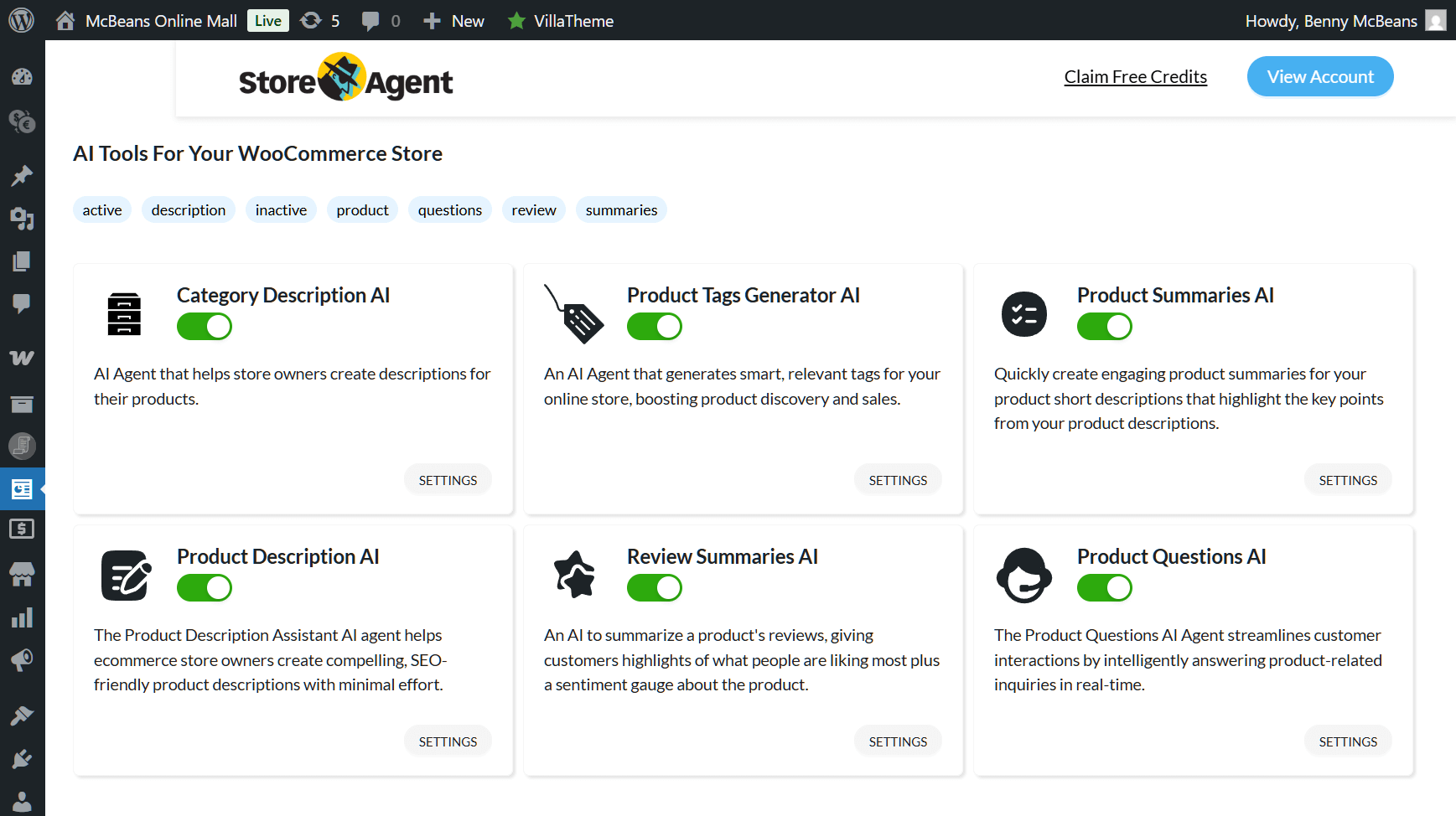
Now, activate the Category Description AI by toggling its button. Once this button says “Active,” you can start using the agent immediately.
Step 2: Set up the AI to generate the category description
It’s time to pick a product category. Click Products > Categories to go to the Product categories screen. Here, you can create new categories or edit existing ones. You can use the Category Description AI when doing either.
For this tutorial, we’ll generate a description for an existing category. To start, hover your cursor over a category on the right, then click its Edit button.
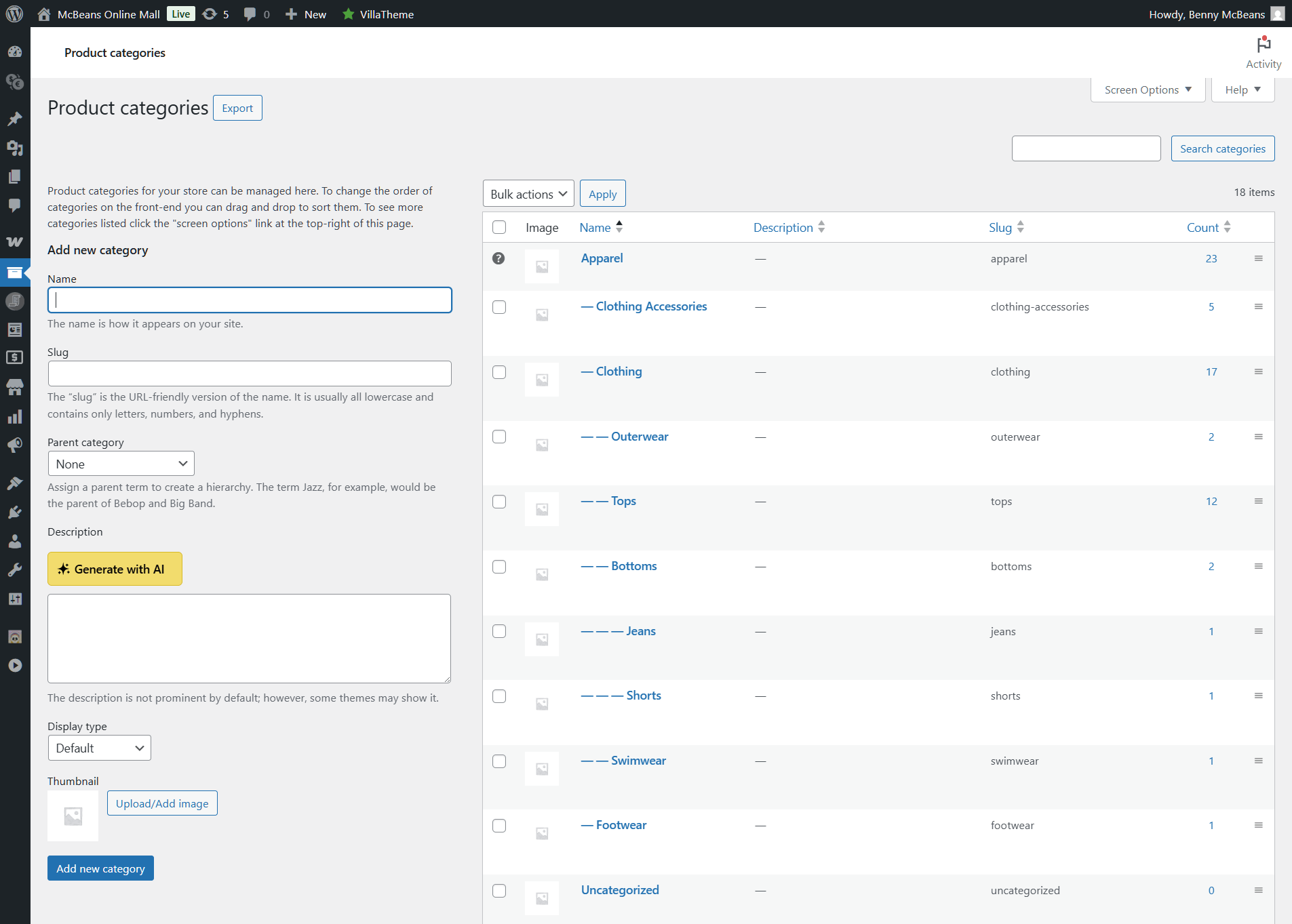
This takes you to the category’s Edit category screen.
For example, we chose to edit the “Apparel” category in the image below.
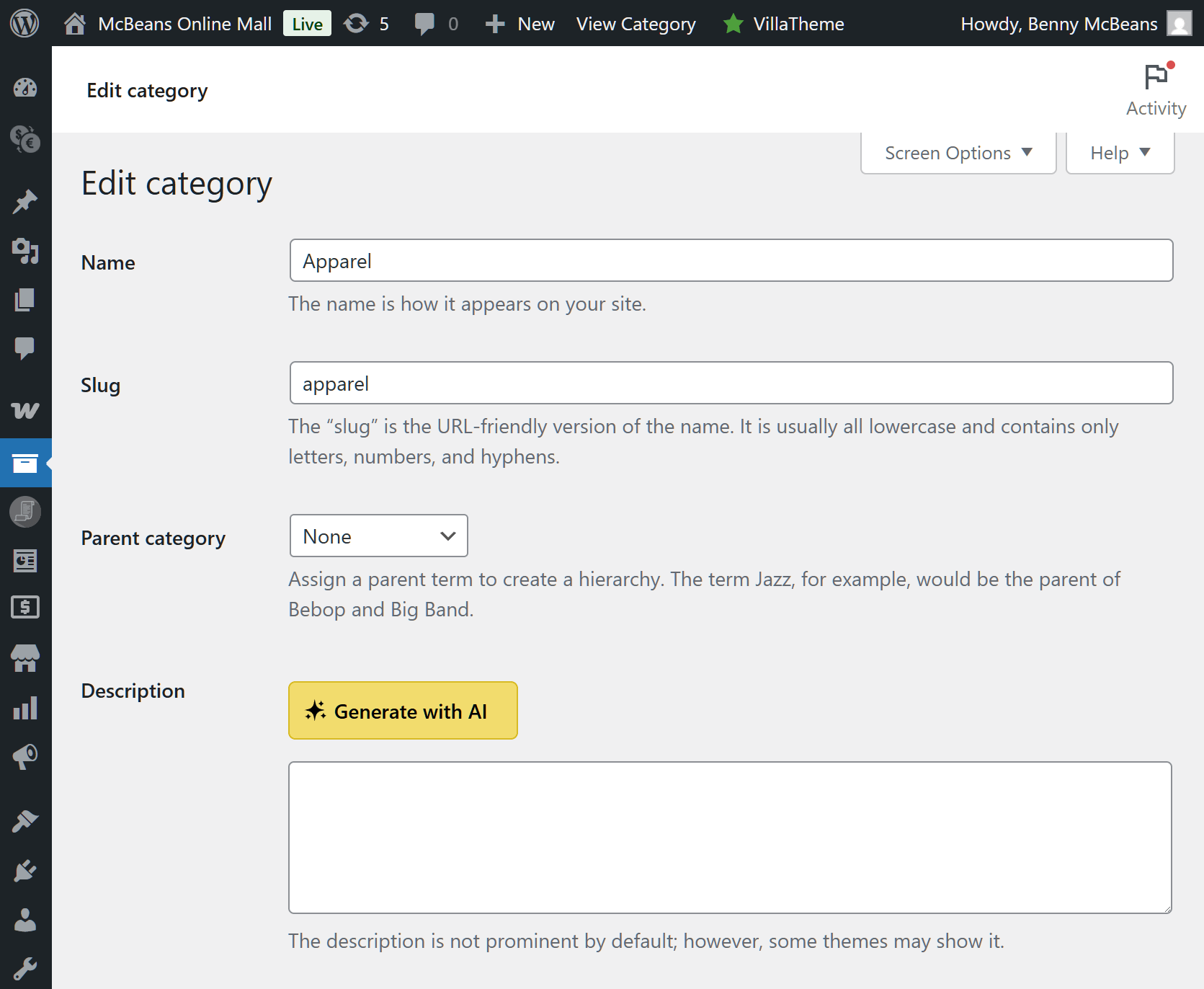
Next, scroll down to the Description box and click the Generate with AI button.
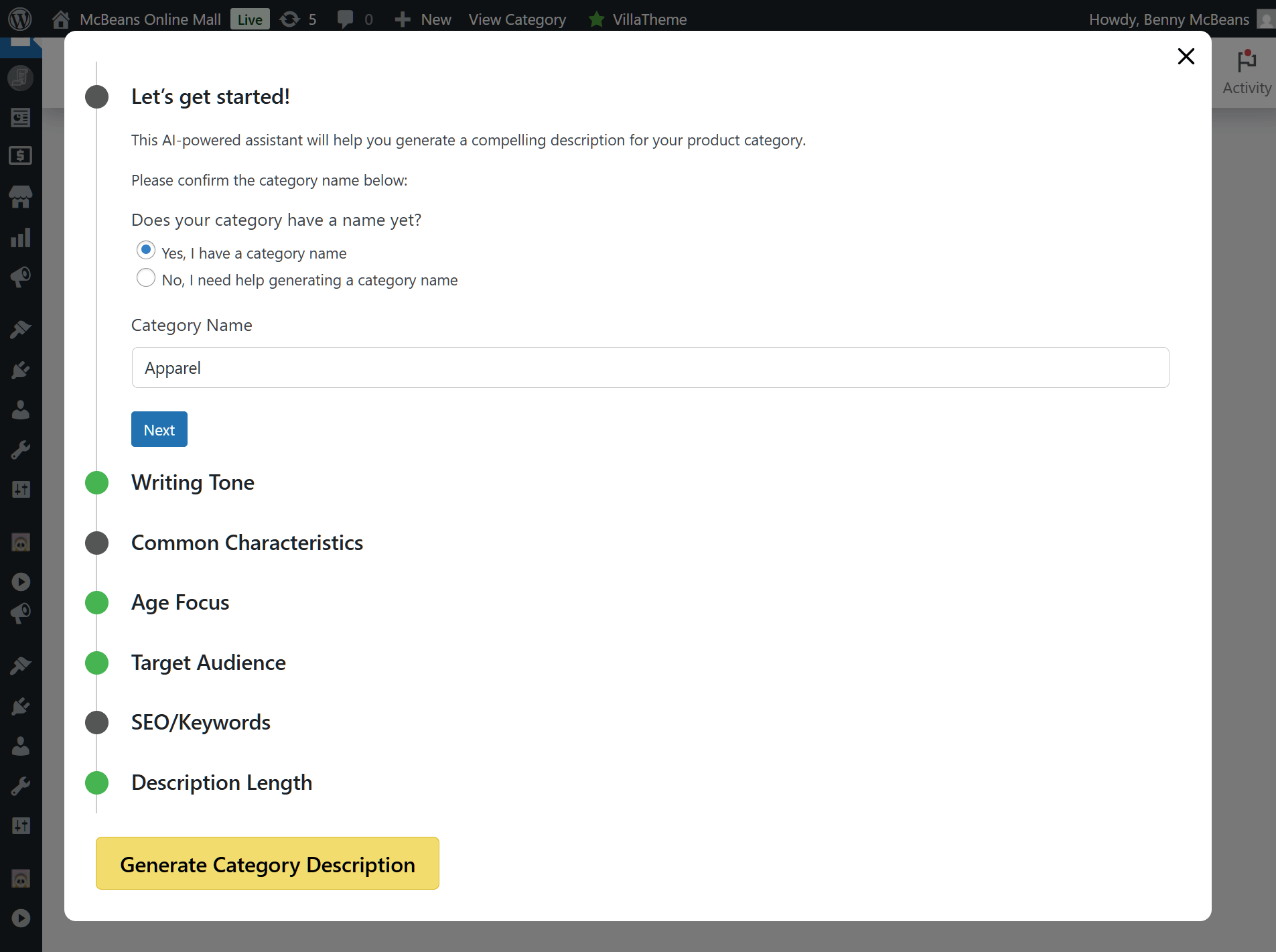
You can now configure various settings (which should look familiar if you’ve already used the Product Description AI). Let’s go over each one!
1. Let’s get started!
The first option lets the AI generate a category title for you if you don’t already have one. You can even change the current title if you wish.
2. Writing Tone
How do you want the description to sound? Do you want it relaxed? Then tick the “Relaxed” checkbox. Do you prefer nostalgic or urgent? Just tick the appropriate box!
Furthermore, you can select more than one tone. For example, in the image below, we ticked the checkboxes to make our “Apparel” category description sound trendy, luxurious, and happy.
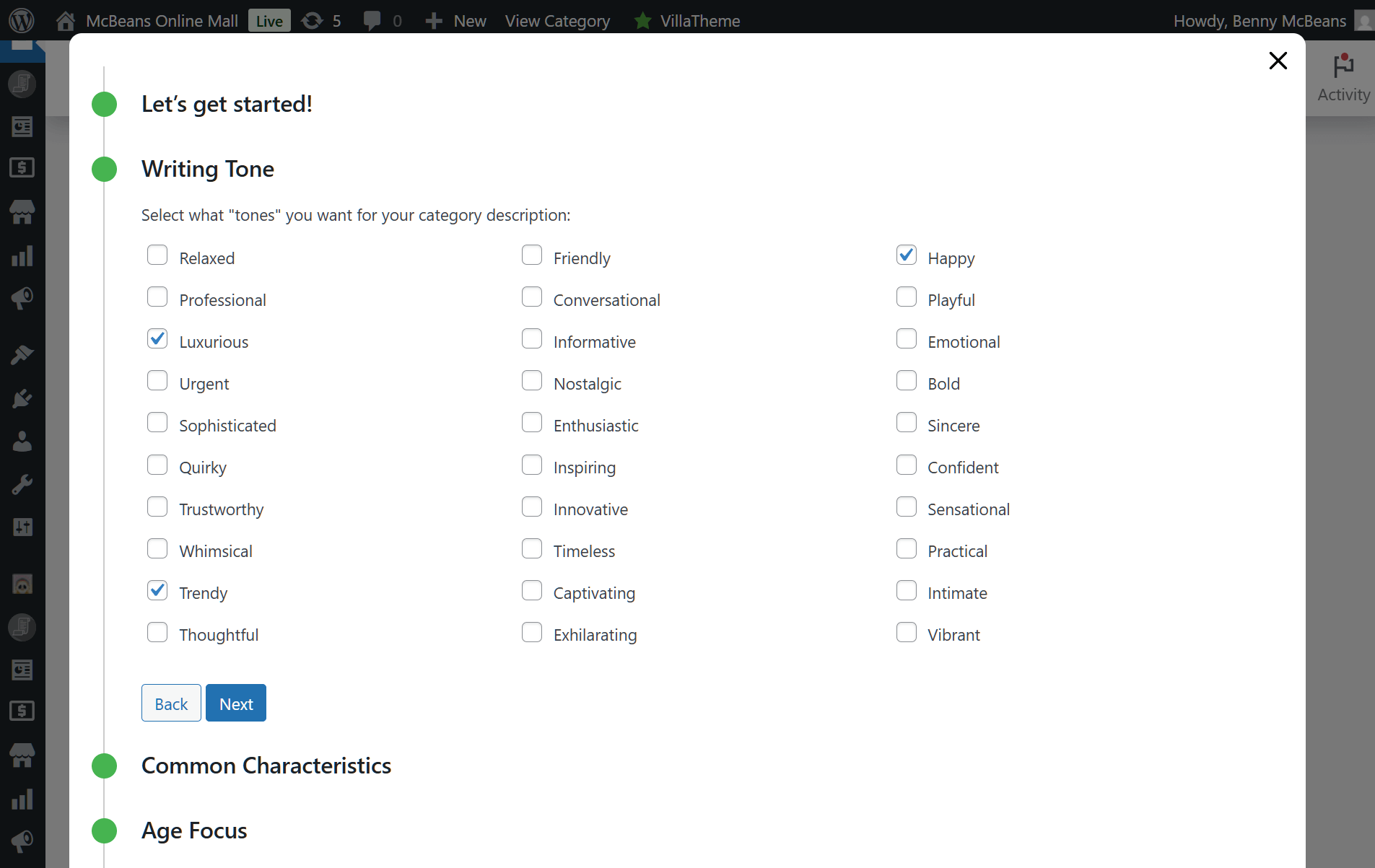
As you can imagine, this helps the AI generate a description that aligns with your brand’s unique voice.
3. Common Characteristics
What unique qualities define the product category? With this option, you can highlight the characteristics that set the category apart.
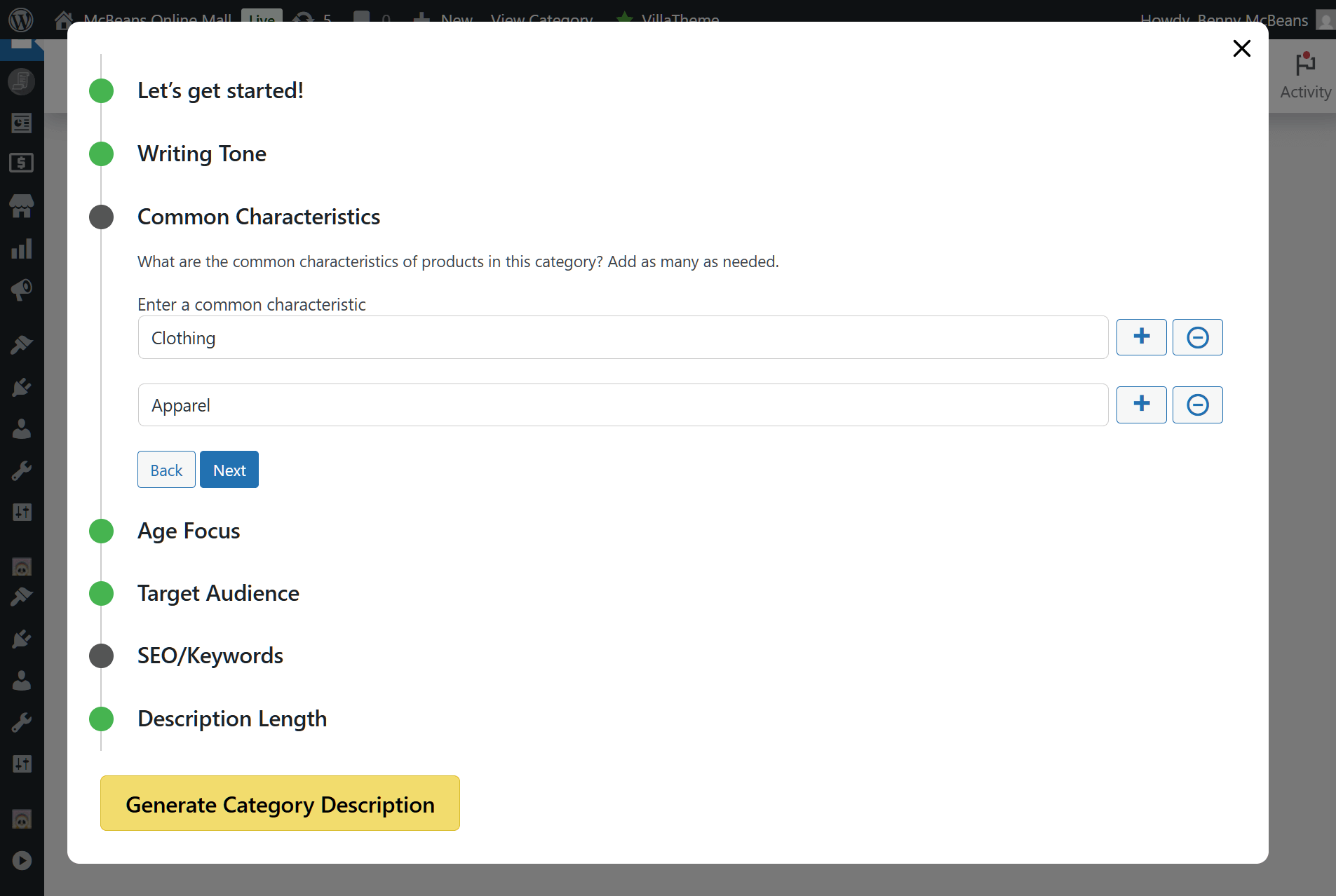
Click the + button to add characteristics and the – button to remove them. Add as many as you need.
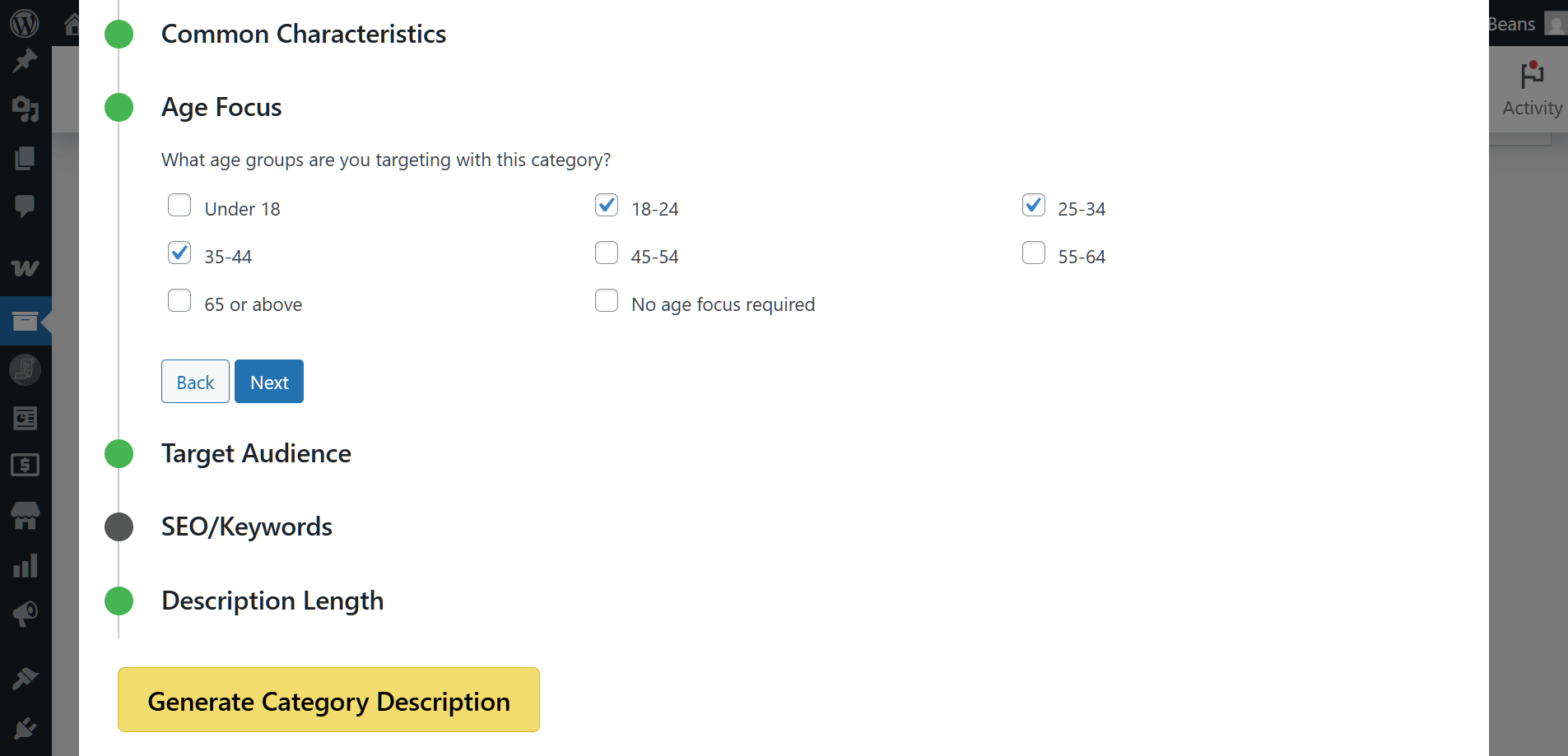
4. Age Focus
Use this option to select the age range the category’s products are intended for. For example, if your clothes are for teens and kids, tick the “Under 18” checkbox. Selling to people in their late 30s or early 40s? Tick “35-44.”
5. Target Audience
Each product category is aimed at a specific audience. This AI lets you set that audience so it can write a fitting description.
Our “Apparel” category targets men and women aged 18 to 44, so we ticked the corresponding checkboxes to match.
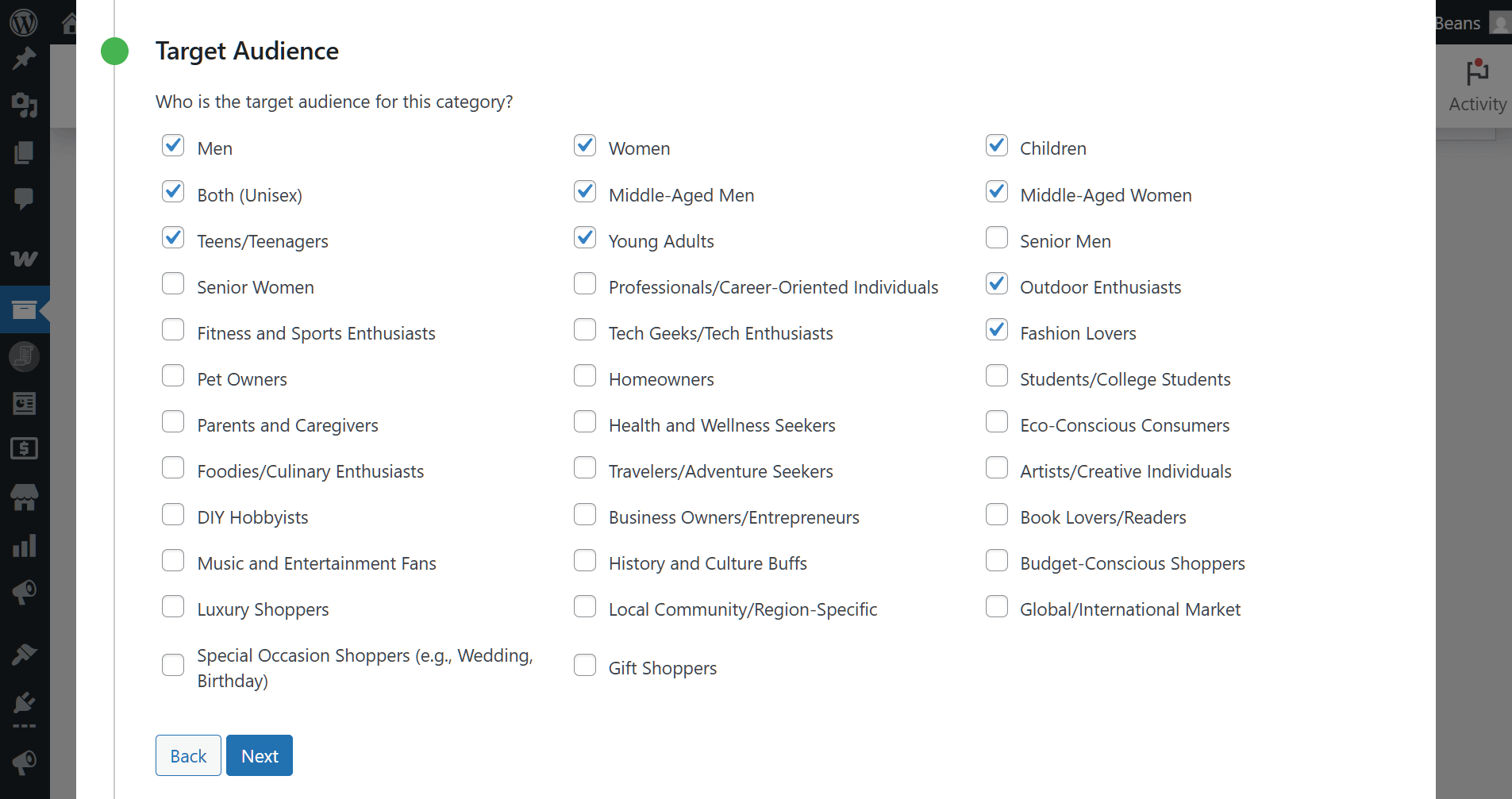
Tick as many checkboxes as you see fit!
6. SEO/Keywords
SEO plays a crucial role in ensuring your category descriptions reach the right audience. This option allows you to add SEO keywords for the AI to incorporate into every description.
For example, in the image below, we’ve added keywords that customers might use to search for products in our “Apparel” category.
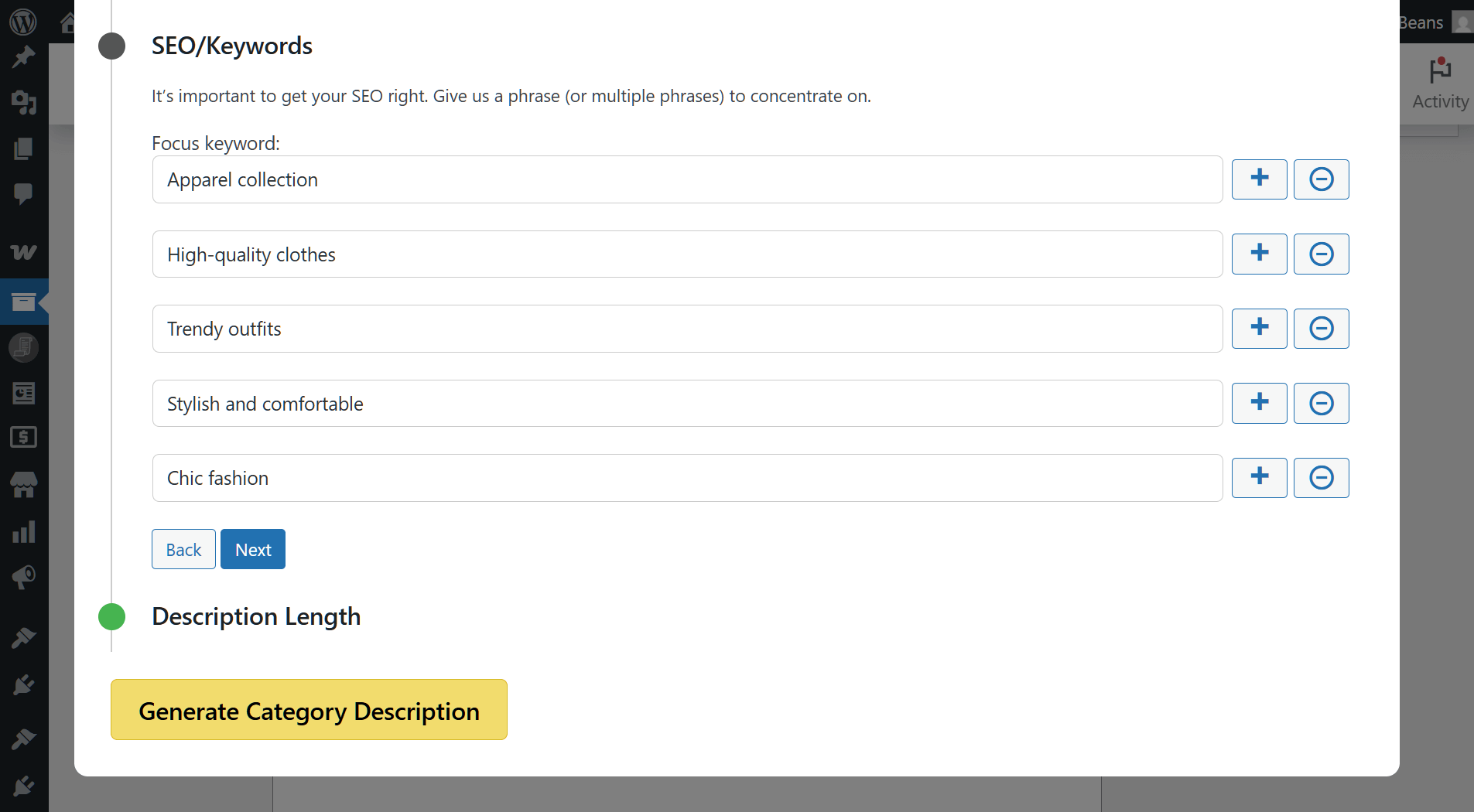
Click the + button to add keywords and the – button to remove them. Include as many as required!
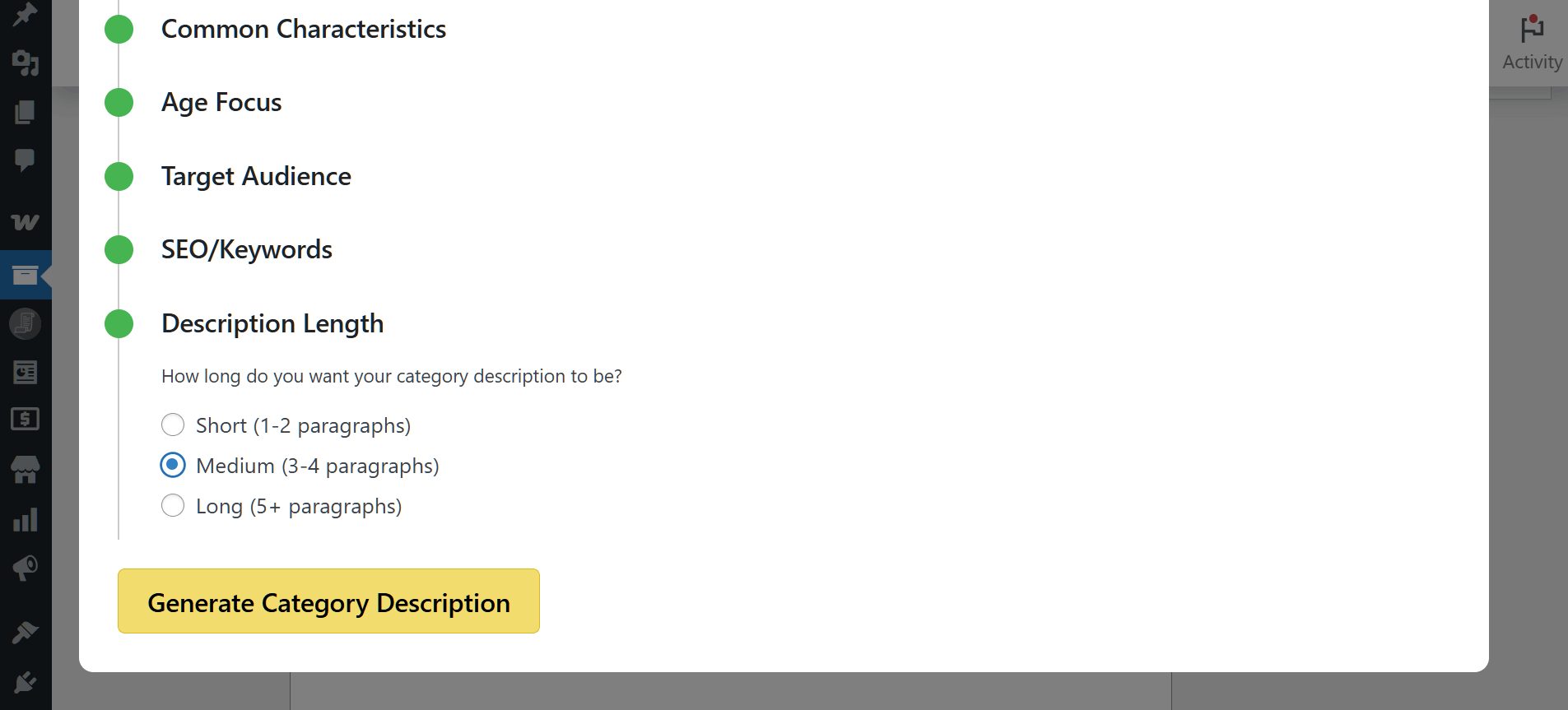
7. Category Description Length
Lastly, you can choose how long the description should be. As illustrated below, you have three choices:
Step 3: Generate the category description
After completing the steps above, click the Generate Category Description button. Basically, this instructs the AI to create your product description within seconds.
Below is the result generated by the AI for our “Apparel” category.
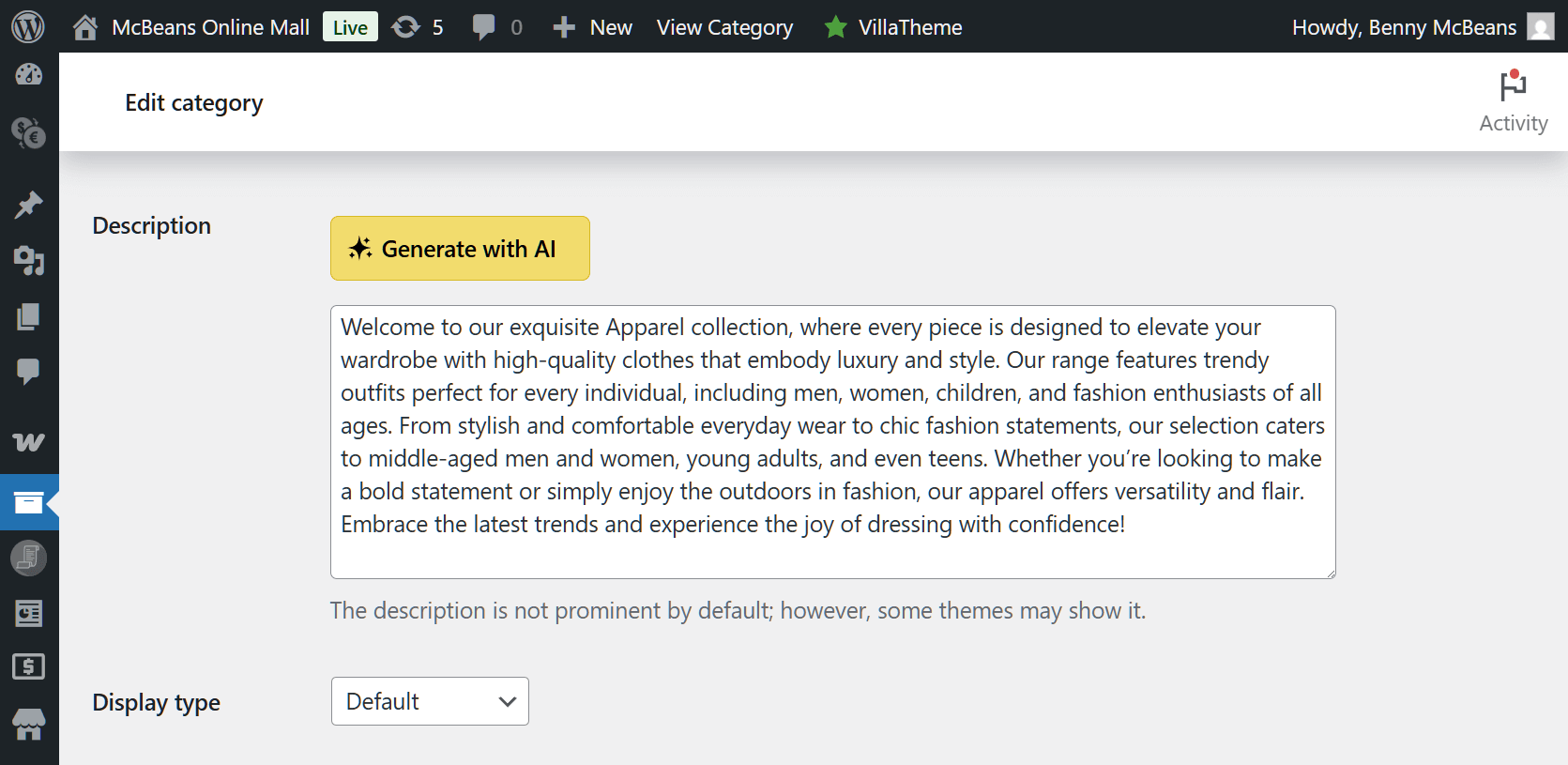
If you’re not satisfied with the description, you can click the Generate with AI button at any time to create a new one. Alternatively, you can edit the text yourself.
Once you’re done, scroll down to the Update button to save your progress.
And that’s it! As you can see on the right side of the screen, the “Apparel” category now has a description.
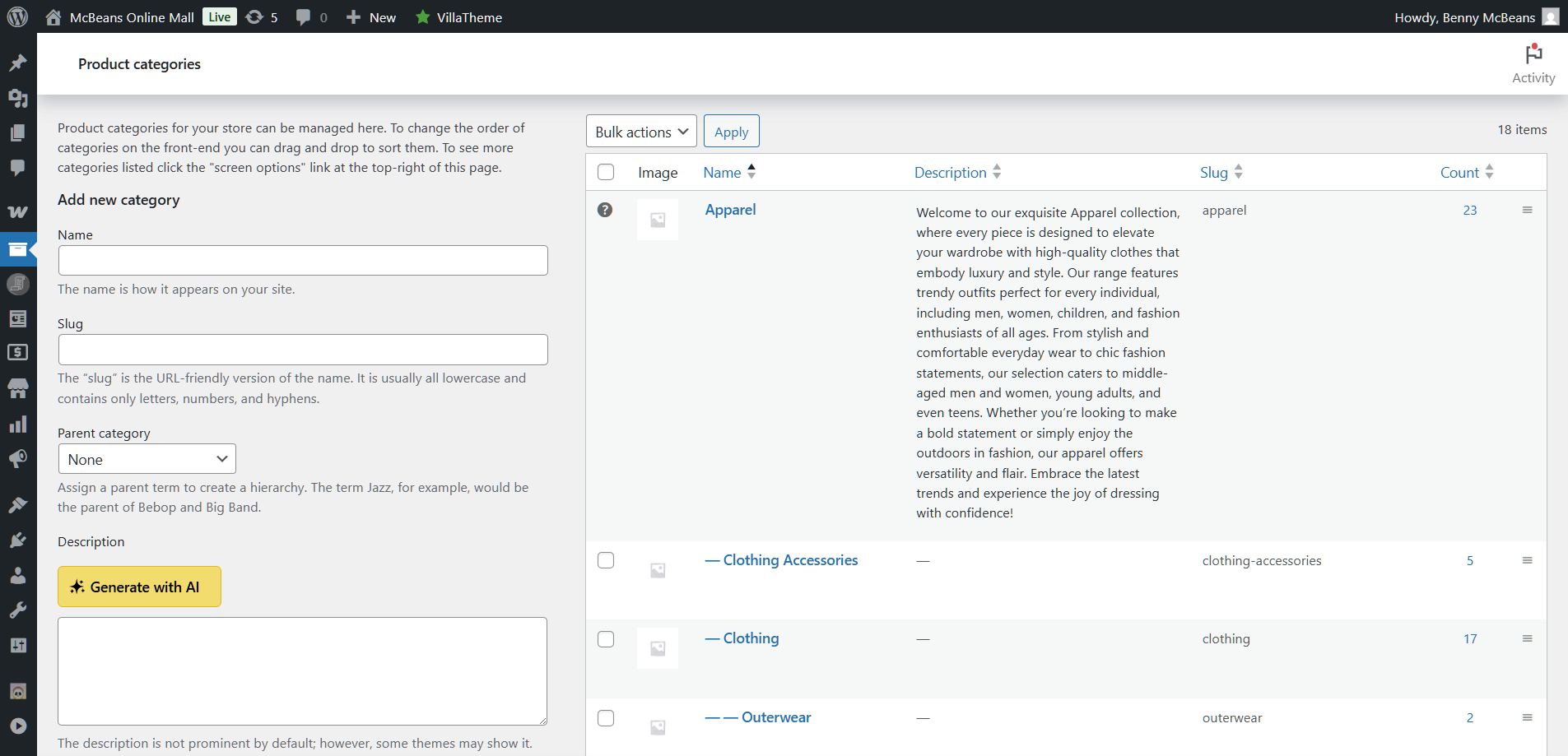
You can use the AI to generate descriptions for all main categories and subcategories!
Settings and Agent Information
Before using the Categories Description AI, it’s a good idea to learn more about how it works or adjust its settings.
To do either, go to your WordPress admin dashboard and click StoreAgent AI > AI Agents. This brings you to the StoreAgent page.
Now, click the Categories Description AI’s Settings button.
For more details about the AI, click the Agent Information tab. This provides you with key details about what the AI does and how it can help store owners.
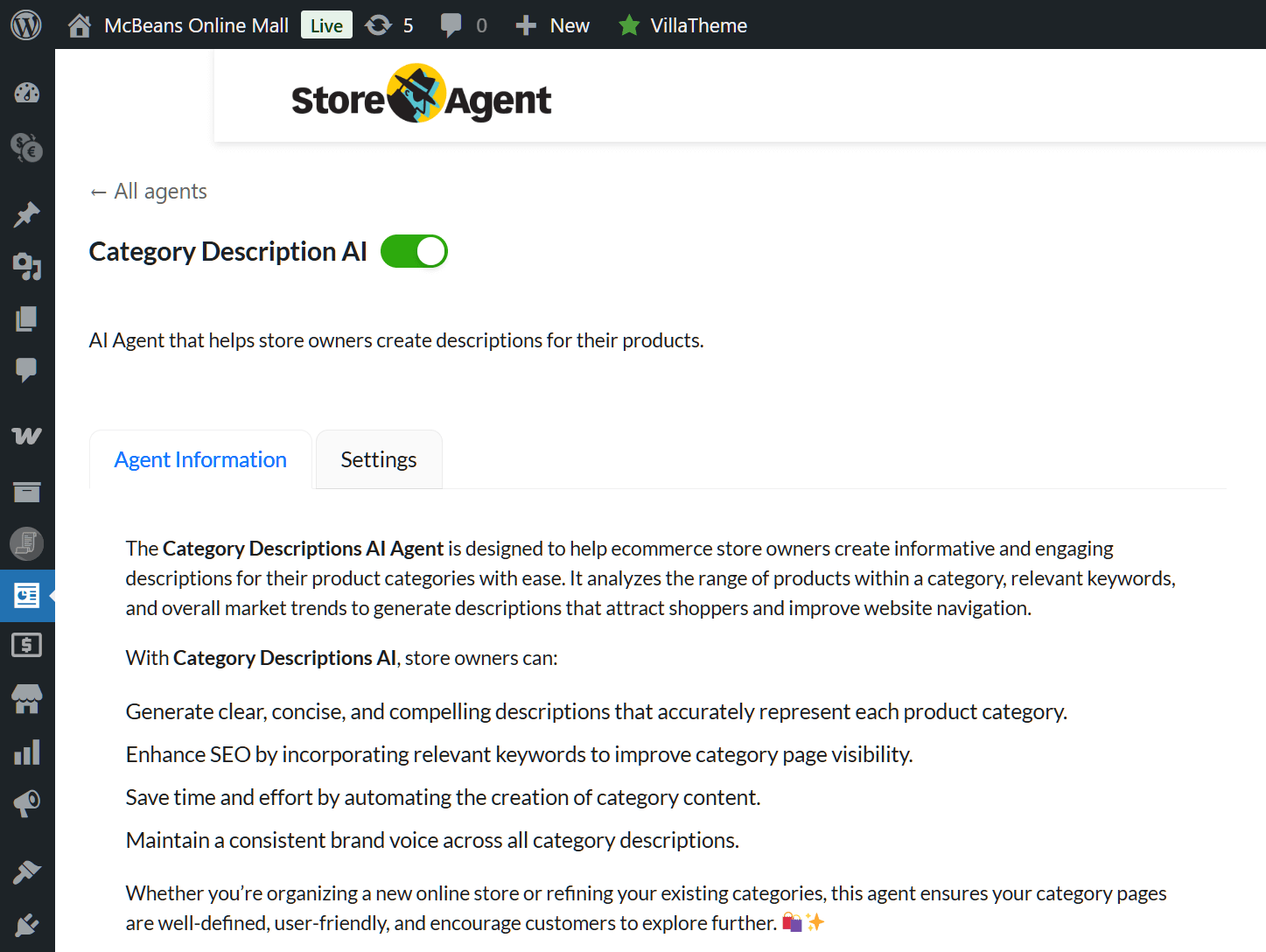
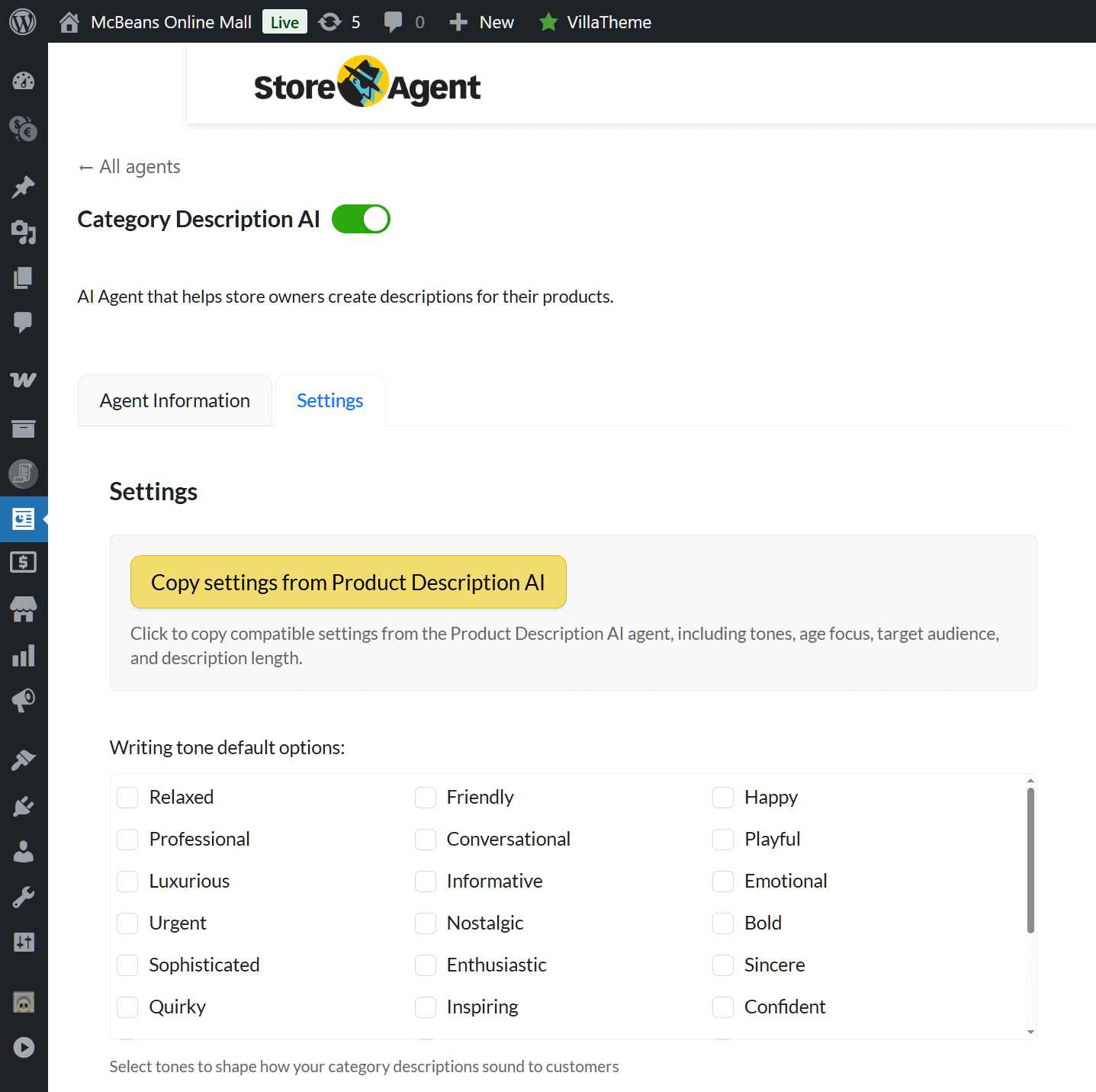
To configure the AI’s settings, click its Settings tab. This lets you determine its behavior before using it.
The settings allow you to configure many of the options from Step 2, including the writing tone, age focus, target audience, and the length of the AI-generated category description. The difference is that ticking the checkboxes in the Settings tab makes these options the defaults when you reach Step 2.
For example, if you tick the “Relaxed” checkbox, this writing tone will be selected by default each time you use the Category Description AI. Likewise, selecting “18–24” sets that age range as the default age focus.
Excited to learn more about Product Category Description AI? Then check out the following guide:
What Is A Product Category Description AI (And Why Is It Helpful In WooCommerce)?
And if you’d like some tips on using this AI tool to boost your marketing strategy, read the following:
What Is Product Category Marketing + Why Is It Helpful For WooCommerce Stores?
Conclusion
Writing good category descriptions doesn’t have to take hours. With the Category Description AI, you can create clear, helpful descriptions in seconds.
To summarize, this guide explore the following core concepts:
Try out this new AI tool to make your store easier to find and shop from! And if you have questions about the Category Description AI or StoreAgent, just let us know—we’re happy to help!