Reviewed by
Providing 24/7 customer support means your store keeps answering questions during the nights, weekends, and holidays when no one is at the desk. For a small WooCommerce store, the practical version isn’t a human awake at 3am. It’s an AI chatbot on the front line that answers routine questions instantly from your live store data, then queues the few cases it can’t handle so you reply in the morning with full context.
“Always open” is one of ecommerce’s promises and one of its traps. Your store sells at 2am, but you’re not awake to answer the questions that come with those sales. True round-the-clock human coverage is impossible for a one or two person team, and an outsourced call center is built for enterprises, not a store doing a few hundred orders a month. The realistic answer is to automate the front line so customers always get a reply, even when you’re offline.
In this guide, we’ll cover what 24/7 customer support actually means for a small store, why it matters, the three realistic coverage options, how an AI chatbot makes it possible without extra staff, and how to get it running on WooCommerce today.
Table of Contents
What 24/7 Customer Support Means For A Small Store
After-hours support is coverage for the hours your store is open for business but your team isn’t online to answer. It’s the gap between “we accept orders 24/7” and “we reply to questions 9 to 5.” For a large company, that gap is filled by night-shift staff or a contracted call center. For a small store, filling it with people is neither affordable nor necessary, because the questions that arrive overnight are mostly repetitive and answerable from data you already have.
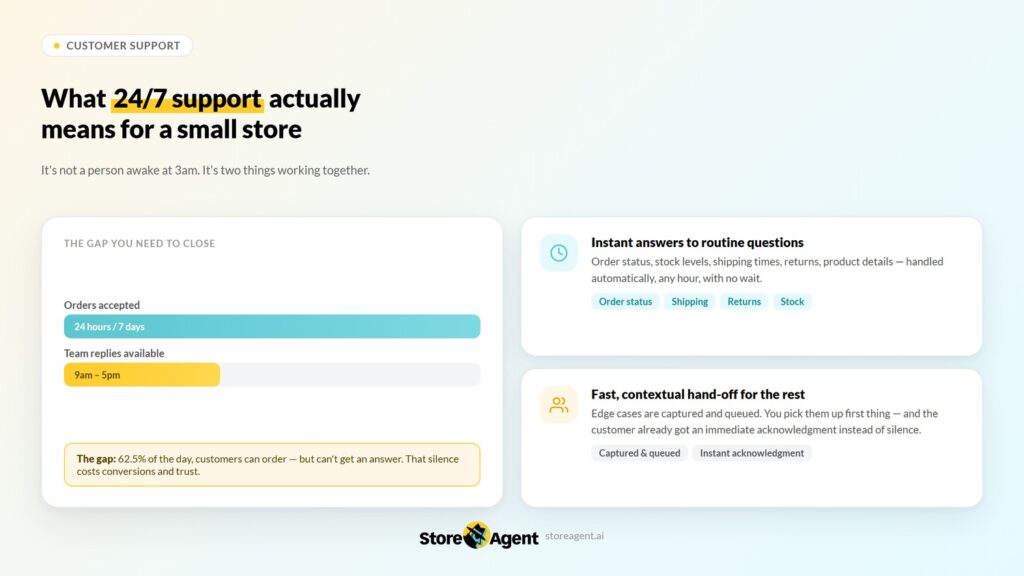
So be clear-eyed about the promise. 24/7 customer support for a small store doesn’t mean a person is awake at 3am. It means two things working together:
- Instant answers to routine questions (order status, stock, shipping times, returns, product details), handled automatically, any hour, with no wait.
- A fast, contextual hand-off for the rest: the few cases that genuinely need you are captured and queued so you pick them up first thing, and the customer already got an immediate acknowledgment instead of silence.
That distinction matters. Most after-hours messages are routine and fully answerable from your store data. Only a small slice needs a human, and those can wait until morning as long as the customer wasn’t left staring at an empty chat box.
Why After-Hours Coverage Matters
After-hours coverage matters because a large share of browsing and buying happens in the evenings and on weekends, exactly when most small stores go quiet on support. A shopper with a pre-purchase question at 10pm either gets an answer and buys, or leaves and forgets. Overnight isn’t downtime for your customers, so it shouldn’t be downtime for your store’s answers.
The cost is quiet but real. Salesforce’s State of the Connected Customer research has consistently found that the large majority of consumers expect a fast response when they reach out, and patience drops further when they’re mid-purchase. You rarely see the sale you lost because a sizing or shipping question went unanswered until morning. By then the shopper has bought elsewhere.
It’s easy to think of overnight messages as support tickets to clear in the morning. Many of them are actually sales in progress. Someone browsing at 11pm has time, intent, and a cart half-built, and is often closer to buying than the daytime browser squeezing it between meetings.
The one thing standing between them and checkout is a question: will this fit, when will it arrive, is it in stock. Baymard Institute puts the average cart abandonment rate at 70%, and unanswered questions during the purchase window are a significant driver.
Coverage Options Compared: Self-Service, Outsourcing, And AI
There are three realistic ways to cover after-hours, and only one fits a small WooCommerce store on both cost and quality. Here’s how they stack up.
- Self-service and knowledge base: a help center, FAQ page, and shipping policy let customers look up answers themselves at any hour. It costs little and works for general questions, but it can’t tell a specific shopper whether their size is in stock or where their order is right now. Customers also have to read and search rather than just ask, so many give up and leave.
- Outsourcing to a BPO or call center: a contracted team can staff overnight hours with real people. This is what enterprises buy, and the SERP for “24/7 customer support” is full of these vendors. For a small store the math rarely works: per-seat contracts, minimum volumes, and onboarding a third party on your products and policies make it expensive and slow, and the agents still don’t know your live catalog the way you do.
- AI automation connected to your store: an AI chatbot trained on your live catalog, prices, and order data answers the routine questions instantly at any hour, then escalates the rest to you. It scales with traffic instead of headcount, and knows your store because it reads it directly. For a small WooCommerce store this is the option that covers the most questions at the lowest ongoing cost.
The guides ranking these options are mostly written for enterprise CX teams choosing between call-center vendors. A small store doesn’t need a call center. It needs the repeat questions answered accurately overnight and a clean way to hand off the rest.
That’s squarely AI’s lane, and it’s worth understanding how the AI option differs from the old chatbots that gave automation a bad name.
💡 A modern AI chatbot connected to your real data is a different tool from a scripted bot, as we cover in our breakdown of a rule-based chatbot vs an AI chatbot.
How AI Gives Your WooCommerce Store After-Hours Coverage
AI gives your store after-hours coverage by putting an AI chatbot trained on your store on the front line so it never clocks off. It reads your live catalog, prices, and order data, so when a shopper asks at midnight, it answers accurately on the spot rather than guessing from a script. That’s the difference between an old rule-based bot and a modern AI chatbot connected to your real data.
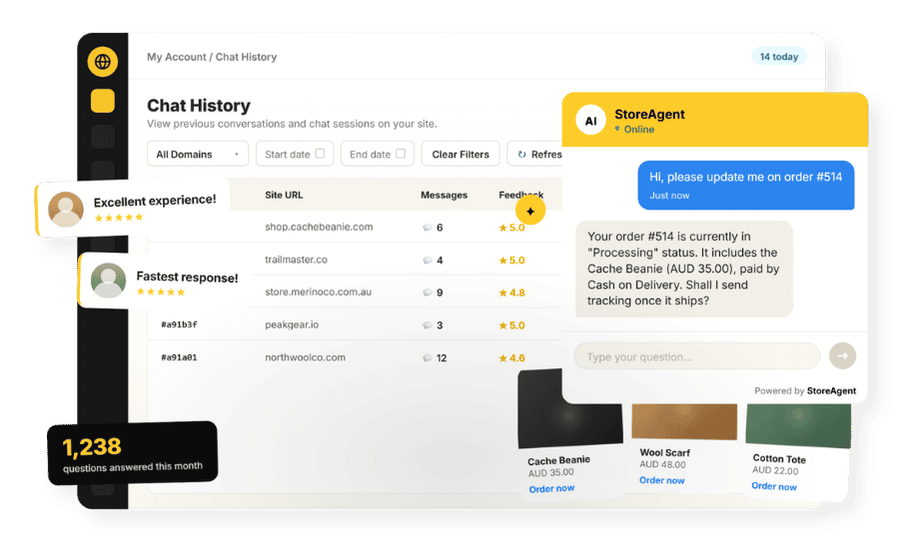
StoreAgent’s WooCommerce chatbot is built for exactly this. It’s a no-code plugin that turns your existing store data into an always-on support layer. You install the plugin, connect your StoreAgent.ai account, and it ingests your products, pages, and policies automatically, with no training scripts to write.
From that point your store can respond to the overnight rush without you lifting a finger. Logged-in customers can even check their own order status in chat. It runs 24/7, responds in the language shoppers write in, and can surface a coupon when it fits the conversation.
Here’s what that looks like in practice. A shopper lands on a product page at 11:40pm and asks, “Will this ship before Friday, and is the large still in stock?” Instead of a contact form and a 12-hour wait, the AI chatbot checks your live stock and store policies and answers both parts in seconds, then nudges them toward checkout.
Multiply that across every evening and weekend and the gap between “answered now” and “answered later” becomes a real revenue line. We dig into the wider payback in our look at the ROI of AI customer service.
What we’ve seen: owners try to fake after-hours coverage by checking their phone at all hours, which burns them out and still misses messages. Stores most often lose weekend sales to unanswered pre-purchase questions, not to post-purchase complaints. Letting the AI chatbot own the overnight front line is the only version that’s sustainable. Customers get instant answers, and the owner actually gets to switch off.
What Happens To Questions The AI Can’t Answer Overnight
The AI chatbot doesn’t pretend to handle everything. When a customer isn’t satisfied with a response, they can signal it directly — a thumbs down rating prompts the chat to ask for more details, then offers the option to escalate to human support.
On StoreAgent’s paid plans, that escalation sends an email to your admin inbox with the full conversation summary attached, so when you start your day you pick up exactly where the customer left off.
That setup is the safety valve that makes after-hours automation trustworthy. Routine questions close themselves, and when something needs a human, the customer doesn’t have to repeat the whole story. You get the context, they get a fast follow-up.
It’s worth setting up deliberately, which is why we walk through the mechanics in our guide to AI chatbot escalation and feedback collection.
Common Mistakes With After-Hours Automation
Automating overnight support is straightforward, but a few avoidable mistakes undermine it and leave customers more frustrated than if you’d done nothing. Watch for these:
- Promising live human help overnight: don’t imply someone is standing by at 3am. Set the expectation that routine answers are instant and complex cases get a fast morning reply.
- No clear hand-off: an AI chatbot with no escalation path leaves hard cases in limbo. Make sure complex questions route to you with context.
- Letting answers go stale: if your policies or stock change, the AI chatbot needs current data. Keep your store information up to date so overnight answers stay accurate.
Setting Up After-Hours Support On WooCommerce
Setting up after-hours support takes a few minutes and no code.
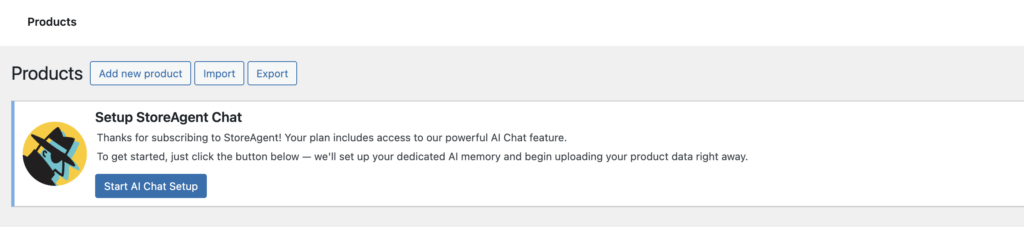
The steps are:
- Install the StoreAgent plugin on your WooCommerce site from your WordPress dashboard.
- Connect your StoreAgent.ai account to link the plugin to the AI.
- Let it ingest your store — it reads your products, prices, pages, and policies automatically so answers reflect your live catalog.
- Place the chat widget where shoppers actually have questions: product pages, the cart, and checkout, not just the contact page.
- Set your escalation rules so the cases the AI chatbot can’t resolve queue to you with a full conversation summary attached.
That’s the whole setup: no night shifts, no scripts. The chat widget starts at the Growth plan ($19/mo), which gives you 24/7 customer support coverage and email escalation for complex cases. Move up to Pro ($49/mo) when you want chat history and higher volume.
Conclusion
24/7 customer support doesn’t require a night-shift team or an enterprise budget. For a small WooCommerce store, it means putting an AI chatbot on the front line that answers routine questions from your live data, then hands the hard cases to you in the morning with context. That’s a sustainable version of always-on coverage, and it’s available today.
Here’s a quick recap of what we covered:
- What 24/7 customer support actually means for a small store: routine automation plus smart escalation, not a human awake at 3am
- Why after-hours coverage matters for conversion, not just customer experience
- How the three coverage options compare and why AI is the realistic fit for small stores
- How StoreAgent’s AI chatbot reads your live store data to answer overnight questions accurately
- What happens to complex cases and how escalation keeps them from falling through the cracks
- The five setup steps to get the chat widget running on WooCommerce today
If you’re ready to give your store 24/7 customer support without adding headcount, explore StoreAgent’s plans and pricing today.
Frequently Asked Questions
How can I offer after-hours support without staff?
Put an AI chatbot on the front line. It answers customer questions from your store data at any hour and escalates complex cases to you with a conversation summary on paid plans, so coverage is always on without a night shift.
Is after-hours support the same as 24/7 customer support?
For a small store, yes. Enterprises staff 24/7 customer support with night-shift teams or outsourced call centers. A small WooCommerce store gets the same always-on answers by automating the front line with an AI chatbot and handing the rare hard cases off to the morning.
Will customers know they’re talking to AI?
You can be transparent about it. What matters to shoppers is getting an accurate answer instantly, and complex issues still reach a human.
Does it really answer overnight without me?
Yes. Once connected, the AI chatbot answers from your live store data around the clock, independent of whether you’re online. Logged-in customers can also check their own order status in chat.
What about questions it can’t answer at night?
They escalate to you with a conversation summary on paid plans, so you handle them first thing without the customer having to repeat themselves.
What does StoreAgent’s AI chatbot cost?
The chat widget that powers 24/7 customer support on your store starts at the Growth plan ($19/mo). The Pro plan ($49/mo) adds chat history and higher volume. See full plan details on the pricing page.