

 Reviewed by
If your AI gives the wrong wholesale price to the wrong buyer, that’s not a minor inconvenience. The new StoreAgent Wholesale Suite integration connects StoreAgent directly to your Wholesale Suite pricing data, and it respects role conditions before responding so the right price only ever reaches the right person.
However, this only works when both plugins are active. StoreAgent handles the AI layer, while Wholesale Suite holds the pricing data. When both are running, admins can see the full pricing picture, wholesale buyers see only their own rates, and regular customers won’t see restricted pricing at all.
In this article, I’ll walk through what the integration does, how it works in practice, and how to set it up.
What Does The StoreAgent Wholesale Suite Integration Do?
The StoreAgent Wholesale Suite integration connects StoreAgent with wholesale pricing data from Wholesale Suite so the AI can answer product questions with full wholesale context. That means per-role prices, minimum order quantities, and other wholesale-specific fields feed directly into StoreAgent’s AI product context automatically.
Before this update, getting StoreAgent to read Wholesale Suite data required manual work. You had to know the exact internal meta key names Wholesale Suite uses, then declare each one inside StoreAgent’s custom fields settings.
A store with several wholesale buyer roles could end up managing ten or more WooCommerce wholesale meta keys by hand. Miss one and the AI responded with incomplete data. It was a slow process and easy to get wrong.
What changed with this update
Now the wholesale pricing AI respects those role conditions. In plain terms, that means:
- Admins and shop managers can access the full pricing picture
- Wholesale buyers only see prices tied to their own wholesale role
- Regular customers and guests do not see restricted wholesale pricing
How Do You Set Up The StoreAgent Wholesale Suite Integration?
If your wholesale pricing rules are already in place, StoreAgent can follow those rules once the integration is enabled. Here’s how to configure it.
Step 1: Activate StoreAgent in your store
First, confirm that WooCommerce Wholesale Prices is installed and active, and that your wholesale pricing rules are already set on the products you want StoreAgent to read.
Then make sure StoreAgent AI is installed. If you haven’t set it up yet, the Getting Started guide walks you through the full installation.
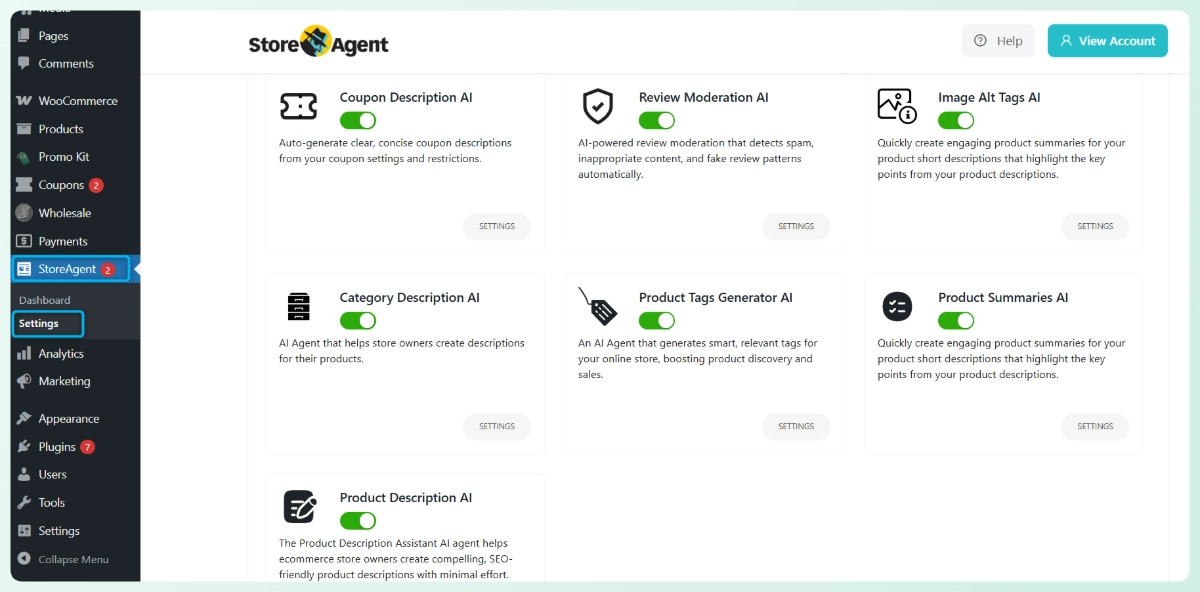
This matters because the integration depends on pricing and role data that’s already set up in your store. Without both plugins active, there’s nothing useful to pull in.
Step 2: Go to StoreAgent Post Type settings
In your WordPress admin, go to StoreAgent > Settings > AI Chat > Post Types, then open the Products section. This is where StoreAgent controls which product data it reads and passes to the AI.
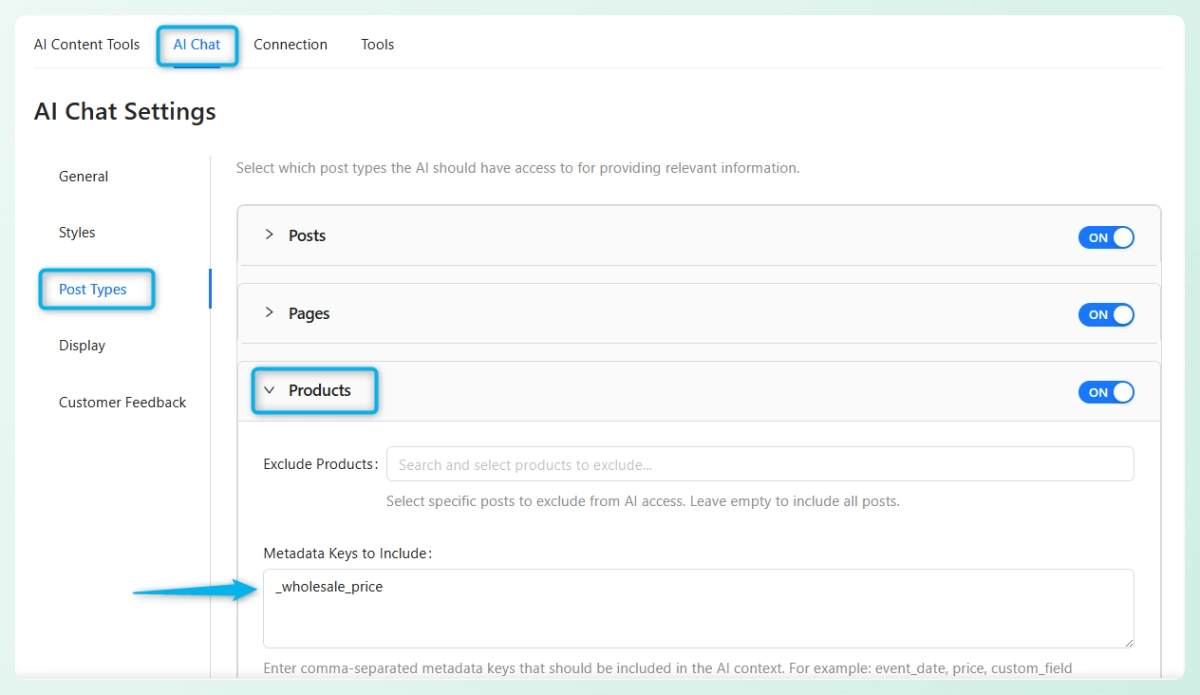
You’ll also notice a field called Metadata Keys to Include. Metadata is just the extra product information WooCommerce stores behind the scenes.
These are things like wholesale prices per buyer role, minimum order quantities, and other role-specific fields. Each of those fields has a name, called a meta key. For example, the wholesale price field is stored as _wholesale_price.
Step 3: Turn on “Include All Wholesale Suite Data”
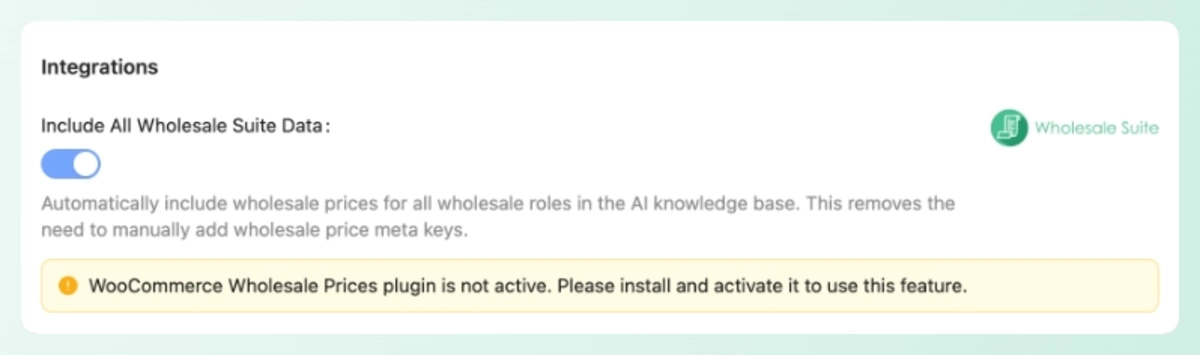
Inside the Products section, look for the toggle labeled: Include All Wholesale Suite Data.
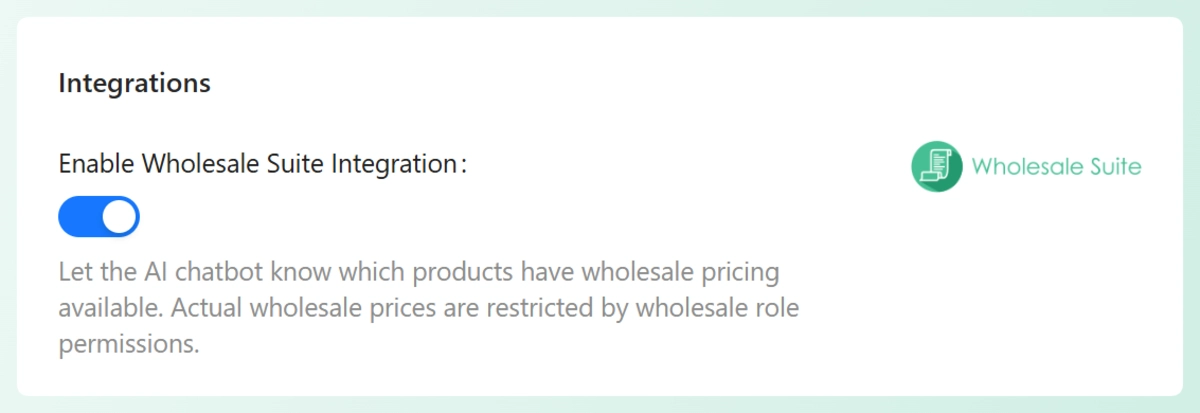
Once you switch that on, StoreAgent includes wholesale-related pricing and metadata from Wholesale Suite inside its AI product context. That means the chatbot has access to wholesale pricing information when responding to product-related questions.
If WooCommerce Wholesale Prices is not active, the setting won’t work and StoreAgent will show a notice telling you to install and activate the plugin first.
Step 4: Save settings and refresh product data
Click Save Post Types Settings. Then either trigger a product data upload or simply edit and update any product in your store.
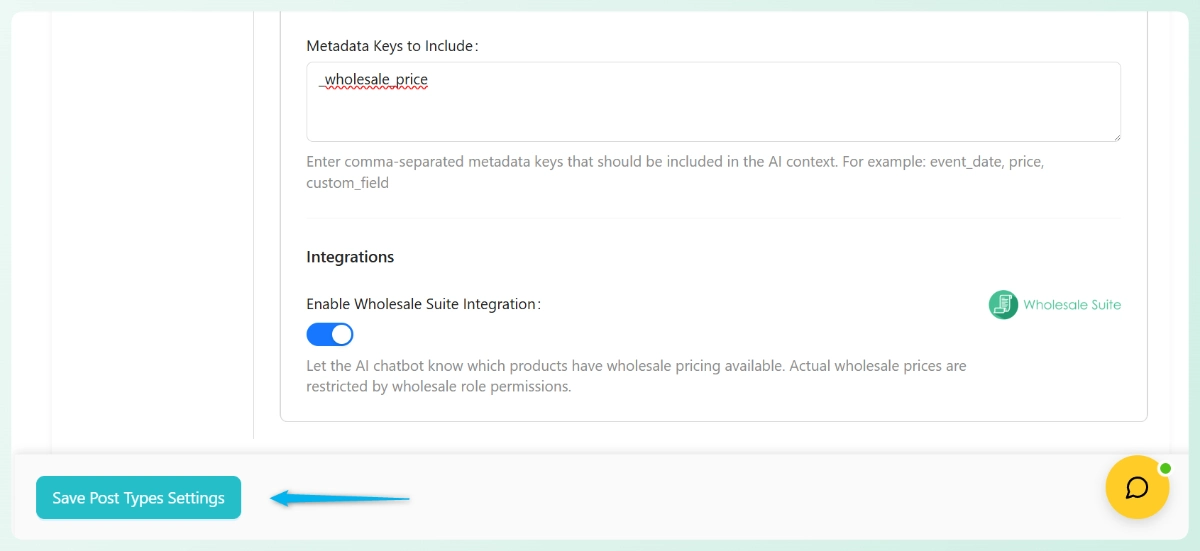
This step is what actually pushes the wholesale data into StoreAgent’s AI memory.
Step 5: Confirm pricing follows role conditions
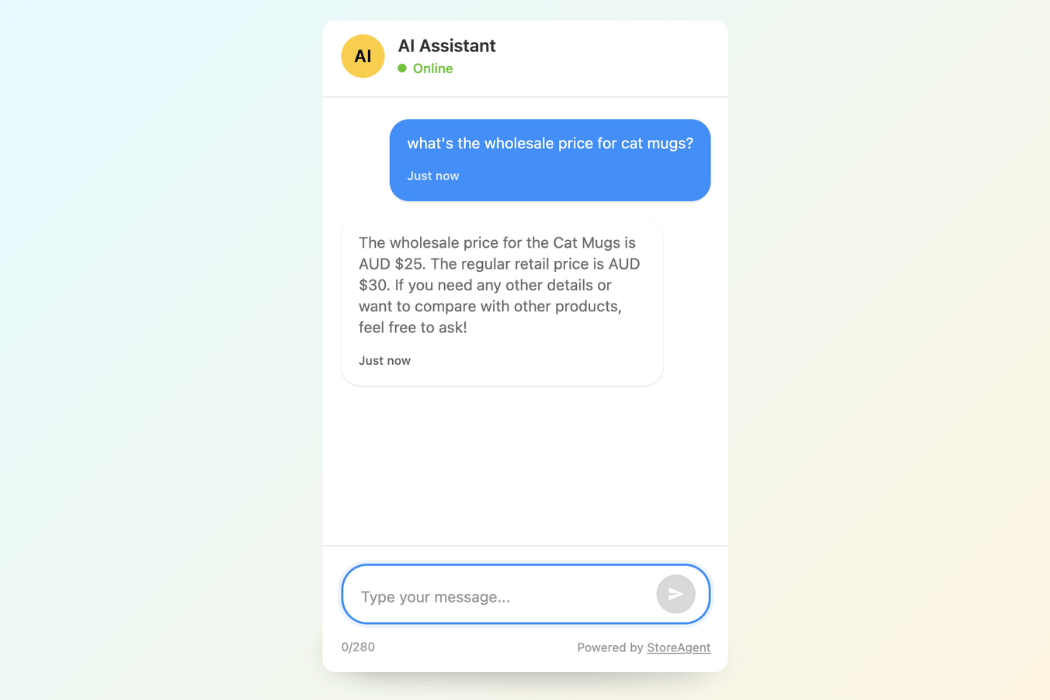
Now check that the AI responds based on the user’s actual access level. Log in as different user types and ask a pricing question to verify that:
- Admins and shop managers can view the full pricing picture
- Wholesale users only see pricing for their own role
- Regular customers and guests do not see wholesale-only pricing
Why Does This Integration Matter For Your Wholesale Store?
If you’re running a wholesale store, pricing is not something you can afford to treat casually. A wholesale pricing AI that doesn’t know your buyer roles is a liability. It can give a retail price to a wholesale buyer, or worse, expose restricted pricing to a guest who shouldn’t see it.
What I like about this update is that it solves the problem practically. It works with the rules you already set in Wholesale Suite and helps StoreAgent follow those same rules when responding.
And honestly, that’s what makes this worth paying attention to. If a wholesale pricing AI is going to help with B2B selling, it has to respect how wholesale selling actually works. This update pushes things in that direction.
Conclusion
The StoreAgent Wholesale Suite integration is a practical upgrade for any wholesale store already running both plugins. Here’s a quick recap of what we covered:
If you haven’t set this up yet, now is a good time to do it. And if you’re not on StoreAgent yet, you can get started here.
Frequently Asked Questions
Do I need to set up wholesale pricing in Wholesale Suite first?
Yes. Your wholesale roles and pricing rules need to be active in Wholesale Suite before this feature works properly. The StoreAgent Wholesale Suite integration follows the pricing logic already running in your store. It doesn’t create those rules for you.
What are WooCommerce wholesale meta keys?
These are the custom product fields that Wholesale Suite stores behind the scenes. They can include wholesale prices for specific roles, minimum order quantities, and other role-based pricing conditions. The integration maps all of these WooCommerce wholesale meta keys into StoreAgent automatically, so you don’t have to declare them manually.
Does this feature change my existing wholesale pricing setup?
No. It doesn’t replace or modify your pricing rules. It helps StoreAgent follow the same rules you already set in Wholesale Suite, which makes the AI’s responses more accurate for each user type.
Will guests or regular shoppers see wholesale-only pricing through the chat?
They should not. The integration is designed to respect role conditions, so regular shoppers and guests won’t get access to restricted wholesale pricing through StoreAgent’s chat widget.


