

 Reviewed by
The StoreAgent Onboarding Wizard is now live, helping first-time users set up their AI tools in 4 simple steps. This guided setup walks you through selecting content tools, configuring AI Chat, and viewing your plan details.
No more digging through settings menus. The StoreAgent Onboarding Wizard gets you up and running in minutes. You can focus on selling while your AI tools get configured the right way.
We built this because setup should never feel confusing. Every new user now gets a clear, step-by-step experience that makes WooCommerce setup wizard configuration fast and simple.
Why Did We Build The StoreAgent Onboarding Wizard?
Setting up AI tools used to require clicking through multiple settings pages. For instance, you had to enable each feature separately and configure the chat widget on your own. For new users, this meant spending extra time figuring out where everything was.
However, we wanted to make your first experience with StoreAgent smoother. A guided setup means you can see all your options in one place. Therefore, you make your choices once, and everything configures automatically.
How To Access The Onboarding Wizard
For new users:
- Install and activate the StoreAgent plugin
- Connect to your StoreAgent account
- The wizard appears automatically
For existing users:
- The wizard won’t appear (smart detection is built in)
- You can still access all settings in the Settings menu
- Your current configuration stays exactly as you set it
Only fresh installations see the wizard. The StoreAgent Onboarding Wizard uses smart detection to skip existing users who already have their settings configured. Once you complete it, you won’t see it again. However, you can always adjust your selections in Settings later.
How Does The StoreAgent Onboarding Wizard Work?
The wizard breaks AI setup into 4 simple steps. Each screen focuses on one decision. Your progress saves automatically as you move forward.
Step 1 – Welcome screen
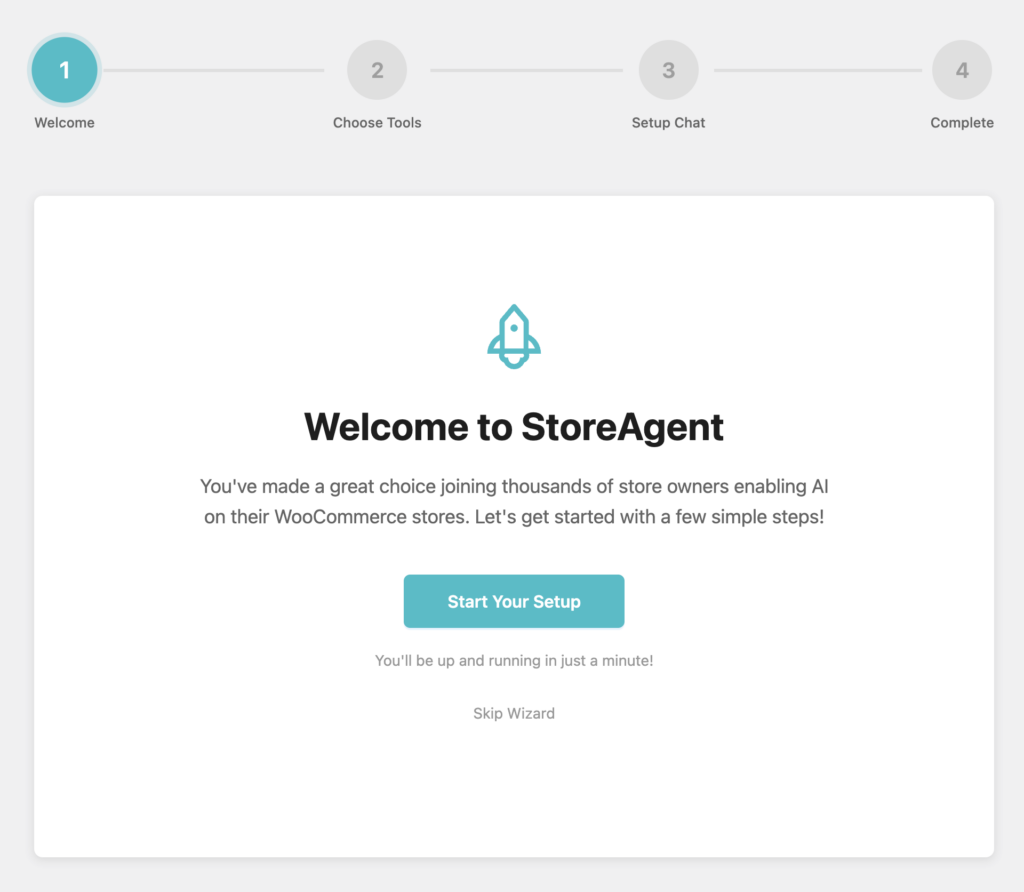
The welcome screen greets you with a quick overview. It shows you what StoreAgent can do for your store. Think of it as your introduction to AI-powered store management.
You’ll also see how long setup takes. Most users finish in under 3 minutes.
Step 2 – Choose your AI content tools
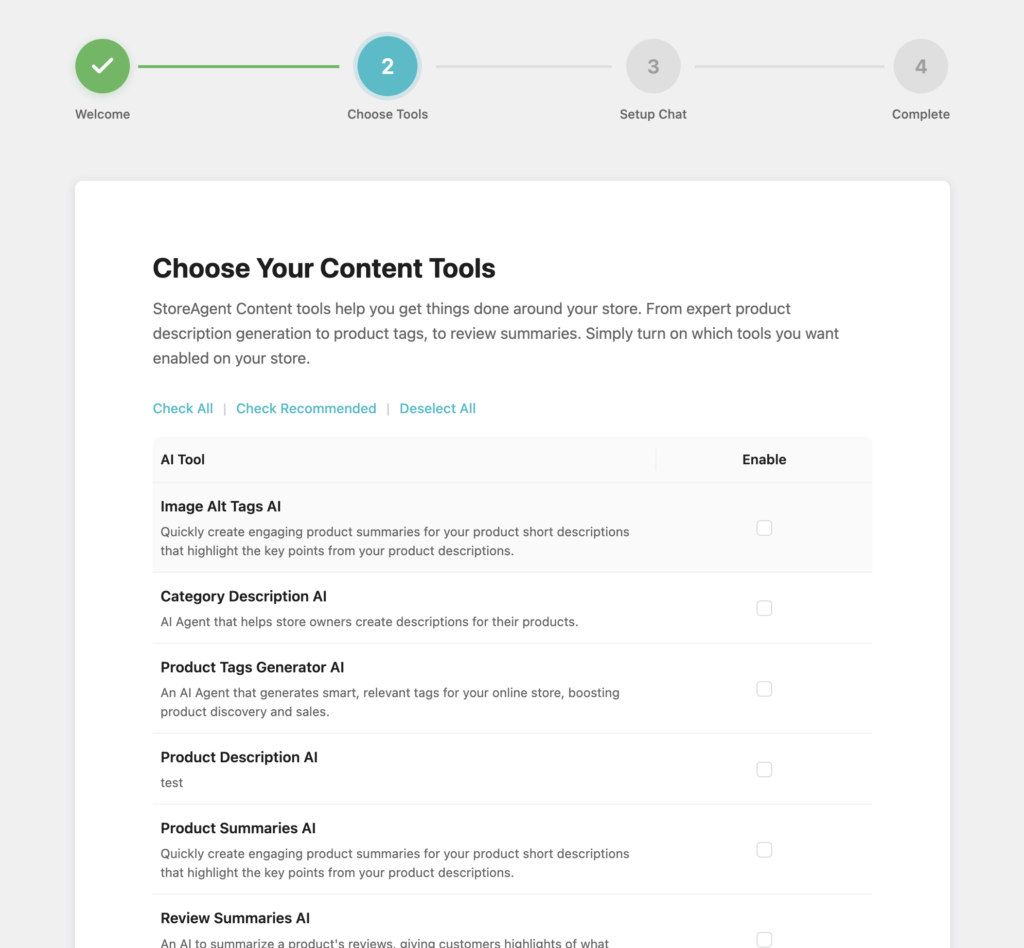
This is where you decide which AI agents to enable. You’ll see a list of all available content tools with checkboxes:
- Product Description AI – Generates SEO-optimized product descriptions
- Product Summaries AI – Creates short, engaging product summaries
- Category Description AI – Writes category page descriptions
- Product Tags Generator AI – Suggests relevant tags for better discovery
- Image Alt Tags AI – Generates alt text for accessibility and SEO
- Review Summaries AI – Summarizes customer reviews at a glance
You can select specific tools based on your needs. Or use the “Check All” option to enable everything at once. There’s also a “Deselect All” button if you want to start fresh.
Your selections save automatically when you click next.
Step 3 – Set up AI Chat widget
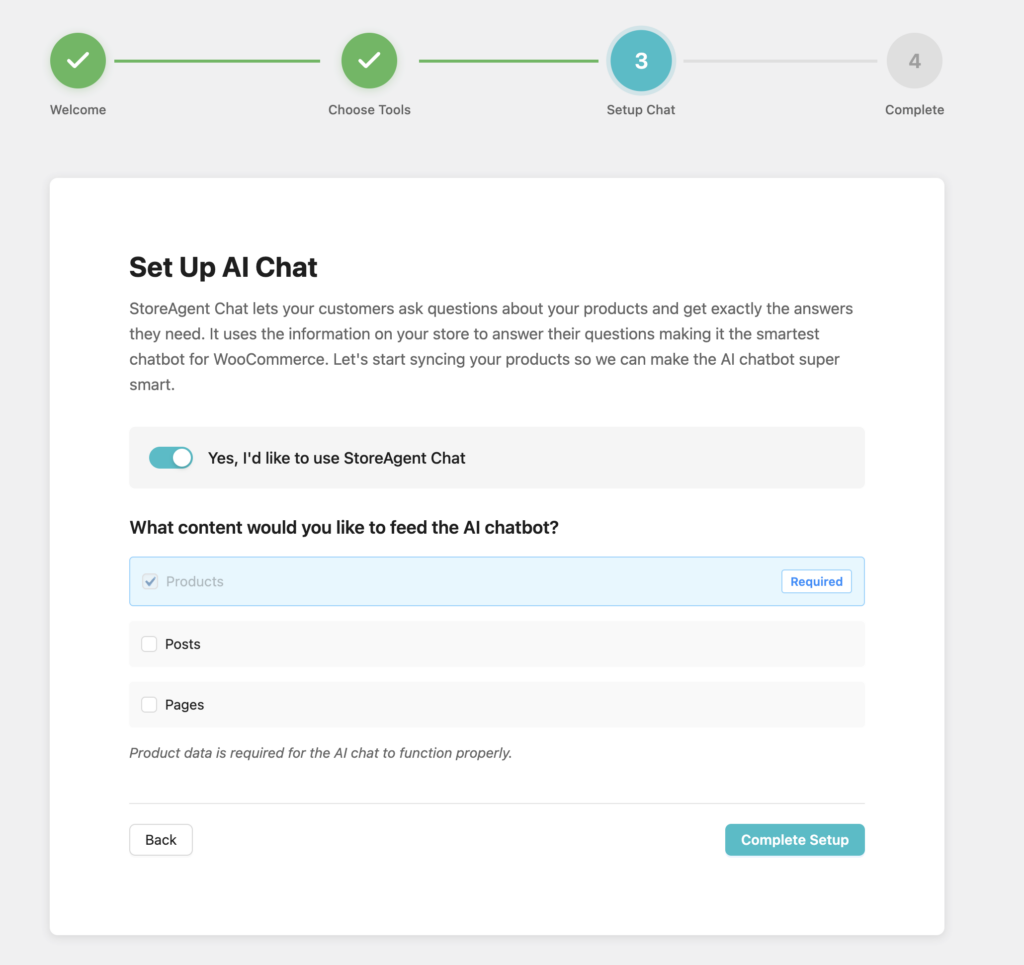
This step configures the StoreAgent Chat widget. You’ll see a toggle to enable or disable the chat feature. You’ll also see checkboxes to select what content the AI should learn from:
- Products (Required) – Your AI needs product data to answer questions
- Posts (Optional) – Include blog posts for richer conversations
- Pages (Optional) – Add policy pages, FAQs, and other site content
The wizard reminds you that product data is required. Without it, the AI Chat can’t answer customer questions properly. You can always come back later to adjust which content types your chatbot learns from.
Step 4 – View your plan details
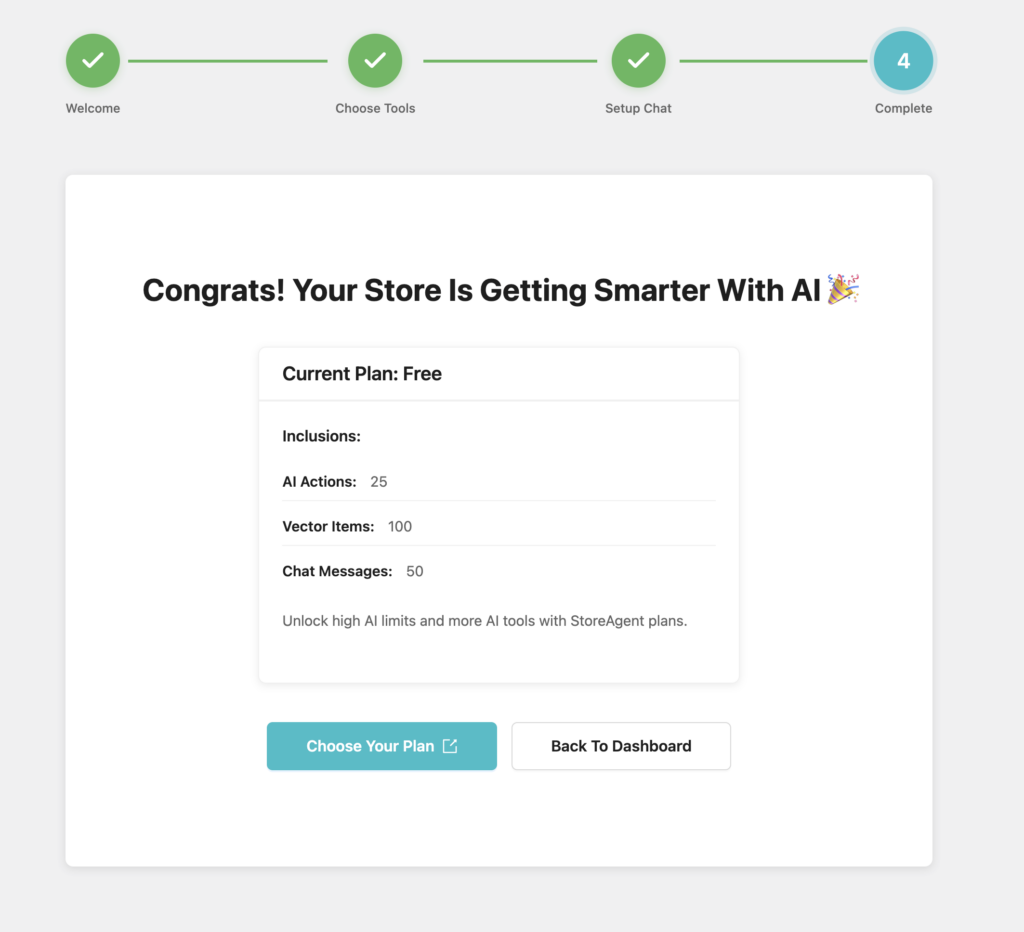
The final screen shows your current plan and usage limits. You’ll see:
- Current Plan – Free or Pro
- AI Actions – How many AI generations you have available
- Vector Items – Your content storage capacity
- Chat Messages – Monthly chat interaction limit
This gives you a clear overview of what’s available on your current plan. You’re all set and ready to start using StoreAgent.
Bonus Updates In This Release
We included two important improvements alongside the StoreAgent Onboarding Wizard to make your experience even better.
1. Track chat interactions
We’re now tracking chat interactions to help you measure impact. This feature runs quietly in the background. It shows you how often customers engage with your AI assistant.
You can use this data to understand which products generate the most questions. Then optimize your store accordingly.
2. Faster review summaries
Review summaries now generate faster with improved accuracy. We optimized the backend process so your AI can analyze customer reviews in seconds. This means your product pages always display up-to-date insights without any lag.
Summary
The StoreAgent Onboarding Wizard makes WooCommerce setup wizard configuration simple and fast. You no longer need to guess which settings to enable. You don’t need to spend time reading documentation before you can start.
To recap, here’s what we covered in this update:
- Why Did We Build the StoreAgent Onboarding Wizard?
- How to Access the Onboarding Wizard
- How Does the StoreAgent Onboarding Wizard Work?
- Bonus Updates in This Release
We built this feature because AI setup should be simple and clear. Get started for free and see how the onboarding wizard transforms your setup experience


