Reviewed by
Chatbot metrics tell you whether your AI assistant is actually worth keeping. Your AI chatbot is live, conversations are rolling in, and the question that matters is this: is it making you money or saving you time?
Most store owners default to checking conversation count. How many chats did the bot handle this week? That feels like progress, but a chatbot that handles 500 conversations and resolves none of them is not an asset. It is a liability with a chat bubble. You need more than volume numbers to know whether your chatbot is earning its keep.
What you need instead are AI chatbot KPIs ecommerce owners can act on. These are chatbot metrics tied to customer satisfaction, operational efficiency, and revenue. In this article, we break down 7 specific KPIs with benchmarks, formulas, and improvement tactics. Whether you run 50 chats a month or 5,000, these are the numbers that tell the real story.
Table Of Contents
- Why Vanity Metrics Mislead WooCommerce Store Owners
- Quick KPI Reference Table
- KPI #1: Containment Rate
- KPI #2: Customer Satisfaction Score (CSAT)
- KPI #3: First Response Time
- KPI #4: Deflection Rate
- KPI #5: Conversion Attribution
- KPI #6: Cost Per Conversation
- KPI #7: Escalation Rate
- How to Build Your Chatbot KPI Dashboard
- FAQ
- Start Measuring What Matters
Why Do Vanity Metrics Mislead WooCommerce Store Owners?
Vanity chatbot metrics like conversation count, messages sent, and average chat length show you volume, not value. A chatbot handling 200 conversations per month sounds decent. However, if most of those conversations ended with frustrated customers opening support tickets anyway, the number means nothing.
These data points simply do not answer the question that matters: is the chatbot making your store more money or saving you more time than it costs? Because of that, tracking them in isolation can lead to false confidence.
What you need instead is outcome-based measurement. The 7 AI chatbot KPIs ecommerce stores should track cover three categories: customer satisfaction, operational efficiency, and revenue impact. Furthermore, they work whether you are using StoreAgent, another AI chatbot, or even a rule-based bot.
Quick KPI Reference Table
| KPI | What It Measures | Benchmark | Why It Matters |
|---|---|---|---|
| Containment Rate | % resolved without human handoff | 70-80% | Self-service effectiveness |
| CSAT | Post-chat satisfaction | 80%+ | Customer experience quality |
| First Response Time | Speed of first reply | Under 10 seconds | Meets instant-help expectations |
| Deflection Rate | % of would-be tickets handled by AI | 40-60% | Support workload reduction |
| Conversion Attribution | % of chatbot users who purchase | Track trend | Links chatbot to revenue |
| Cost Per Conversation | Total cost / conversations | $0.50-$2.00 (AI) | Economic efficiency |
| Escalation Rate | % requiring human takeover | 20-30% | Automation-human balance |
KPI #1: Containment Rate
Containment rate measures the percentage of chatbot conversations fully resolved without a human handoff. A well-configured AI chatbot on WooCommerce should hit 70-80%. New installations typically start at 50-60% and improve as you expand the knowledge base.
Formula:
Containment Rate = (Total Conversations – Escalated Conversations) / Total Conversations x 100
For example, if your chatbot handled 400 conversations last month and 80 were escalated, your containment rate is 80%.
How can you improve containment rate?
The fastest path to higher containment is closing knowledge gaps. Review your escalated conversations because you will often find the same three questions causing 60% of escalations. Once you spot those patterns, fixing them is straightforward.
Tactics that work:
- Expand your knowledge base with product FAQs, shipping policies, and return instructions
- Feed the chatbot real product data including descriptions, stock levels, pricing, and variations
- Review escalated conversations weekly for recurring patterns
StoreAgent pulls directly from your WooCommerce product data, order information, and store policies. As a result, that native data access means fewer “I don’t know” moments and higher containment out of the box.
KPI #2: Customer Satisfaction Score (CSAT)
CSAT measures the percentage of customers who rate their chatbot interaction positively, typically through a post-chat thumbs up/down survey. Your benchmark is 80% or higher. Anything below 70% signals a problem with response quality, not just coverage.
Formula:
CSAT = Positive Ratings / Total Ratings x 100
A chatbot can have a high containment rate but still frustrate customers if the answers feel robotic or too generic. Therefore, CSAT captures the qualitative experience that purely quantitative chatbot metrics miss.
What drives CSAT higher?
Answer specificity is the single biggest driver of chatbot satisfaction. Customers rate generic responses like “Check our shipping page” far lower than specific ones like “Your order ships via USPS Priority in 2-3 business days to your zip code.”
Implementation tips:
- Keep the survey to one question. A simple thumbs up/down gets the highest response rates
- Trigger the survey after resolution, not mid-chat
- Track CSAT alongside containment. High containment paired with low CSAT means the bot is “resolving” conversations customers do not feel were resolved
According to Salesforce’s State of Service Report, 88% of customers say the experience a company provides is as important as its products. Your chatbot is a core part of that experience, so this metric deserves real attention.
KPI #3: First Response Time
First response time measures the gap between a customer’s first message and the chatbot’s first reply. Your target is under 10 seconds, while under 3 seconds is excellent. This metric matters more than most store owners realize because expectations for AI are higher than for humans.
According to Master of Code’s chatbot statistics, 82% of consumers prefer chatbots over waiting for a human agent. However, that preference evaporates quickly if the chatbot itself makes them wait.
Why does response time vary between chatbots?
Response time depends on chatbot architecture. Bots that make external API calls, query third-party databases, or process complex retrieval pipelines can take 5-15 seconds to respond. A 15-second response from a chatbot feels worse than a 30-second response from a human because the expectations are completely different.
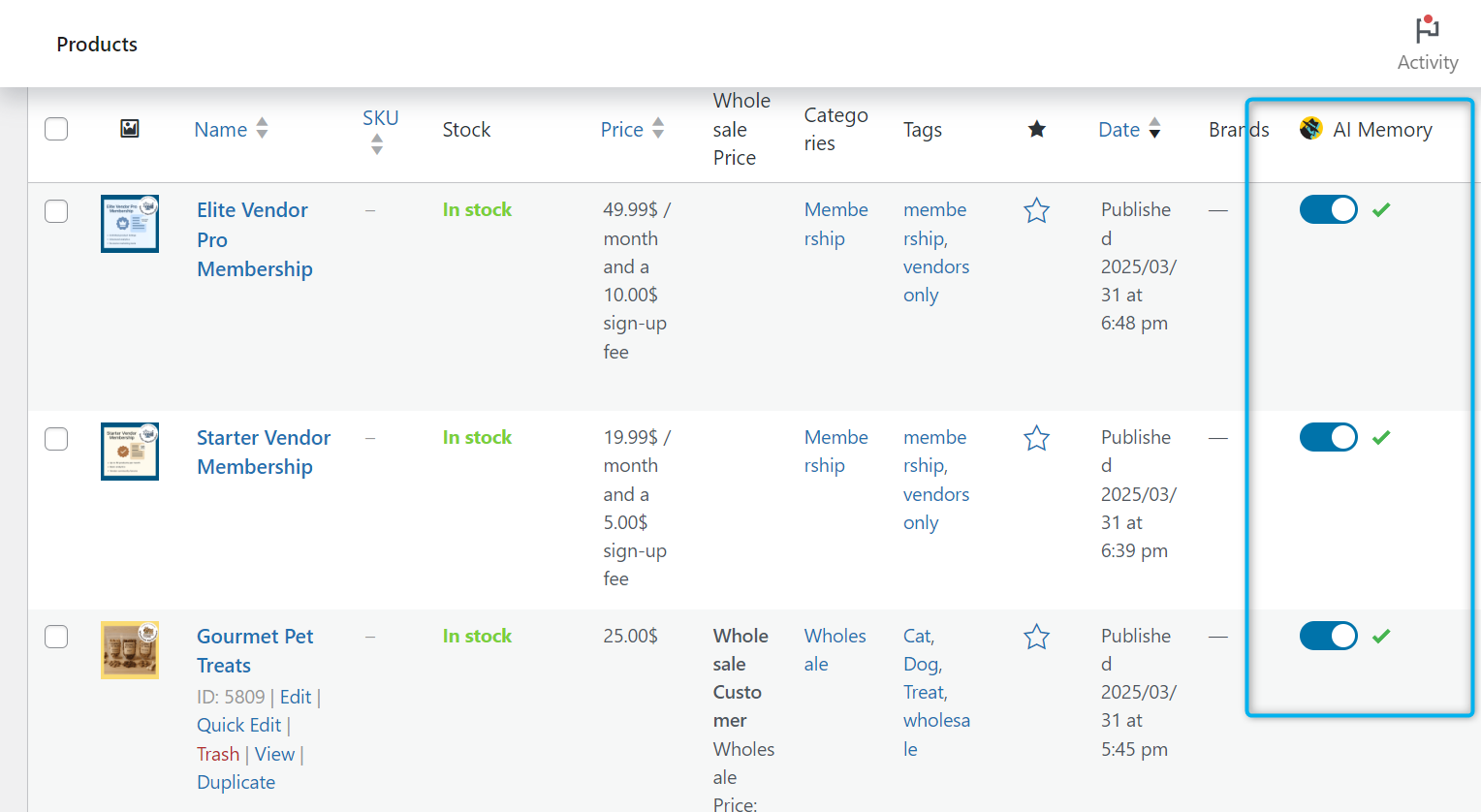
WooCommerce-native chatbots like StoreAgent have an advantage here. Because the chatbot already has direct access to your product catalog and order data, it skips the round-trip API calls. That translates to sub-3-second response times for most product and policy questions.
Track this metric weekly. If you see it creeping upward, investigate whether your knowledge base has grown unwieldy or external integrations are adding latency.
KPI #4: Deflection Rate
Deflection rate measures the percentage of customer inquiries that would have become support tickets but were instead handled by the chatbot. Your benchmark is 40-60% for a mature AI deployment. This is distinct from containment rate. Specifically, containment measures bot effectiveness, while deflection measures impact on your team.
Formula:
Deflection Rate = Chatbot-Resolved Conversations / (Chatbot-Resolved Conversations + Human-Handled Tickets) x 100
How do you increase deflection rate?
Start by targeting your highest-volume ticket categories. “Where is my order?” (WISMO) queries alone account for up to 30% of all ecommerce support tickets. These queries are repetitive, time-consuming, and perfectly suited for AI automation.
A chatbot that can pull real-time order status from WooCommerce and deliver it conversationally can deflect a large portion of your support volume on that single query type alone.
What We’ve Seen: Store owners often underestimate how much of their support volume comes from just two or three question types. When we review ticket logs with WooCommerce stores, WISMO and shipping cost questions together typically account for the majority of inbound queries. Automating just those two categories with a chatbot can cut ticket volume dramatically before you even touch the rest.
Improvement tactics:
- Identify your top 5 support ticket categories and ensure the chatbot handles all of them
- Add order tracking capability with WooCommerce order data access
- Place the chat widget on high-intent pages: product pages, cart, checkout, and order tracking
KPI #5: Conversion Attribution
Conversion attribution measures the purchase rate of customers who interact with the chatbot compared to those who do not. There is no universal benchmark. Instead, track the trend over time on your own store to see whether the gap is widening or narrowing.
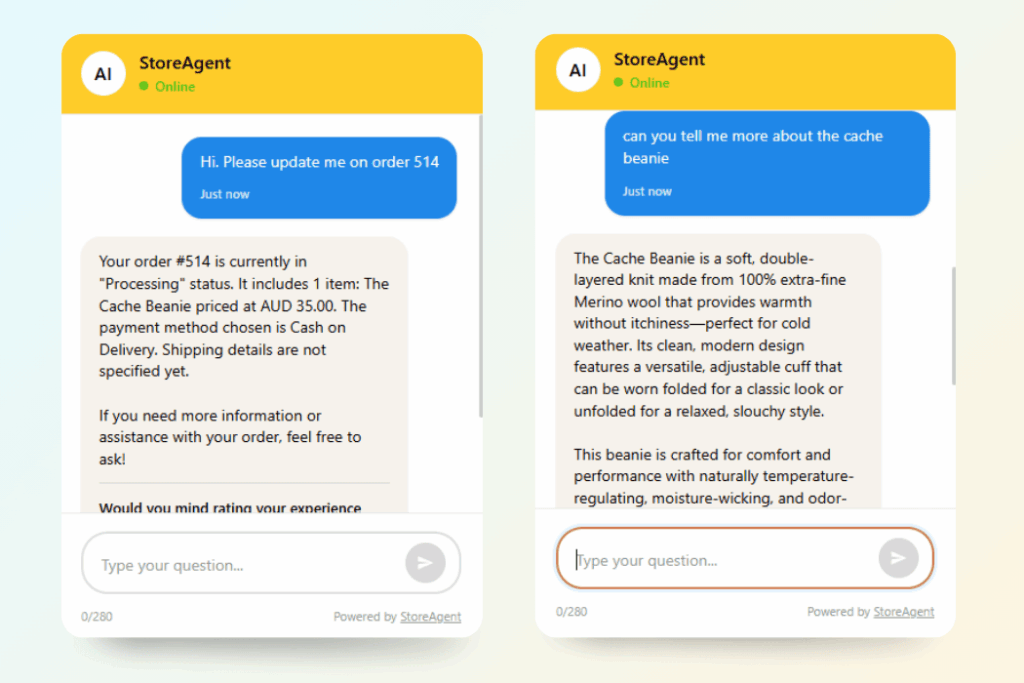
The challenge is multi-touch attribution. A shopper might see an ad, browse your store, chat with the bot, leave, get a retargeting email, and then come back to buy. Because of that, attribution is always an estimate rather than a clean measurement.
What is the best way to measure chatbot conversions?
Compare the conversion rate of sessions that included a chatbot interaction versus sessions that did not. It is not perfect causal measurement, but it gives you a clear directional signal that is easy to act on.
Here’s what this looks like in practice (example data – these figures are illustrative, not from a specific store):
| Metric | Chatbot Users | Non-Chatbot Users | Difference |
|---|---|---|---|
| Sessions | 1,200 | 18,800 | N/A |
| Purchases | 96 | 940 | N/A |
| Conversion Rate | 8.0% | 5.0% | +3.0 percentage points |
| Average Order Value | $72 | $65 | +$7 |
| Attributed Revenue | $6,912 | N/A | Chatbot-influenced |
In our testing, we consistently saw higher conversion rates among shoppers who engaged with the chatbot, particularly those asking product comparison or shipping questions. Shoppers who engage with a chatbot are signaling high purchase intent, so your job is to make sure the chatbot does not fumble it.
Track this monthly and look at which conversation types correlate with the highest conversion rates.
KPI #6: Cost Per Conversation
An AI chatbot costs $0.50-$2.00 per conversation on average, compared to $15-$25 per conversation for a human agent. This is one of the chatbot metrics your bottom line cares about most because it tells you whether automation is actually cheaper than the alternative.
According to Grand View Research, the global AI chatbot market is projected to reach $454.8 million by 2027, driven primarily by cost efficiency.
Pro Tip: Shopper expectations are shifting fast enough that yesterday’s benchmarks can undersell what a well-tuned chatbot is capable of. Recent chatbot statistics show adoption climbing across ecommerce specifically because shoppers now expect instant answers by default, not as a bonus.
How do AI chatbot costs compare to human support?
| Metric | AI Chatbot (StoreAgent Pro) | Human Support Agent | Savings |
|---|---|---|---|
| Monthly cost | $49 | $3,500 (salary + tools) | $3,451 |
| Conversations/month | 1,000 | 500 (capacity) | 2x volume |
| Cost per conversation | $0.049 | $7.00 | 99.3% lower |
| Availability | 24/7/365 | 8 hrs/day, 5 days/week | 4.2x coverage |
| Annual cost | $588 | $42,000 | $41,412 saved |
The key insight is that AI chatbot cost per conversation decreases as volume increases. By contrast, human agent cost per conversation stays flat or increases because you need to hire more staff to handle the load.
On StoreAgent’s free Lite plan, your cost per conversation is $0 for your first 50 chat replies. On Pro ($49/month, 5,000 chats), it drops to under $0.01 per conversation at capacity. See all plans.
For a roundup of free tools that can reduce your support costs further, check out our list of free AI tools every WooCommerce store owner should be using.
💡 Pro Tip: Shopper expectations are shifting fast enough that yesterday’s benchmarks can undersell what a well-tuned chatbot is capable of. Recent chatbot statistics show adoption climbing across ecommerce specifically because shoppers now expect instant answers by default.
KPI #7: Escalation Rate
Escalation rate is the percentage of chatbot conversations that require human takeover. Your benchmark is 20-30%, meaning 70-80% of conversations are fully handled by the bot. This is the inverse of containment rate, but the extremes on both ends tell an important story.
What does a high escalation rate mean?
An escalation rate above 40% means your chatbot is underprepared. It lacks the knowledge, product data, or conversational ability to handle the questions customers are asking. As a result, you should review escalated conversations for patterns, expand the knowledge base, and ensure the bot has access to real-time WooCommerce data.
What does a low escalation rate mean?
An escalation rate below 10% is not always good news. In fact, it often signals that no escalation path exists. If the chatbot never escalates, it may be giving incorrect answers to questions it cannot handle, or leaving frustrated customers with no way to reach a human.
Improvement tactics:
- Set clear escalation triggers for sensitive topics (refunds, complaints, high-value orders)
- Review conversations that should have escalated but did not
- Ensure customers always have a visible option to request a human
- Track escalation by topic to identify knowledge gaps
The goal is not zero escalation. Instead, the goal is smart escalation: the bot handles what it can and routes what it cannot. That handoff works best when your human agent receives full context, not just a name and a complaint.
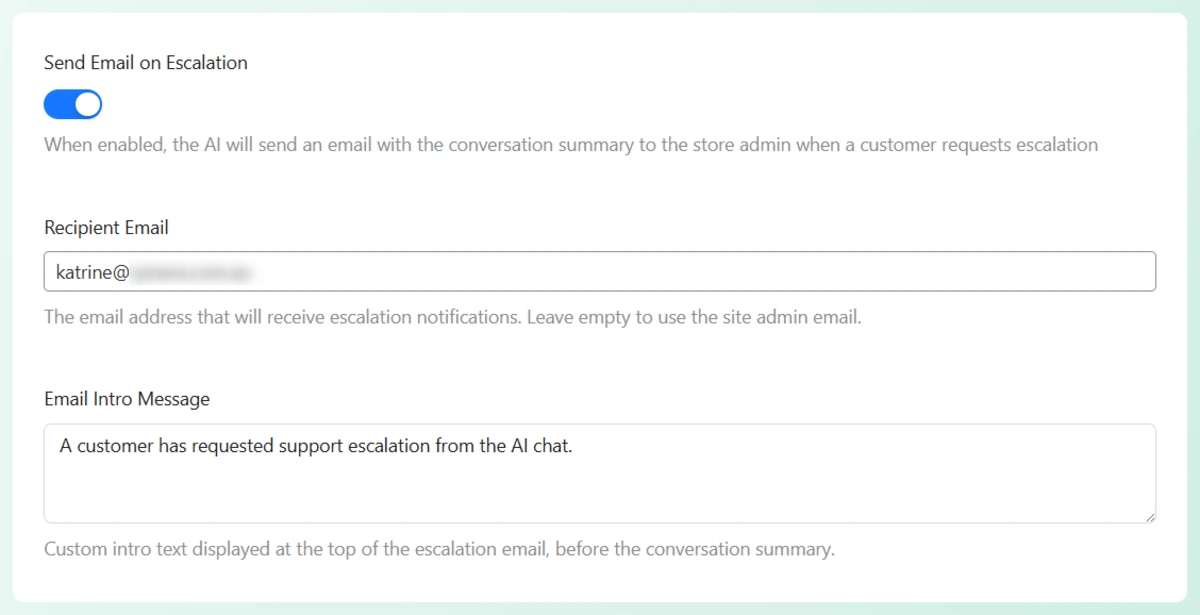
StoreAgent’s WooCommerce Escalation Email Notification does exactly that. When a conversation is escalated, your team gets an email with the complete chat history attached, so they can pick up where the bot left off without asking the customer to repeat themselves.
How Do You Build a Chatbot KPI Dashboard?
Start with three chatbot metrics, then expand. Tracking all seven from day one can feel overwhelming. Because of that, it helps to phase your measurement approach based on chatbot maturity.
Weeks 1-4: Track containment rate, CSAT, and cost per conversation. These give you a baseline picture of effectiveness, quality, and economics.
Months 2-3: Add deflection rate and first response time. These help you understand impact on broader support operations.
Month 4+: Add conversion attribution and escalation rate. These nuanced metrics benefit from baseline data to compare against.
What does progress look like over time?
Here’s what this looks like in practice (example data – these weekly figures are illustrative to show a typical improvement trajectory, not from a specific store):
| Week | Containment | CSAT | Response Time | Deflection | Conversion | Cost/Chat | Escalation |
|---|---|---|---|---|---|---|---|
| Week 1 | 62% | 75% | 4.2s | 38% | 6.5% | $0.04 | 38% |
| Week 2 | 65% | 78% | 3.8s | 41% | 7.0% | $0.04 | 35% |
| Week 3 | 71% | 81% | 3.5s | 44% | 7.2% | $0.03 | 29% |
| Week 4 | 74% | 83% | 3.3s | 47% | 7.8% | $0.03 | 26% |
Notice the pattern: as you refine the chatbot’s knowledge base and review escalated conversations, most AI chatbot KPIs ecommerce stores track will improve together. Containment goes up, escalation goes down, CSAT rises, and cost drops. These chatbot metrics are connected, which means fixing one area usually lifts others.
StoreAgent Insights provides a built-in dashboard that tracks these metrics automatically with no spreadsheets required. If you are using another platform, you can recreate this in Google Sheets and pull data from your chatbot’s analytics panel.
Whether you use native tools or custom spreadsheets, having a well-structured chatbot analytics dashboard is essential for visualizing exactly how automated conversations impact your daily revenue.
Start Measuring What Matters
The difference between a chatbot that drains resources and one that drives revenue comes down to measurement. Vanity chatbot metrics like conversation count feel good but tell you nothing actionable. The 7 AI chatbot KPIs ecommerce stores need to track (containment rate, CSAT, first response time, deflection rate, conversion attribution, cost per conversation, and escalation rate) give you the full picture instead.
Start with three. Then expand as your chatbot matures. Review the numbers weekly at first, and switch to monthly once you have a baseline. Most importantly, act on what you find because every escalated conversation you review is an opportunity to make the bot smarter.
Ready to track your chatbot’s real performance? StoreAgent Insights gives you a real-time dashboard with all 7 KPIs built in with no spreadsheets and no manual tracking. Start free with our WooCommerce chatbot.
FAQ
How often should you check chatbot KPIs?
Review your core chatbot metrics (containment rate, CSAT, cost per conversation) weekly for the first two months after installation. Once performance stabilizes, switch to monthly reviews. Check conversion attribution monthly from the start because daily fluctuations in this metric are normal and can be misleading.
What is a good chatbot ROI?
A practical rule of thumb: if your chatbot saves more in support costs than it costs to run, the ROI is positive. For example, if StoreAgent Pro ($49/month) deflects 200 conversations that would have cost $15 each in human agent time, that equals $3,000 in savings per month, which is a 60x return. Most WooCommerce stores see positive ROI within the first month.
Can you track these KPIs with free tools?
Partially. Most chatbot platforms provide basic analytics like conversation count and response time. For CSAT, you need a post-chat survey mechanism. For conversion attribution, use Google Analytics event tracking alongside your chatbot data. StoreAgent includes KPI tracking on all plans, including the free Lite tier.
What should you do when KPIs are below benchmark?
Start with the escalated conversations. Read through 20-30 of them and look for patterns. Usually, below-benchmark chatbot metrics come down to two causes: missing knowledge (the bot lacks the information it needs) or poor data access (the bot cannot pull real-time product or order data). Fix those two issues and most KPIs improve within two to three weeks.