

 Reviewed by
StoreAgent vs Tidio comes down to one question: do you want a general chat tool or an AI built specifically for your WooCommerce store? StoreAgent wins for WooCommerce owners because it connects directly to your product catalog, tracks live orders, and helps cut support tickets. Tidio works for basic live chat, but its AI has limits that can cost you.
According to LiveChat, 60% of customers say they are more likely to return to an online store that has a Live Chat feature. The right chatbot keeps those customers happy.
So when looking at StoreAgent vs Tidio, you need to know which one actually understands your products. This comparison helps you pick the best AI chatbot for WooCommerce based on real features and honest pricing.
StoreAgent vs Tidio: Quick Overview
Here is a side by side look at StoreAgent vs Tidio so you can see exactly what each offers.
| Comparison Factor | StoreAgent | Tidio |
|---|---|---|
| Core Purpose | AI chatbot built specifically for WooCommerce stores | General live chat and ticketing platform |
| WooCommerce Depth | Full catalog sync, live inventory, order tracking | Basic plugin connection, page scraping only |
| AI Conversation Limits | Tiered by plan: 500 (Growth), 5,000 (Pro), 50,000 (Business | Strict monthly caps, overage charges |
| Pricing Model | Flat rate, predictable billing | Usage-based, costs rise with traffic |
| Free Plan Usefulness | Lite plan includes core AI features | Free plan is “functionally useless for active sites” |
| Multilingual Support | Native AI multilingual chat and content | Limited, no native AI translation |
| AI Content Generation | Product descriptions, meta tags, review summaries | None |
| Mobile App Reliability | Stable chat history review | Users report delayed or missed notifications |
| Best For | Growing WooCommerce stores with real traffic | Small sites needing multi-channel inbox |
This table gives you the facts at a glance. Now let’s dive into the details of StoreAgent vs Tidio so you can decide with confidence.
How Do StoreAgent And Tidio Pricing Compare?
StoreAgent starts at $0 with useful features. Tidio’s free plan includes 50 one-time Lyro AI conversations that do not reset, and paid plans start at $29 per month for human chats only—AI costs extra.
StoreAgent Pricing (2026):
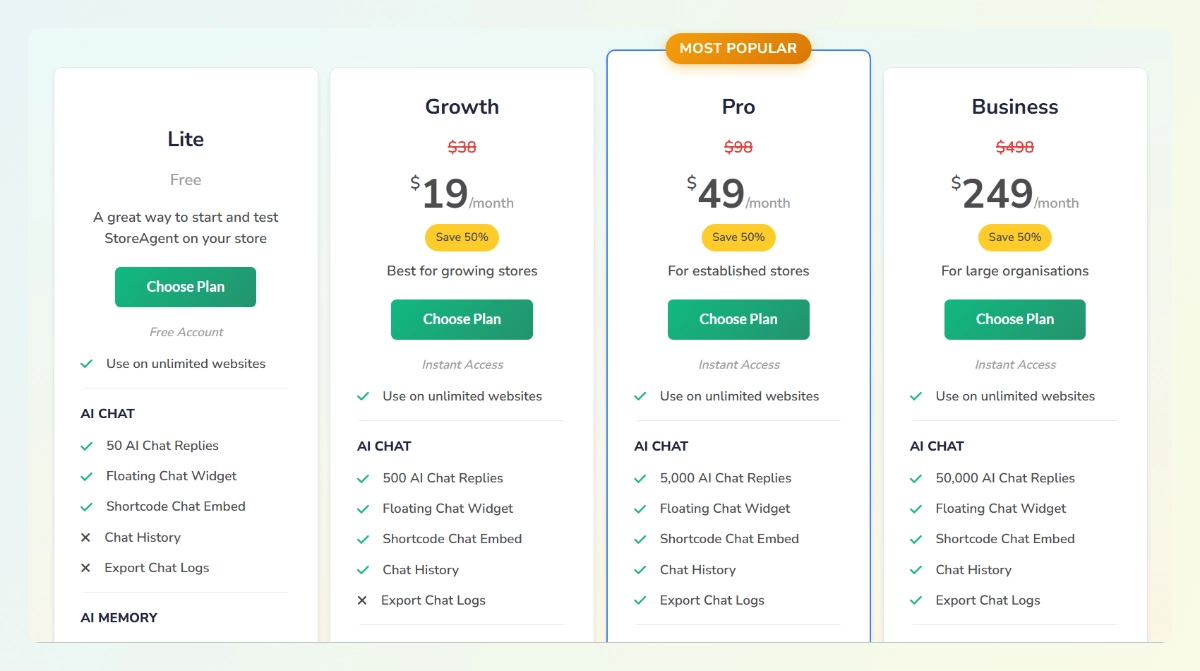
- Lite (Free): 50 AI chat replies, 100 memory items, 25 AI content tasks, WooCommerce product sync
- Growth ($19/month): 500 AI chat replies, 5,000 memory items, 500 AI content tasks, tone control, chat history
- Pro ($49/month): 5,000 AI chat replies, 25,000 memory items, 2,500 AI content tasks, priority support
- Business ($249/month): 50,000 AI chat replies, 100,000 memory items, 10,000 AI content tasks, dedicated support
All plans include unlimited websites and a 14-day money back guarantee.
Tidio Pricing (2026):
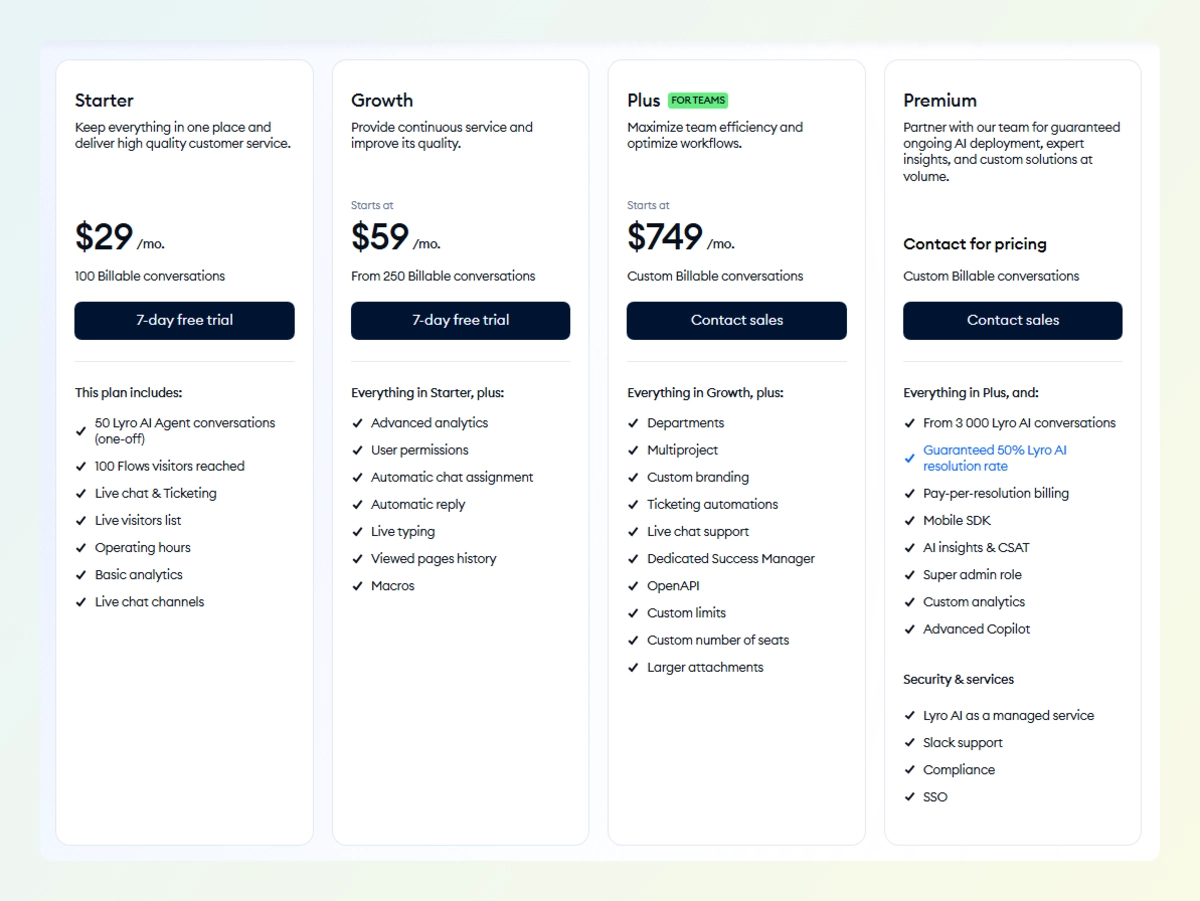
- Free ($0/month): 50 billable human conversations, 50 one-time Lyro AI conversations (non-renewable), 100 visitors reached with Flows.
- Starter ($29/month): 100 billable human conversations, basic analytics, live visitors list, operating hours.
- Growth ($59/month): 250 billable human conversations, advanced analytics, permissions, power features.
- Plus ($749/month): Custom quotas, dedicated success manager, custom branding, multi-project support.
- Premium (Contact for pricing): Unlimited conversations, enterprise scale.
Here is what Tidio does not make obvious on their marketing pages: The base plans cover human conversations only.
Lyro AI is a separate add-on starting at $39 per month for just 50 AI conversations. Automation Flows cost another $29 per month for 2,000 unique visitors.
So, a store that needs both AI chat and automation ends up paying for three separate subscriptions. A typical setup with the standard Starter plan plus Lyro AI plus Flows runs around $97 per month. That is more than triple the advertised Starter price.
StoreAgent gives you clear tiers with everything included. You know exactly what you get each month. Plus, you get AI content generation tools that Tidio does not offer at all. The Tidio WordPress plugin looks affordable at first glance, but the costs stack up fast when your store actually needs AI and automation.
For anyone searching for the best AI chatbot for WooCommerce, knowing the real costs matters. And on pricing, StoreAgent vs Tidio is no contest.
What Features Does Each Chatbot Offer For WooCommerce?
When you look at StoreAgent vs Tidio on features, the differences become clear. StoreAgent focuses entirely on WooCommerce depth. Tidio offers more channels but shallower store integration.
Here is how they compare.
StoreAgent features
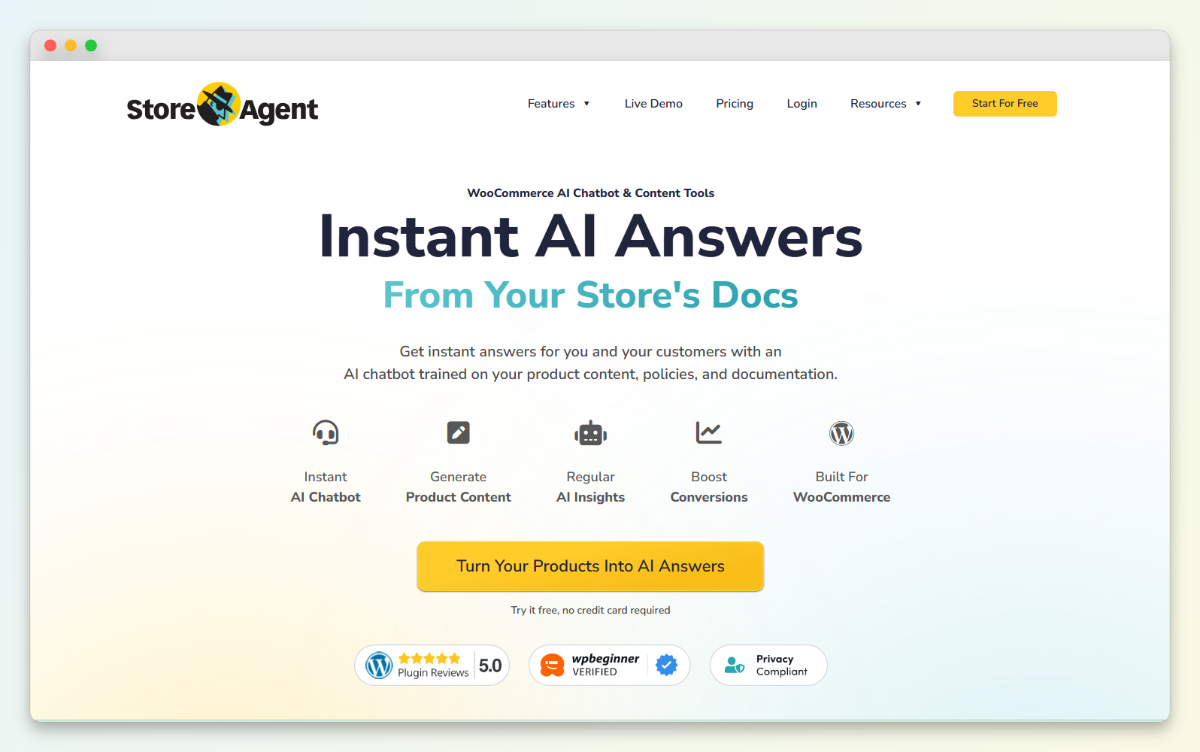
StoreAgent connects directly to your WooCommerce catalog. It reads product details, pricing, and inventory in real time. When a customer asks about a specific item, the AI knows the actual answer. It does not just repeat your FAQ page.
The chatbot shows product images with clickable links inside the conversation. Customers can go straight to the product without searching your store. StoreAgent also tracks orders so customers can ask “where is my order” and get updates.
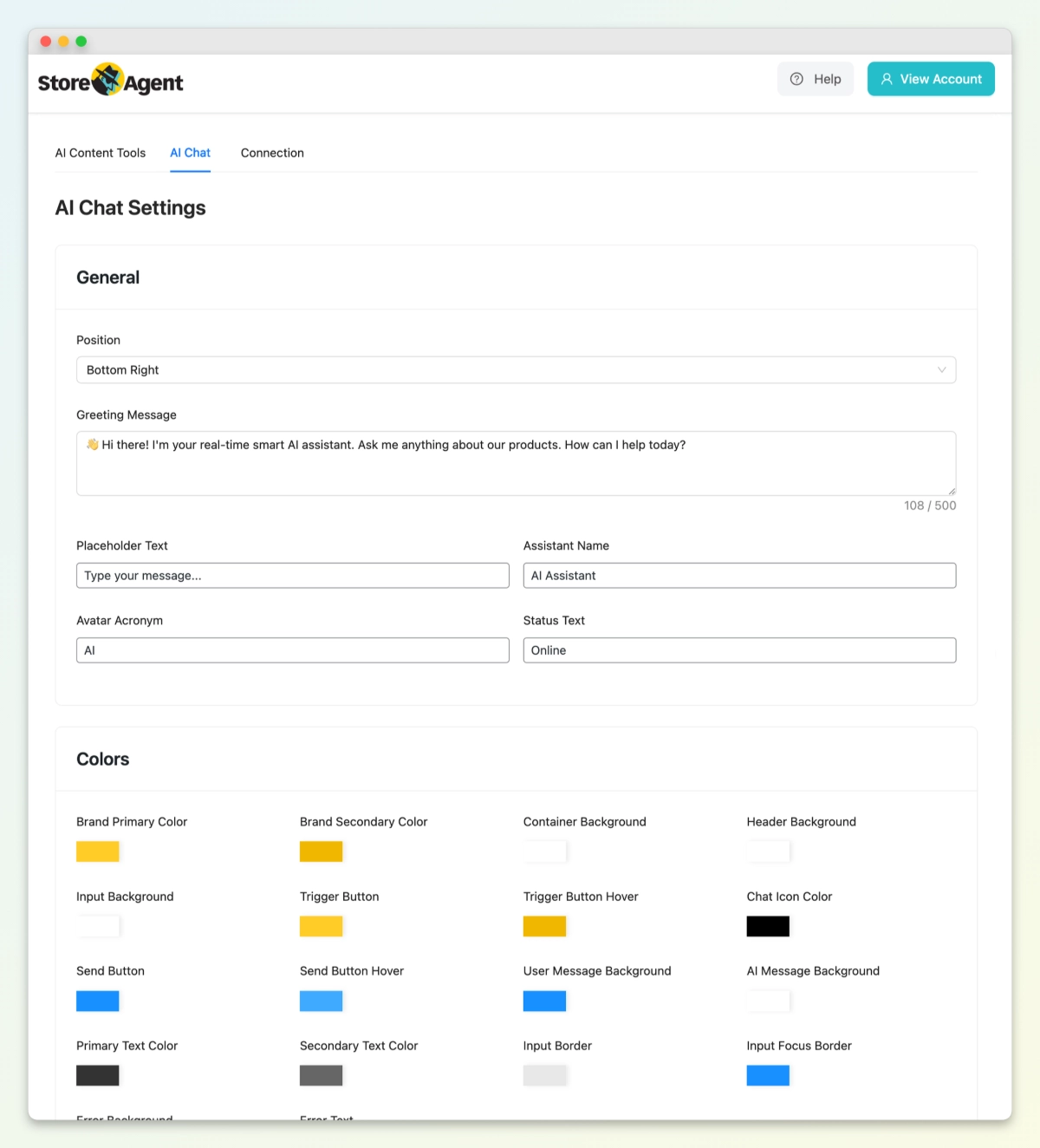
Beyond chat, StoreAgent helps create content. You get tools for product descriptions, category descriptions, tags, and review summaries. The AI trains on your products, pages, posts, and custom post types. It gets smarter over time.
Tidio features
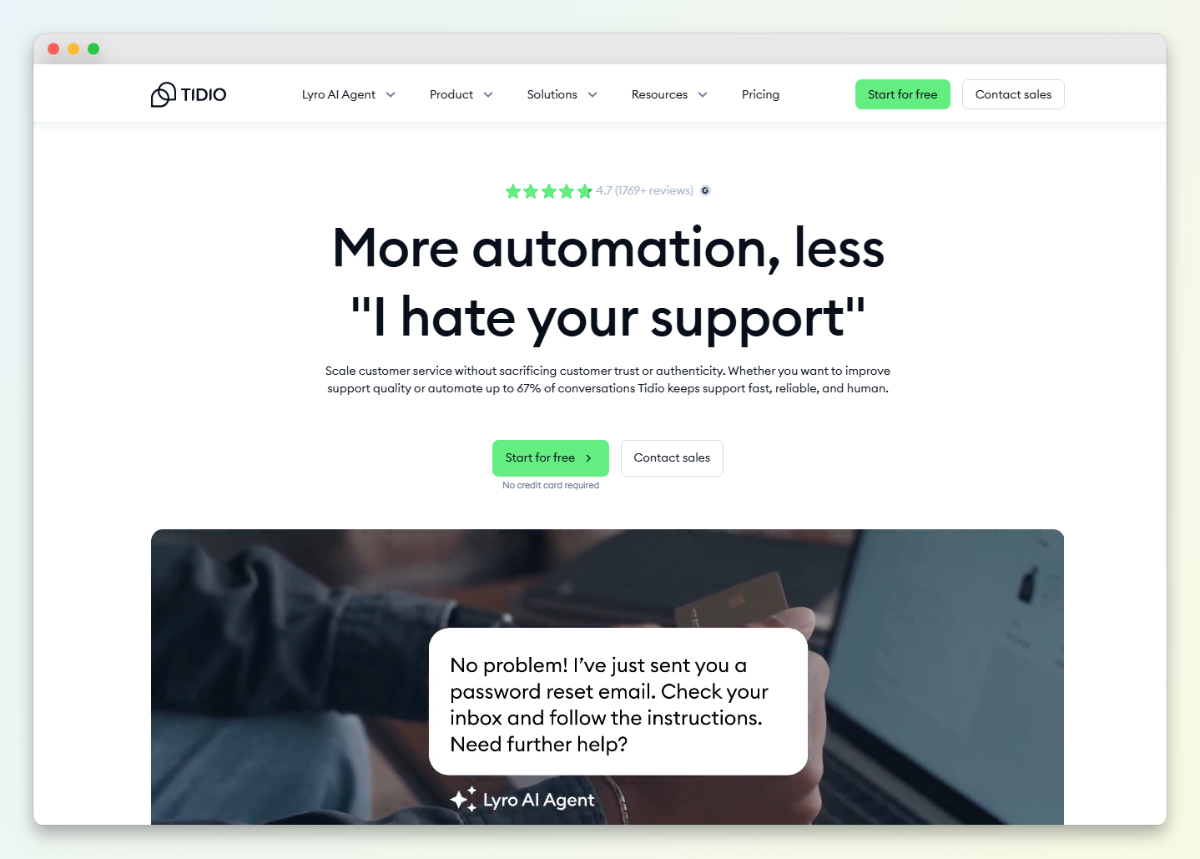
Tidio offers live chat with human agents plus AI options. Lyro AI handles basic questions by scanning your site. The visual flow builder lets you create automations with drag and drop.
The platform includes visitor tracking, email integration, and a mobile app. You get a unified inbox for multiple channels like Facebook Messenger. Tidio works with WooCommerce but connects at a surface level.
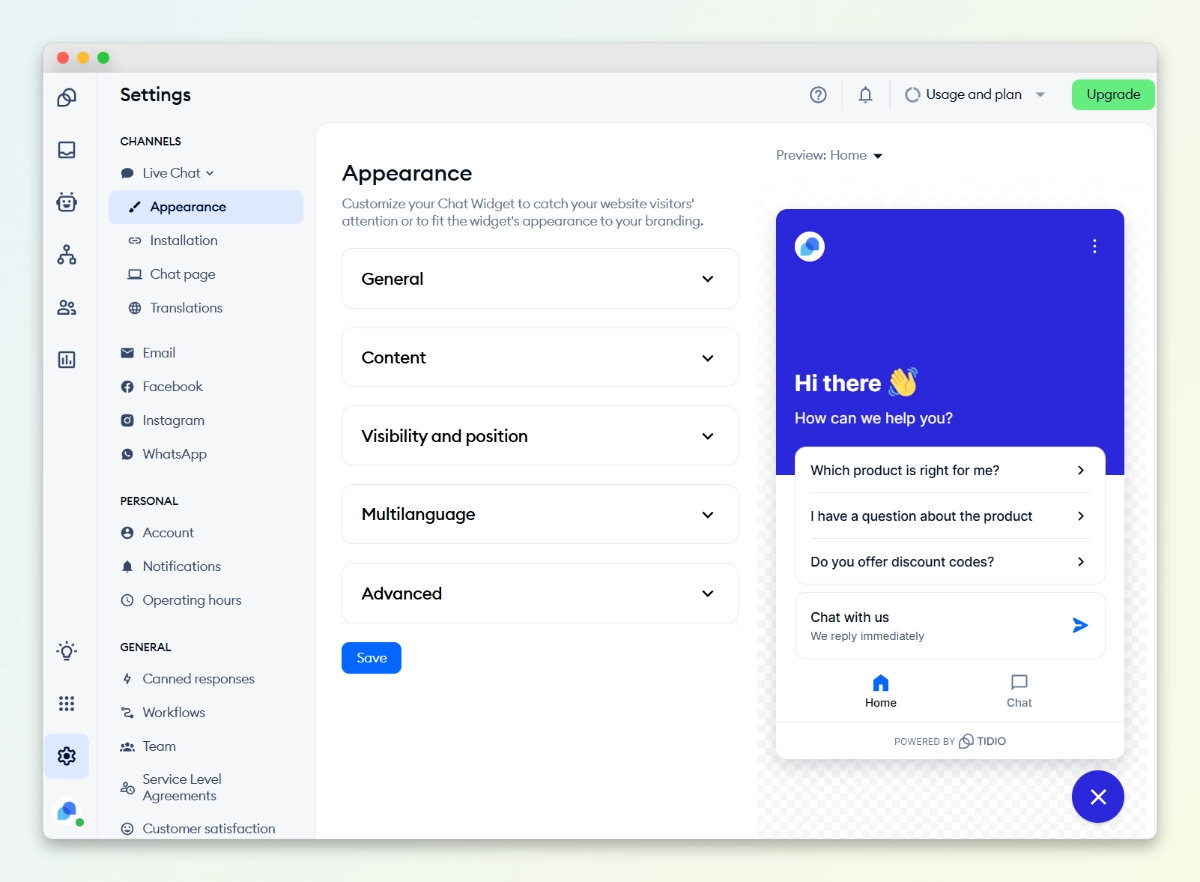
The main catch is that features are siloed. Lyro AI and Flows operate separately. The mobile app has reliability issues with delayed notifications. AI training takes time and the functionality is less advanced than dedicated e-commerce bots.
StoreAgent vs Tidio: Feature comparison
| Feature | StoreAgent (WooCommerce AI) | Tidio (Help Desk) |
| WooCommerce Sync | Live: Real-time inventory, pricing, and variants. | Live: Real-time inventory, pricing, and variants. |
| Product Images | Yes: Clickable visual product cards. | Yes: Clickable visual product cards. |
| Order Tracking | Yes: Live status via native integration. | Yes: Automated tracking via Lyro AI. |
| AI Content Tools | Yes: Auto-writes descriptions, tags, and reviews. | No: Strictly customer-facing. |
| Multilingual AI | Yes: Native multi-language support. | Yes: Supports 45+ languages. |
| Live Chat (Human) | No: Fully automated; no human typing interface. | Yes: Full multichannel inbox for your staff. |
| Site Memory | High: Scrapes WP pages, posts, and WooCommerce data. | High: Scrapes URLs, PDFs, and WooCommerce data. |
| Human Hand-off | Ticketing: AI emails staff or creates a support ticket. | Live Inbox: AI routes chat directly to a live agent. |
| Chat Embedding | Inline & Shortcodes: WordPress shortcodes allow you to embed the chat directly into page content, sidebars, or dedicated pages | Floating Overlay: Functions primarily as a floating widget overlay; triggering the chat via custom buttons or links requires custom JavaScript. |
StoreAgent gives you depth for WooCommerce. Tidio gives you breadth across channels. Choose based on what your store actually needs.
Which Chatbot Has Better WooCommerce Integration?
Both StoreAgent and Tidio now offer live product sync, so the difference comes down to what they do with that data.
Tidio’s Lyro AI connects directly to your product database. I updated a product price and within seconds the chatbot gave the correct new price.
StoreAgent worked the same way. I changed stock status on a test item and both bots gave accurate answers. Both also show product images with clickable links.
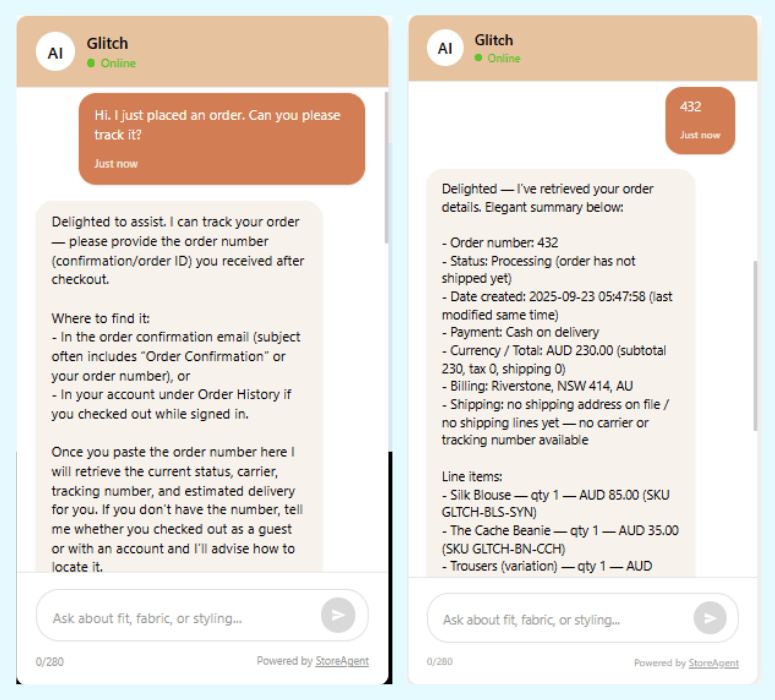
Tidio uses product cards. StoreAgent shows link previews. On basic product questions, both work well.
To verify their claims, I installed both plugins on a test store with about 50 products. I updated a product price in the backend, then asked each chatbot about that product. Both responded with the correct new price within seconds. I also marked an item out of stock, and both correctly told me it was unavailable.
Is Tidio Or StoreAgent Easier To Set Up?
I had StoreAgent running in about 5 minutes. The Tidio for WordPress setup took closer to 15. Both are simple, but StoreAgent moves faster.
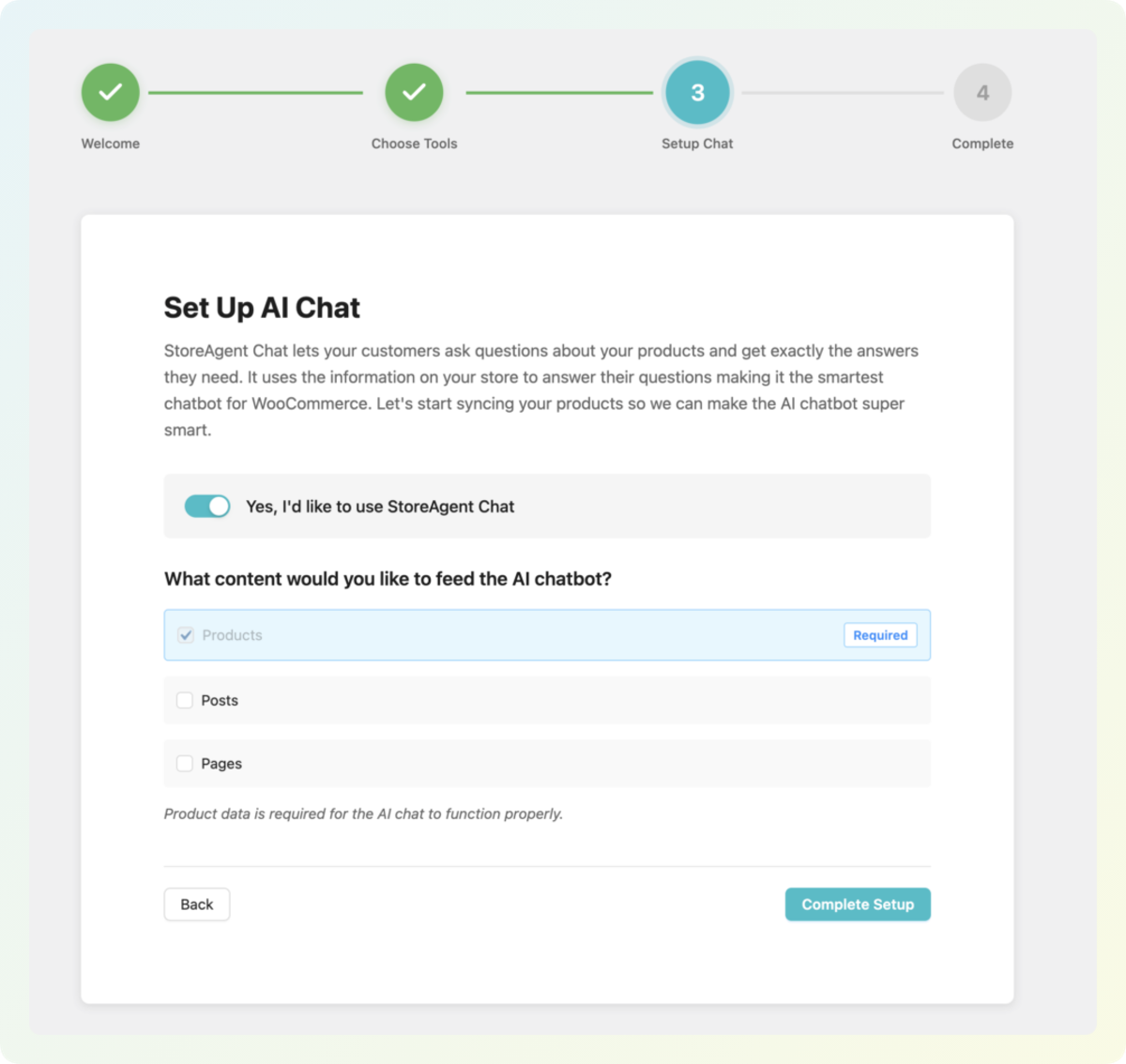
For StoreAgent, I first created an account on their site. Then I installed the plugin, connected my store, and ran the onboarding wizard. The wizard detected most of my settings automatically. From there I just toggled AI memory for products and pages, picked a color scheme, and went live.
The Tidio plugin took a few extra steps. After installing it, I made an account and connected my store. Then I had to configure flows manually and wait for Lyro AI to scan my site. The interface looks clean, but I spent more time tweaking things before it felt ready.
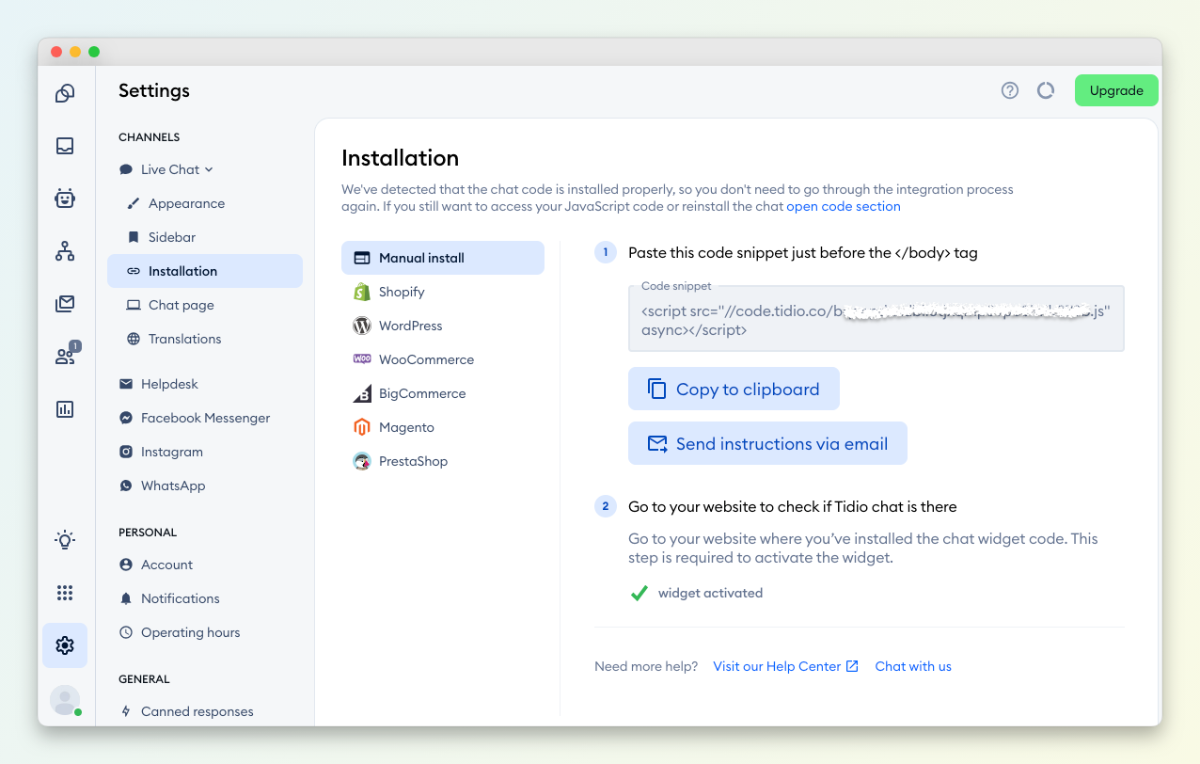
So both get the job done. StoreAgent just gets you live faster with less clicking around. For a busy store owner, those extra 10 minutes saved actually add up.
How Do Support And Reliability Compare?
Tidio support responds fast at first, but reliability issues pop up over time. StoreAgent has been solid in my testing with no major complaints. Here is what I found using both.
With Tidio, the initial setup help was great. Their knowledge base covers most questions. But after a few weeks, I noticed problems. The mobile app sent delayed notifications. Sometimes I missed messages entirely. Reddit users report similar issues, with one thread discussing delayed notifications and unreliable performance during high-traffic periods. The platform tries to do a lot, and sometimes things break.
StoreAgent has been simpler. Because it focuses only on WooCommerce, there is less that can go wrong. Weekly product syncs keep data fresh. The dashboard shows exactly what the AI knows. When I had a question, email support responded within a day.
StoreAgent Vs Tidio: Which Should You Choose?
StoreAgent is the best WordPress chatbot plugin for WooCommerce stores. After testing both, here is my honest take on who should pick which.
Choose StoreAgent if you run a WooCommerce store and want AI that actually understands your products. Pick it if you want a predictable monthly bill with no surprise overage charges. Choose it if you need multilingual support built in or content tools that help you write product descriptions.
StoreAgent does one thing and does it well. It makes your store smarter.
Pick Tidio if you need more than just chat. If you want email and Facebook channels in one inbox, Tidio delivers that. Choose it if you have very low traffic and know you will stay within the free limits. Pick it if you prefer visual flow builders even if they take time to learn. Tidio works best as a multichannel helpdesk that happens to include chat.
The honest truth is most WooCommerce stores with real traffic will outgrow Tidio fast. The costs become unpredictable. The limits start hurting. StoreAgent scales with you at the same price every month. That makes StoreAgent vs Tidio an easy call for WooCommerce owners.
Conclusion
After spending time with both chatbots, the choice comes down to what your store actually needs. StoreAgent and Tidio both offer live product sync and accurate answers. But they go about it in different ways.
We covered a lot comparing StoreAgent and Tidio. Here is what we looked at:
- Pricing breakdown
- Feature comparison
- WooCommerce integration depth
- Ease of setup
- Support and reliability
- Final verdict
If you run a WooCommerce store and want a chatbot that actually understands your products without surprise bills, try StoreAgent. Start for free and see the difference for yourself.


