

 Reviewed by
You can boost your site’s traffic and speed just by fixing how you handle product photos. Learning how to optimize images for SEO means preparing your images so search engines understand them AND your pages load fast.
When done right, it helps you show up in Google Image searches while keeping shoppers on your site instead of waiting for photos to load.
According to HTTP Archive’s December 2025 data, images account for approximately 35% of a typical desktop page’s total weight. That’s a massive chunk of your store’s loading time. And when pages load slowly, customers leave.
This guide walks you through exactly how to optimize images for SEO, from technical basics to AI powered shortcuts that save hours of manual work.
Key takeaways at a glance:
- Compress images and convert to WebP format for smaller file sizes
- Use descriptive file names with hyphens
- Write unique alt text that describes each product specifically
- Let AI tools generate alt text automatically for large catalogs
- Add detailed product descriptions that give images context
- Enable lazy loading and set proper image dimensions
- Optimize images for multi-channel selling
What Is Image SEO?
Image SEO is the practice of optimizing your product photos so they rank in search results and load quickly for visitors. It serves two main goals: getting your products found through Google Images and keeping your site fast enough to convert browsers into buyers. Think of SEO image optimization as the foundation that makes all your other marketing efforts work harder.
Research from Jumpshot and SparkToro shows that over 20% of all Google searches happen on Google Images. Think about that for a second. Millions of potential customers are searching visually every day, and if you don’t know how to optimize images for SEO properly, they simply won’t find you.
For WooCommerce stores, this matters even more because you’re competing against Amazon and big retailers who already do this well.
Beyond rankings, image SEO directly impacts user experience. I’ve tested numerous ecommerce sites, and the ones with optimized images always feel more professional. Customers trust them more. They stay longer and they buy more.
How To Optimize Images For SEO
Let’s break down the specific steps you can take. Each one builds on the others, so implementing them together gives you the best results. I’ve used all of these myself, and they work.
1. Compress images before uploading
Compression reduces file size while keeping visual quality intact. You want images that look sharp but load fast. Uploading giant file sizes is the fastest way to kill your site speed, and understanding how to optimize images for SEO means starting here.
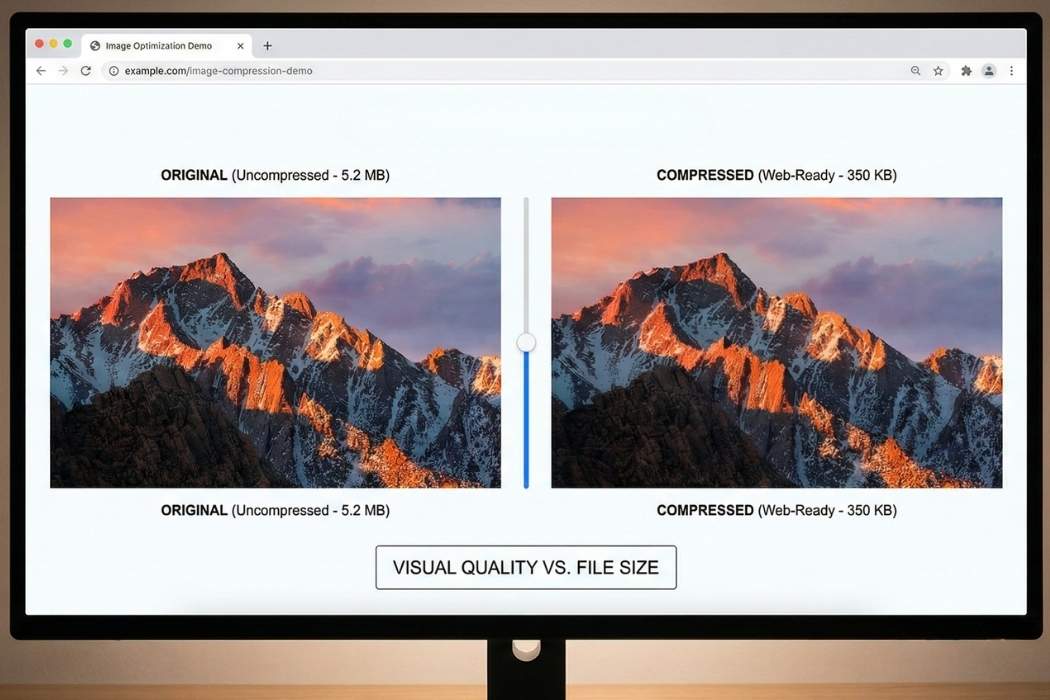
Here’s what actually works:
- Convert images to WebP format. WebP files are 25 to 35 percent smaller than JPEGs and PNGs with the same visual quality.
- WebP lossless images are 26 percent smaller than PNGs.
- Use plugins like ShortPixel or Imagify. They handle compression automatically as you upload.
Most modern WordPress plugins can convert uploads to WebP automatically. For existing images, these same plugins can compress your entire media library in one go. I’ve done this on stores with thousands of images, and the speed improvement is immediate.
2. Use descriptive file names
Descriptive file names tell search engines what your image shows before they even look at the photo.
Example: Instead of IMG_5920.jpg, use something like blue-running-shoes-nike-air-zoom.jpg.
This small change helps your images appear in relevant searches, and it’s one of the easiest parts of learning how to optimize images for SEO.
The format matters too. Follow these rules:
- Use hyphens between words, never underscores
- Keep it under 60 characters
- Include your primary keyword naturally
- Describe what’s actually in the photo, don’t just stuff keywords
Here are examples of good file names I use myself:
black-leather-wallet-mens-trifold.jpgceramic-coffee-mug-12oz-blue.jpgyoga-mat-purple-non-slip-6mm.jpg
3. Write effective alt text
Alt text serves two purposes. It helps visually impaired users understand your images through screen readers. It also tells search engines what your photo contains.
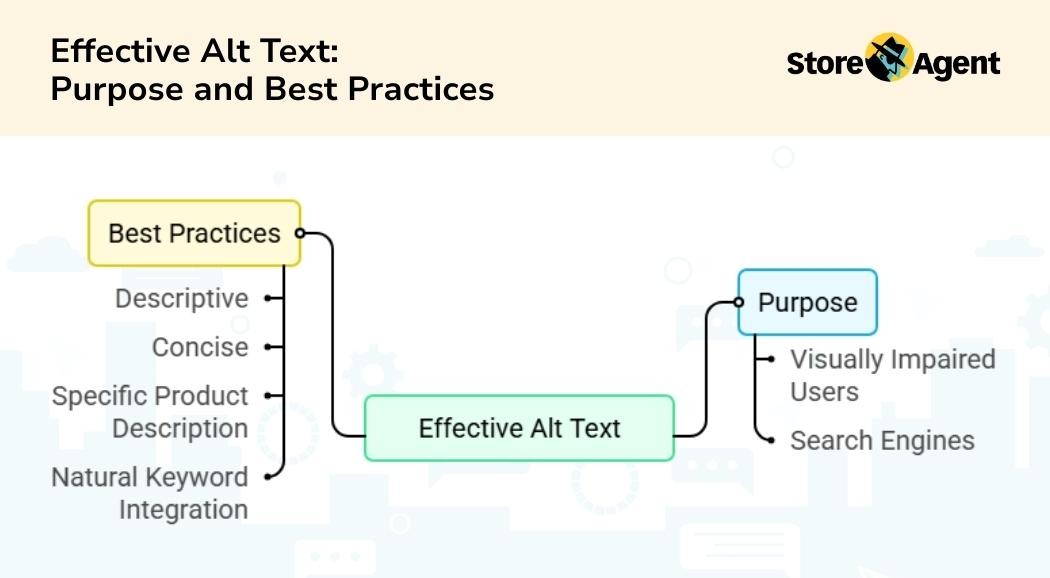
Good alt text is descriptive but concise, usually under 125 characters. When you’re figuring out how to optimize images for SEO, this step often makes the biggest difference.
When writing alt text, describe the product specifically. For a blue running shoe, “Men’s blue mesh running sneaker with white soles and yellow laces” works better than just “blue shoe.” Include your keyword naturally, but don’t force it. Screen readers shouldn’t have to announce keyword stuffed nonsense.
The problem for WooCommerce stores is scale. Writing unique, descriptive alt text for 500 products manually takes hours, sometimes days. I’ve watched store owners give up after a dozen products, leaving the rest with blank or generic alt text. This is why optimizing images for SEO at scale requires either a massive time investment or the right automation tools.
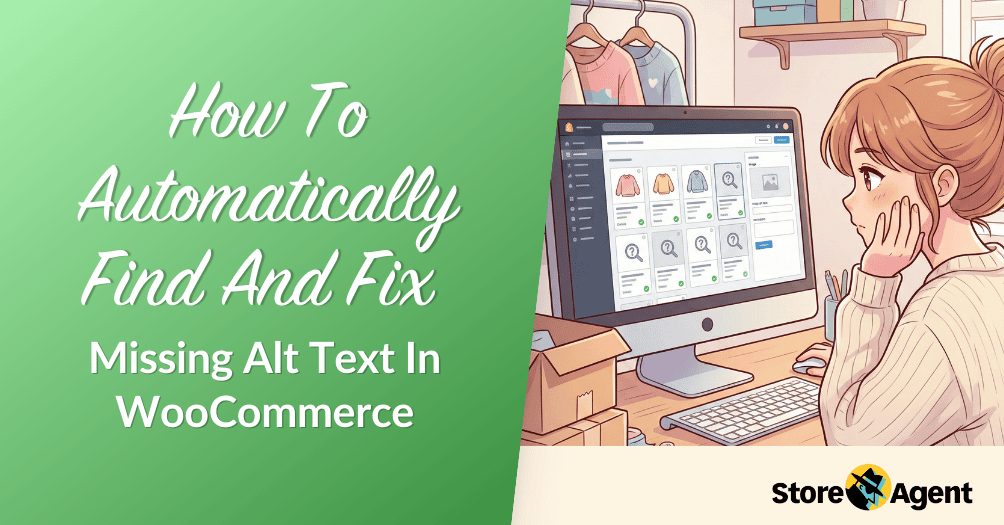
If you aren’t sure where to start with your current inventory, you can follow our guide on how to find and fix missing alt text automatically.
4. Automate alt text with AI tools
StoreAgent’s Image Alt Tags AI Agent solves the manual bottleneck by generating descriptive alt text automatically. The tool uses computer vision to actually “see” what’s in your product images, then writes accurate descriptions based on what it finds.
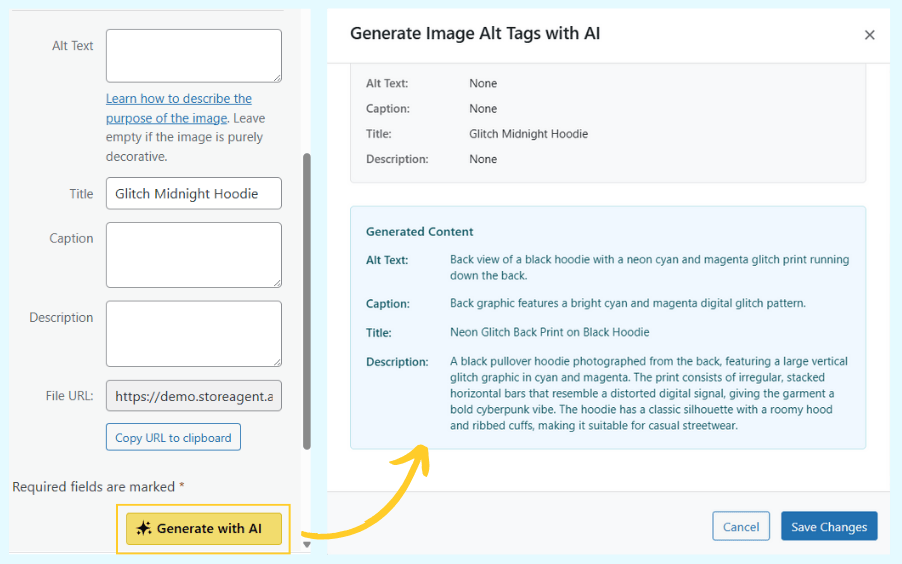
This is honestly my favorite way to teach people how to optimize images for SEO because it removes all the tedious work.
The tool lives right inside your WordPress dashboard. You can generate alt text from either the Media Library or while editing a product. One click fills your alt text, title, caption, and description fields based on what the AI sees in the image and what it knows about that product from your existing data.
For a full step-by-step, read: AI Image Alt Text Generator: How To Add Alt Text To Images Automatically

The consistency matters just as much as the time savings. When every product image has high quality, descriptive alt text, search engines understand your entire catalog better. That improves your chances of ranking in both text and image searches.
5. Add context with product descriptions
The text surrounding your images provides context that helps search engines understand what they’re looking at. Google doesn’t just analyze the image file. It reads everything on the page to determine relevance. This is why knowing how to optimize images for SEO also means optimizing your product copy.
This is where StoreAgent’s SEO Product Descriptions tool becomes valuable. When you write detailed, keyword rich product descriptions, you’re simultaneously helping your product pages rank AND giving search engines more signals about your images. They work together.
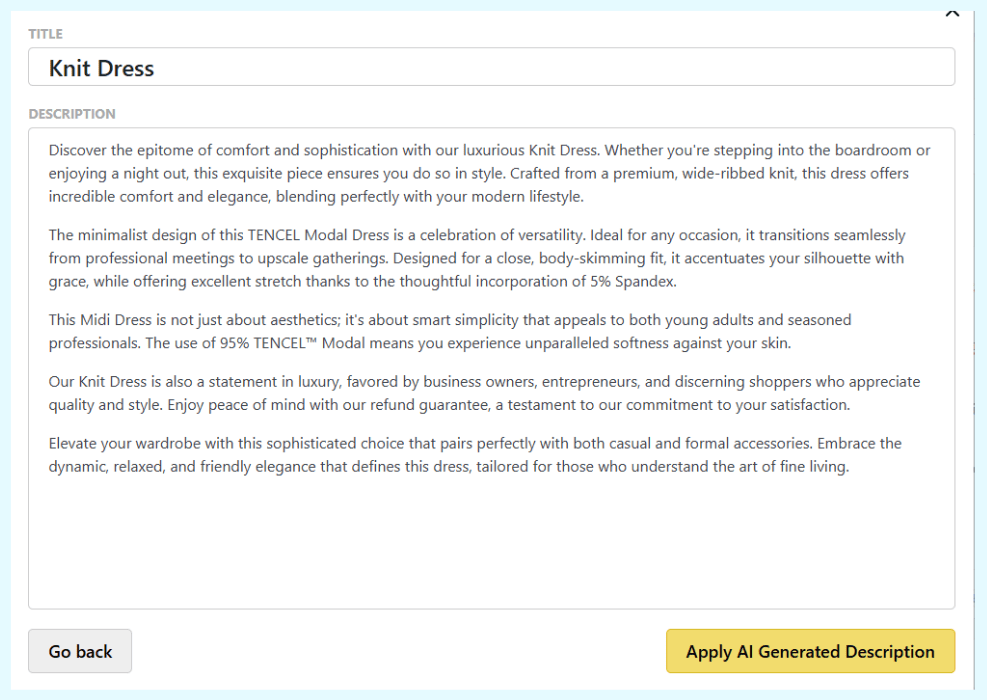
Category descriptions matter too. A well optimized category page tells Google that all the products within it share certain themes. Category Description AI helps you create these pages quickly, which indirectly boosts every product image inside that category. It’s like giving Google a map of your store.
6. Implement lazy loading and technical settings
Several technical settings make a big difference in how search engines handle your images. When people ask me how to optimize images for SEO, I always tell them not to skip this part:
- Lazy loading ensures images only load when someone scrolls to them. Without it, your store tries to load every product image at once, slowing everything down. These technical fixes are often overlooked in basic SEO image optimization guides, yet they make the biggest difference.
- Width and height attributes prevent page layout from shifting as images load. When these are missing, text jumps around while photos appear. Google notices this.
- Image sitemaps help search engines discover photos they might otherwise miss. SEO plugins like Yoast or AIOSEO generate these automatically.
Submit your image sitemap through Google Search Console. This tells Google exactly which images matter most. I’ve seen sites get indexed faster just from doing this one thing.
7. Optimize images for multi channel selling
Different channels have different requirements. Google Shopping needs clear product shots with plain backgrounds. Facebook prefers lifestyle images showing products in use. Your product feed needs to accommodate both, and that’s part of learning how to optimize images for SEO across your entire business.
AdTribes’ Product Feed Pro helps you manage this complexity. You can create separate feeds for each channel, each with the right image specifications. This matters because Google may disapprove products, and Facebook ads perform better with certain image types.
Cross channel consistency matters too. When customers see the same product image on Google, Facebook, and your store, it builds trust. Your product feed should pull from your optimized media library so every channel gets the same high quality, SEO friendly images.
What Common Image SEO Mistakes Do Store Owners Make?
Here are the most frequent mistakes I see when auditing WooCommerce stores. Avoid these while you’re learning how to optimize images for SEO:
- Keyword stuffing in alt text. Writing “blue shoes, buy blue shoes, cheap blue shoes” doesn’t help anyone. It annoys screen reader users and can trigger spam filters.
- Duplicate alt text across multiple products. When every image has the same alt text, search engines can’t distinguish between them.
- Blank alt text on important images. Product photos need descriptions. Without them, you’re invisible in image search.
- Using low resolution images. Small, pixelated photos tell customers you don’t care about quality.
- Forgetting to update old content. Optimizing new products is great, but those 500 existing products still need help.
- Starting alt text with “image of,” “illustration of,” or “diagram of.” Screen readers already announce it’s an image, so this just wastes characters and annoys users.
What Results Should You Expect From Image SEO?
Page speed improvements happen immediately. Compressed images and proper technical settings reduce load times the moment you implement them. You can measure this with Google’s PageSpeed Insights or GTmetrix.
Traffic from Google Images typically takes two to four months to show meaningful increases. Search engines need time to rediscover your optimized images and reevaluate their relevance. Be patient. This compounds over time.
The compound effect matters most. When your product pages load faster AND rank higher in image search AND have better descriptions, everything works together. Each improvement makes the others more effective.
Conclusion
Image SEO isn’t complicated, but it does require consistency. The steps we covered all work together to help your products get found. The stores that win at image search are the ones that actually do the work. But optimizing images for SEO doesn’t mean you have to do everything manually.
- What Is Image SEO?
- How To Optimize Images For SEO
- What Common Image SEO Mistakes Do Store Owners Make?
- What Results Should You Expect From Image SEO?
Honestly, the hardest part is just getting started. Pick one product category this week. Fix the file names, write better alt text, and make sure the images load fast. Once you see the results, you’ll want to do the rest of your store.
And if you’re dealing with hundreds of products, you can download StoreAgent for free. The Image Alt Tags AI is already included, along with all the other AI content tools.
Frequently Asked Questions
How do I find out if my images are already ranking in Google Search?
Go to Google Search Console, open the Performance report, and filter by “Search type: Image”. This shows you which product images are already getting impressions and what keywords people are using to find them. You can then optimize those pages further to capture more clicks.
Does Google penalize duplicate images across multiple product pages?
Google doesn’t “penalize” duplicate product images, but they won’t help you rank either. If you use the same photo for multiple similar products, search engines struggle to distinguish between them . Each product page needs unique images to compete effectively in visual search.
What’s the difference between compressing images and optimizing them?
Compression is just one part of optimization. Compression shrinks file size. Optimization includes compression PLUS proper file naming, alt text, image sitemaps, and structured data . Think of compression as the technical foundation and the rest as the SEO strategy.
How often should I re-optimize old product images?
Audit your image performance every 6-12 months. Run a new compression tool on your media library, check if alt text still matches current keyword strategy, and replace any outdated product photos. Search trends change and so should your images.
Can I use the same image optimization strategy for social media and my website?
Not exactly. Social platforms have different size requirements and often compress images further. What works for Google Images might get cropped awkwardly on Instagram. Create channel-specific versions while keeping your core product photos consistent.


